TL;DR
Master Azure Kubernetes Service deployment and management at enterprise scale. Covers security, monitoring, and best practices.
Azure Kubernetes Service (AKS): Enterprise-Scale Implementation
Azure Kubernetes Service (AKS) provides a managed Kubernetes environment for running containerized applications. This guide covers enterprise-scale implementation strategies and best practices.
$1
$1
1. Node Pools
- System node pools
- User node pools
- Spot instance pools
2. Networking
- Virtual networks
- Network policies
- Service mesh integration
3. Identity and Access
- Azure AD integration
- RBAC configuration
- Managed identities
$1
$1
`` az group create --name production-aks --location eastus az aks create \
--resource-group production-aks \
--name enterprise-aks \
--node-count 3 \
--enable-aad \
--enable-azure-rbac \
--network-plugin azure \
--network-policy azure
bash
`Create resource group
Create AKS cluster
$1
` apiVersion: networking.k8s.io/v1
kind: NetworkPolicy
metadata:
name: default-deny
spec:
podSelector: {}
policyTypes:
- Ingress
- Egress
yaml
`
$1
$1
` apiVersion: policy/v1beta1
kind: PodSecurityPolicy
metadata:
name: restricted
spec:
privileged: false
seLinux:
rule: RunAsAny
runAsUser:
rule: MustRunAsNonRoot
fsGroup:
rule: RunAsAny
yaml
`
$1
$1
$1
` az aks enable-addons \
--resource-group production-aks \
--name enterprise-aks \
--addons monitoring
bash
`Enable monitoring
$1
` apiVersion: v1
kind: ConfigMap
metadata:
name: container-azm-ms-agentconfig
namespace: kube-system
data:
log-analytics-config: |
[log_collection_settings]
[log_collection_settings.stdout]
enabled = true
exclude_namespaces = ["kube-system"]
yaml
`
$1
$1
` apiVersion: autoscaling/v2
kind: HorizontalPodAutoscaler
metadata:
name: app-hpa
spec:
scaleTargetRef:
apiVersion: apps/v1
kind: Deployment
name: app-deployment
minReplicas: 3
maxReplicas: 10
metrics:
- type: Resource
resource:
name: cpu
target:
type: Utilization
averageUtilization: 70
yaml
`
$1
` az aks update \
--resource-group production-aks \
--name enterprise-aks \
--enable-cluster-autoscaler \
--min-count 3 \
--max-count 10
bash
`
$1
$1
` az aks enable-addons \
--resource-group production-aks \
--name enterprise-aks \
--addons azure-policy
bash
``Enable backup
$1
$1
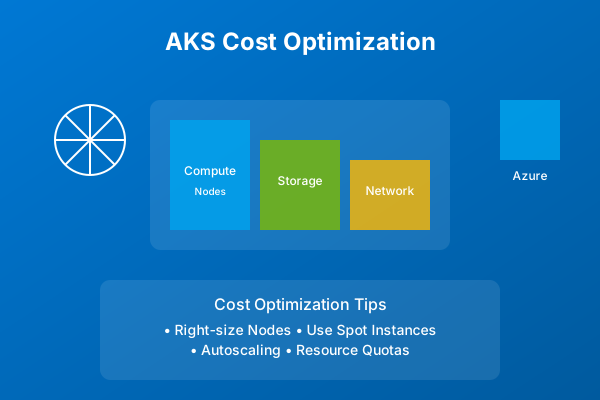
1. Resource Optimization
- Right-size node pools
- Use spot instances
- Implement auto-scaling
2. Cost Monitoring
- Set up budgets
- Monitor usage
- Implement tagging strategy
$1
1. Cluster Management
- Use GitOps workflows
- Implement CI/CD pipelines
- Regular maintenance windows
2. Security
- Regular security audits
- Image scanning
- Secret management
3. Performance
- Resource limits
- Performance monitoring
- Optimization strategies
$1
Implementing AKS at enterprise scale requires careful planning and attention to security, scalability, and operational efficiency. Follow these best practices to ensure a successful deployment.
$1
Why This Matters
Understanding the business and technical context helps you make informed decisions rather than blindly following patterns.
Trade-offs to Consider
Every architectural decision involves trade-offs. Consider your specific requirements, team expertise, and scale when evaluating options.
When NOT to Use This
Knowing when a solution doesn't apply is as valuable as knowing when it does. Consider alternatives for your specific situation.
Decision Framework
Use this framework to evaluate whether this approach is right for your use case based on your specific constraints and requirements.