TL;DR
Master Azure Kubernetes Service with this comprehensive guide covering architecture, cluster management, security, networking, and real-world deployment scenarios.
Azure Kubernetes Service: A Complete Implementation Guide
Azure Kubernetes Service (AKS) is Microsoft's managed Kubernetes offering that simplifies container orchestration. This comprehensive guide will walk you through implementing and managing AKS effectively.
$1
AKS consists of several key components working together:
| Component | Description | Responsibility |
|---|---|---|
| Control Plane | Managed by Azure | Orchestration and cluster management |
| Node Pools | Worker nodes running containers | Application workload execution |
| Virtual Network | Network infrastructure | Container communication |
| Container Registry | Image storage | Container image management |
$1
Here's how to create a production-ready AKS cluster:
`` az group create --name myAKSGroup --location eastus az aks create \
--resource-group myAKSGroup \
--name myAKSCluster \
--node-count 3 \
--enable-managed-identity \
--network-plugin azure \
--vnet-subnet-id $SUBNET_ID \
--docker-bridge-address 172.17.0.1/16 \
--dns-service-ip 10.0.0.10 \
--service-cidr 10.0.0.0/16 \
--generate-ssh-keys
bash
`Create a resource group
Create AKS cluster with advanced networking
$1
AKS supports multiple node pools for different workload types:
` az aks nodepool add \
--resource-group myAKSGroup \
--cluster-name myAKSCluster \
--name cpupool \
--node-count 3 \
--node-vm-size Standard_F8s_v2 \
--labels workload=cpu
bash
`Add a new node pool for CPU-intensive workloads
$1
| Scenario | Node Pool Type | VM Size |
|---|---|---|
| General Workloads | System | Standard_DS2_v2 |
| CPU Intensive | User | Standard_F8s_v2 |
| Memory Intensive | User | Standard_E8s_v3 |
| GPU Workloads | User | Standard_NC6s_v3 |
$1
$1
` apiVersion: rbac.authorization.k8s.io/v1
kind: ClusterRole
metadata:
name: app-developer
rules:
resources: ["pods", "services"]
verbs: ["get", "list", "watch", "create", "update", "patch", "delete"]
---
apiVersion: rbac.authorization.k8s.io/v1
kind: ClusterRoleBinding
metadata:
name: app-developer-binding
subjects:
name: "app-developer-group-id"
apiGroup: rbac.authorization.k8s.io
roleRef:
kind: ClusterRole
name: app-developer
apiGroup: rbac.authorization.k8s.io
yaml
`
$1
Implement network policies to control pod-to-pod communication:
` apiVersion: networking.k8s.io/v1
kind: NetworkPolicy
metadata:
name: backend-policy
spec:
podSelector:
matchLabels:
app: backend
policyTypes:
- Ingress
ingress:
- from:
- podSelector:
matchLabels:
app: frontend
ports:
- protocol: TCP
port: 8080
yaml
`
$1
$1
` apiVersion: apps/v1
kind: Deployment
metadata:
name: app-blue
spec:
replicas: 3
selector:
matchLabels:
app: myapp
version: blue
template:
metadata:
labels:
app: myapp
version: blue
spec:
containers:
- name: myapp
image: myapp:1.0
---
apiVersion: v1
kind: Service
metadata:
name: app-service
spec:
selector:
app: myapp
version: blue
ports:
- port: 80
targetPort: 8080
yaml
`
$1
` apiVersion: networking.istio.io/v1alpha3
kind: VirtualService
metadata:
name: myapp-vsvc
spec:
hosts:
- myapp.example.com
http:
- route:
- destination:
host: myapp-v1
weight: 90
- destination:
host: myapp-v2
weight: 10
yaml
`
$1
$1
Enable monitoring with:
` az aks enable-addons \
--resource-group myAKSGroup \
--name myAKSCluster \
--addons monitoring
bash
`Enable container insights
$1
` apiVersion: monitoring.coreos.com/v1
kind: ServiceMonitor
metadata:
name: app-monitor
spec:
selector:
matchLabels:
app: myapp
endpoints:
- port: metrics
yaml
`
$1
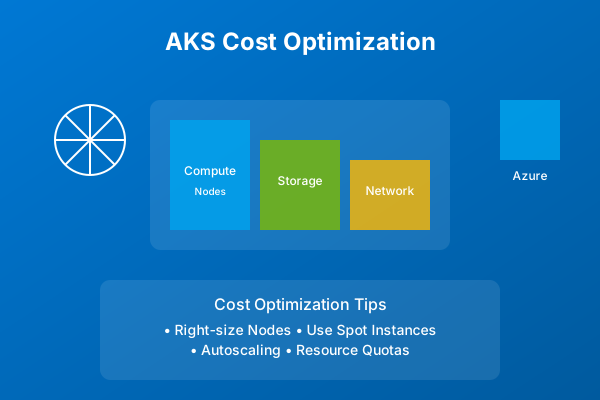
Implement these strategies to optimize AKS costs:
| Strategy | Implementation | Savings |
|---|---|---|
| Spot Instances | Use for non-critical workloads | Up to 90% |
| Autoscaling | Configure HPA and CA | 20-40% |
| Reserved Instances | 1-3 year commitment | Up to 72% |
| Right-sizing | Monitor and adjust resources | 30-50% |
$1
Common issues and solutions:
1. Cluster Creation Failures
- Check quota limits
- Verify network configuration
- Review service principal permissions
2. Node Issues
- Check node status: kubectl get nodes - Review node logs: - Monitor node metrics 3. Application Problems
- Check pod status: - Review pod logs: - Verify service configuration
kubectl describe node
kubectl get pods
kubectl logs $1
1. Cluster Management
- Use multiple node pools
- Implement proper RBAC
- Enable monitoring from start
2. Security
- Enable Azure AD integration
- Implement network policies
- Regular security updates
3. Networking
- Use Azure CNI for advanced networking
- Configure network policies
- Implement proper ingress controllers
4. Monitoring
- Enable Container Insights
- Set up proper alerting
- Monitor costs regularly
$1
After implementing your AKS cluster:
1. Implement CI/CD pipelines
2. Set up disaster recovery
3. Configure automated scaling
4. Establish monitoring and alerting
5. Document operational procedures
Remember to regularly review and update your AKS implementation to maintain optimal performance and security.
Why This Matters
Understanding the business and technical context helps you make informed decisions rather than blindly following patterns.
Trade-offs to Consider
Every architectural decision involves trade-offs. Consider your specific requirements, team expertise, and scale when evaluating options.
When NOT to Use This
Knowing when a solution doesn't apply is as valuable as knowing when it does. Consider alternatives for your specific situation.
Decision Framework
Use this framework to evaluate whether this approach is right for your use case based on your specific constraints and requirements.