TL;DR
Learn how to effectively orchestrate and scale Docker containers using Docker Compose, Swarm mode, and advanced scaling techniques.
Docker Orchestration and Scaling: A Comprehensive Guide
Master container orchestration and scaling with Docker's built-in tools and best practices for managing containerized applications at scale.
$1
Understanding Docker's orchestration capabilities.
`` mindmap
root((Docker Orchestration))
Compose
Local Development
Service Definition
Multi-container Apps
Swarm
Production Clustering
Service Discovery
Load Balancing
Stack
Production Deployment
Service Composition
Resource Management
mermaid
`
$1
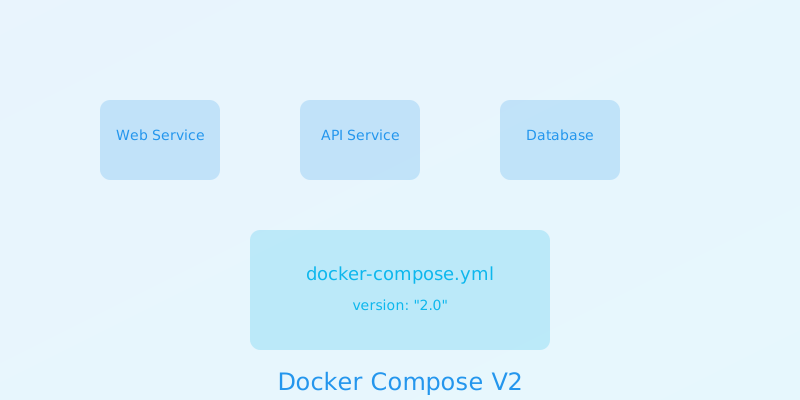
Managing multi-container applications.
` graph TB
subgraph "Docker Compose"
A[docker-compose.yml] --> B[Service Definition]
B --> C[Network Config]
B --> D[Volume Config]
B --> E[Environment]
end
style A fill:#f96,stroke:#333
style B fill:#9cf,stroke:#333
style E fill:#9f9,stroke:#333
mermaid
`
$1
` version: '3.8'
services:
web:
image: nginx:alpine
ports:
- "80:80"
deploy:
replicas: 3
resources:
limits:
cpus: '0.5'
memory: 512M
networks:
- frontend
api:
build:
context: ./api
dockerfile: Dockerfile
environment:
- NODE_ENV=production
depends_on:
- db
networks:
- frontend
- backend
db:
image: postgres:14
volumes:
- db_data:/var/lib/postgresql/data
networks:
- backend networks:
frontend:
backend: volumes:
db_data:
yaml
`
$1
Setting up and managing a Docker Swarm cluster.
` graph TB
subgraph "Swarm Cluster"
A[Manager Node] --> B[Worker Node 1]
A --> C[Worker Node 2]
A --> D[Worker Node 3]
end
style A fill:#f96,stroke:#333
style B fill:#9cf,stroke:#333
style D fill:#9f9,stroke:#333
mermaid
`
$1
` version: '3.8'
services:
web:
image: nginx:alpine
deploy:
mode: replicated
replicas: 6
placement:
constraints:
- node.role == worker
update_config:
parallelism: 2
delay: 10s
restart_policy:
condition: on-failure
ports:
- "80:80"
networks:
- overlay_net networks:
overlay_net:
driver: overlay
yaml
`
$1
Implementing effective scaling strategies.
` flowchart TB
subgraph "Scaling Strategy"
A[Monitor Load] --> B{Scale Decision}
B -->|Auto| C[Horizontal Scaling]
B -->|Manual| D[Vertical Scaling]
C --> E[Update Service]
D --> E
end
style A fill:#f96,stroke:#333
style B fill:#9cf,stroke:#333
style E fill:#9f9,stroke:#333
mermaid
`
$1
` version: '3.8'
services:
api:
image: api:latest
deploy:
mode: replicated
replicas: 3
resources:
limits:
cpus: '0.50'
memory: 512M
update_config:
parallelism: 2
delay: 10s
restart_policy:
condition: on-failure
placement:
max_replicas_per_node: 1
yaml
`
$1
Configuring load balancing for distributed services.
` graph LR
A[Load Balancer] --> B[Service 1]
A --> C[Service 2]
A --> D[Service 3]
style A fill:#f96,stroke:#333
style B fill:#9cf,stroke:#333
style D fill:#9f9,stroke:#333
mermaid
`
$1
` version: '3.8'
services:
lb:
image: traefik:v2.9
command:
- "--api.insecure=true"
- "--providers.docker=true"
ports:
- "80:80"
- "8080:8080"
volumes:
- /var/run/docker.sock:/var/run/docker.sock
deploy:
placement:
constraints:
- node.role == manager web:
image: nginx:alpine
deploy:
replicas: 3
labels:
- "traefik.enable=true"
- "traefik.http.routers.web.rule=Host(yaml
example.com)"
`
$1
Implementing service discovery in a Swarm environment.
` sequenceDiagram
participant C as Client
participant DNS as Swarm DNS
participant LB as Load Balancer
participant S as Service
C->>DNS: Lookup service
DNS->>C: Return VIP
C->>LB: Request
LB->>S: Forward
mermaid
`
$1
` version: '3.8'
services:
api:
image: api:latest
deploy:
replicas: 3
networks:
- backend
environment:
- SERVICE_NAME=api
- DISCOVERY_SERVICE=consul consul:
image: consul:latest
command: agent -server -bootstrap-expect=1
networks:
- backend networks:
backend:
driver: overlay
yaml
`
$1
Setting up monitoring for orchestrated services.
` graph TB
subgraph "Monitoring Stack"
A[Service Metrics] --> B[Prometheus]
B --> C[Grafana]
C --> D[Alerts]
end
style A fill:#f96,stroke:#333
style B fill:#9cf,stroke:#333
style D fill:#9f9,stroke:#333
mermaid
`
$1
` version: '3.8'
services:
prometheus:
image: prom/prometheus
volumes:
- ./prometheus.yml:/etc/prometheus/prometheus.yml
ports:
- "9090:9090"
deploy:
placement:
constraints:
- node.role == manager grafana:
image: grafana/grafana
ports:
- "3000:3000"
depends_on:
- prometheus
yaml
`
$1
Implementing high availability in Swarm.
` graph TB
subgraph "HA Configuration"
A[Manager Quorum] --> B[Replication]
B --> C[Failover]
C --> D[Recovery]
end
style A fill:#f96,stroke:#333
style B fill:#9cf,stroke:#333
style D fill:#9f9,stroke:#333
mermaid
`
$1
` version: '3.8'
services:
web:
image: nginx:alpine
deploy:
replicas: 6
placement:
constraints:
- node.role == worker
preferences:
- spread: node.labels.zone
restart_policy:
condition: on-failure
delay: 5s
max_attempts: 3
window: 120s
yaml
`
$1
1. Service Design
- Use service labels
- Implement health checks
- Configure resource limits
2. Deployment Strategy
- Rolling updates
- Backup strategies
- Monitoring plan
3. Security
- Secrets management
- Network isolation
- Access controls
` mindmap
root((Orchestration Best Practices))
Design
Service Structure
Resource Planning
Scaling Strategy
Operations
Monitoring
Logging
Backup
Security
Access Control
Secrets
Updates
mermaid
``
Why This Matters
Understanding the business and technical context helps you make informed decisions rather than blindly following patterns.
Trade-offs to Consider
Every architectural decision involves trade-offs. Consider your specific requirements, team expertise, and scale when evaluating options.
When NOT to Use This
Knowing when a solution doesn't apply is as valuable as knowing when it does. Consider alternatives for your specific situation.
Decision Framework
Use this framework to evaluate whether this approach is right for your use case based on your specific constraints and requirements.