TL;DR
Learn the fundamentals of Microsoft Azure, from core concepts to practical implementation. This guide covers Azure resources, services, networking, security, and best practices for cloud deployment.
Introduction to Azure Cloud Platform
Microsoft Azure is a comprehensive cloud computing platform that offers over 200 products and cloud services designed to help organizations build, run, and manage applications across multiple clouds, on-premises, and at the edge. This guide will walk you through the essential concepts and practical implementations.
$1
Before diving into specific services, let's understand the fundamental concepts that form the backbone of Azure:
| Concept | Description | Example |
|---|---|---|
| Subscription | A logical container for your resources that links to an Azure account | Development Subscription |
| Resource Group | Container that holds related resources for an Azure solution | WebApp-Production-RG |
| Region | Geographical area containing one or more datacenters | East US, West Europe |
| Availability Zone | Physically separate datacenters within an Azure region | Zone 1, Zone 2, Zone 3 |
$1
Azure Resource Manager (ARM) is the deployment and management service for Azure. It provides a management layer that enables you to create, update, and delete resources in your Azure account.
$1
Here's how to create a basic resource group and storage account using Azure CLI:
`` az login az group create --name MyResourceGroup --location eastus az storage account create \
--name mystorageaccount \
--resource-group MyResourceGroup \
--location eastus \
--sku Standard_LRS \
--kind StorageV2
bash
`Login to Azure
Create a resource group
Create a storage account
$1
ARM templates allow you to define and deploy Azure infrastructure declaratively. Here's a sample template for creating a virtual network:
` {
"$schema": "https://schema.management.azure.com/schemas/2019-04-01/deploymentTemplate.json#",
"contentVersion": "1.0.0.0",
"parameters": {
"vnetName": {
"type": "string",
"defaultValue": "myVNet"
}
},
"resources": [
{
"type": "Microsoft.Network/virtualNetworks",
"apiVersion": "2021-02-01",
"name": "[parameters('vnetName')]",
"location": "[resourceGroup().location]",
"properties": {
"addressSpace": {
"addressPrefixes": ["10.0.0.0/16"]
},
"subnets": [
{
"name": "default",
"properties": {
"addressPrefix": "10.0.0.0/24"
}
}
]
}
}
]
}
json
`
$1
Azure networking provides the infrastructure and services to securely connect Azure resources to each other, the internet, and on-premises networks.

$1
VNets are the fundamental building block for your private network in Azure. They enable Azure resources to securely communicate with each other, the internet, and on-premises networks.
` az network vnet create \
--name MyVNet \
--resource-group MyResourceGroup \
--subnet-name default \
--address-prefix 10.0.0.0/16 \
--subnet-prefix 10.0.0.0/24
bash
`Create a virtual network
$1
NSGs contain security rules that allow or deny inbound or outbound network traffic:
` az network nsg create \
--name MyNSG \
--resource-group MyResourceGroup az network nsg rule create \
--name AllowHTTP \
--nsg-name MyNSG \
--priority 1000 \
--resource-group MyResourceGroup \
--access Allow \
--destination-port-ranges 80 \
--direction Inbound \
--protocol Tcp
bash
`Create an NSG
Add a security rule
$1
Azure offers various compute services to run your applications. Here are the main categories:
| Service | Use Case | Benefits |
|---|---|---|
| Virtual Machines | Full control over OS and environment | Maximum flexibility, lift-and-shift migrations |
| App Services | Web applications and APIs | Managed platform, easy deployment |
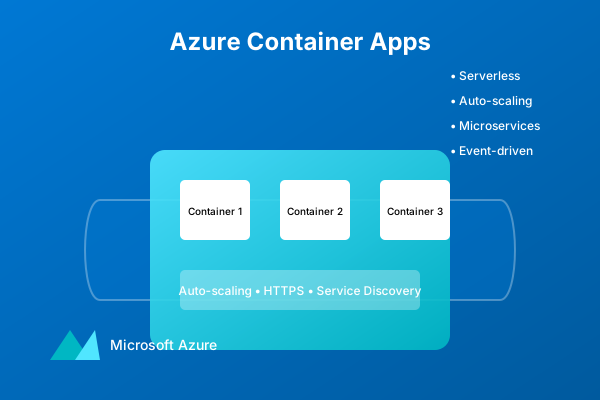
| Azure Functions | Event-driven, serverless computing | Pay-per-execution, automatic scaling |
| Container Instances | Simple container workloads | Fast deployment, no orchestration needed |
$1
Here's how to create a basic Linux VM using Azure CLI:
` az vm create \
--resource-group MyResourceGroup \
--name MyVM \
--image UbuntuLTS \
--admin-username azureuser \
--generate-ssh-keys \
--size Standard_DS1_v2
bash
`Create a VM
$1
Azure provides several types of storage services to meet different data needs:
1. Blob Storage: For unstructured data like images, documents, and videos
2. File Storage: Managed file shares for cloud or on-premises deployment
3. Table Storage: NoSQL store for schema-less storage of structured data
4. Queue Storage: For message queuing and reliable messaging between components
$1
` az storage container create \
--name mycontainer \
--account-name mystorageaccount az storage blob upload \
--container-name mycontainer \
--name myfile.txt \
--file myfile.txt \
--account-name mystorageaccount
bash
`Create a container in the storage account
Upload a file to blob storage
$1
Security is a shared responsibility between you and Azure. Here are key security features:
1. Azure Active Directory (AAD): Identity and access management
2. Key Vault: Secure storage of secrets and keys
3. Security Center: Unified security management and threat protection
4. Network Security Groups: Network level security
$1
` az keyvault create \
--name MyKeyVault \
--resource-group MyResourceGroup \
--location eastus az keyvault secret set \
--vault-name MyKeyVault \
--name MySecret \
--value "MySecretValue"
bash
`Create a Key Vault
Add a secret to Key Vault
$1
Azure provides comprehensive tools for monitoring and managing your resources:
1. Azure Monitor: Collect, analyze, and act on telemetry
2. Application Insights: Application Performance Management (APM)
3. Log Analytics: Query and analyze log data
$1
` az monitor diagnostic-settings create \
--name MyDiagnostics \
--resource MyVM \
--resource-group MyResourceGroup \
--logs "[{\"category\":\"AllMetrics\",\"enabled\":true}]" \
--workspace MyWorkspace
bash
``Enable monitoring for a VM
$1
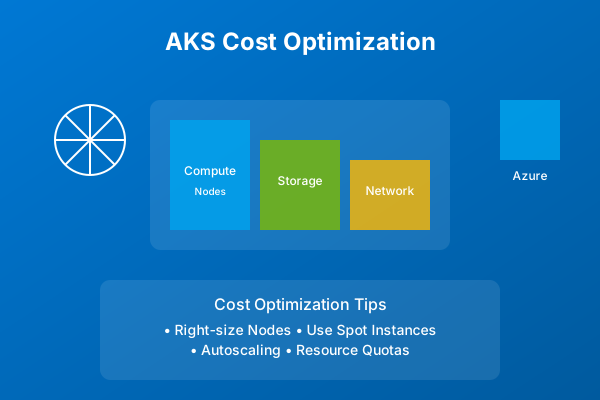
Understanding and managing costs is crucial for successful Azure adoption:
| Strategy | Implementation | Impact |
|---|---|---|
| Right-sizing | Choose appropriate resource sizes | Immediate cost reduction |
| Reserved Instances | Commit to long-term usage | Up to 72% savings |
| Auto-shutdown | Schedule VM shutdowns | Reduce non-production costs |
$1
After mastering these basics, consider exploring:
1. Azure DevOps for CI/CD pipelines
2. Azure Kubernetes Service (AKS) for container orchestration
3. Azure Functions for serverless computing
4. Azure Cognitive Services for AI capabilities
Remember to always follow Azure's best practices and regularly review your architecture for optimization opportunities.
Why This Matters
Understanding the business and technical context helps you make informed decisions rather than blindly following patterns.
Trade-offs to Consider
Every architectural decision involves trade-offs. Consider your specific requirements, team expertise, and scale when evaluating options.
When NOT to Use This
Knowing when a solution doesn't apply is as valuable as knowing when it does. Consider alternatives for your specific situation.
Decision Framework
Use this framework to evaluate whether this approach is right for your use case based on your specific constraints and requirements.