AWS ECS vs EKS in 2024: A Comprehensive Comparison
An in-depth comparison of Amazon ECS and EKS, helping you choose the right container orchestration service for your needs in 2024
AWS ECS vs. EKS in 2024: A Pragmatic Engineering Decision Guide
TL;DR
In 2024, the choice between AWS ECS and EKS hinges on your team's expertise, operational complexity tolerance, and strategic need for cloud portability versus deep AWS integration. ECS offers a simpler, more AWS-native experience ideal for straightforward workloads and teams prioritizing ease of use and potentially lower operational overhead. EKS provides the full power and flexibility of Kubernetes, essential for complex, multi-cloud, or highly customized container orchestration scenarios, but demands a higher investment in learning and management.
Introduction
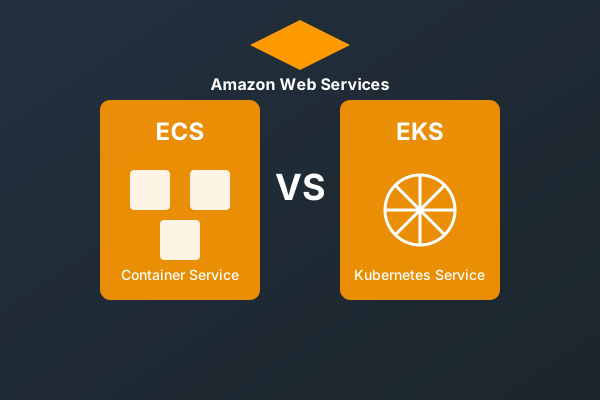
Selecting the appropriate container orchestration service is a foundational decision impacting application deployment, scaling, and management within AWS. Amazon Elastic Container Service (ECS) and Amazon Elastic Kubernetes Service (EKS) represent two distinct paths, each with its own set of trade-offs. This guide provides an in-depth comparison for experienced engineers to navigate these choices in 2024, focusing on practical implications and architectural considerations.
Service Overviews
Amazon Elastic Container Service (ECS)
ECS is a fully managed container orchestration service that integrates deeply with other AWS services. It simplifies running, stopping, and managing containers on a cluster. ECS offers two distinct launch types:
- EC2 Launch Type: You manage the underlying EC2 instances that form your cluster. This provides more control over the compute environment but requires manual patching, scaling, and management of the instances.
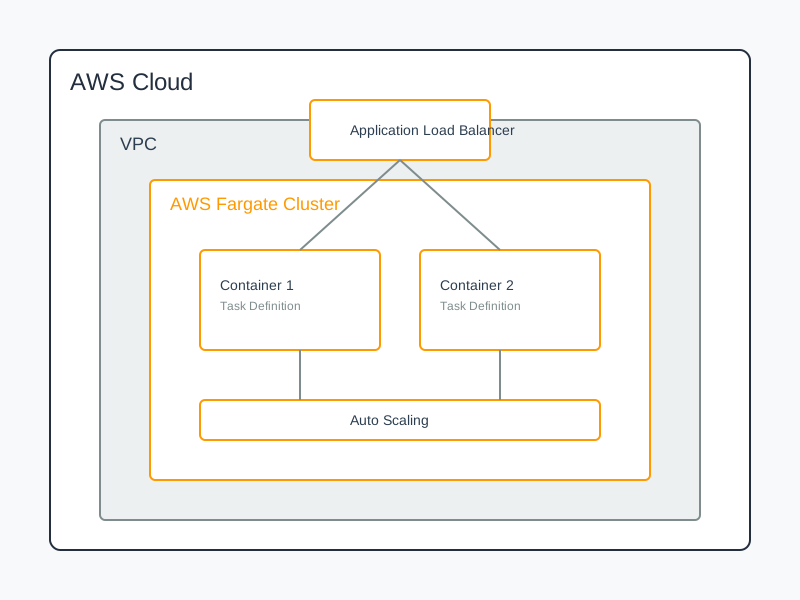
- Fargate Launch Type: You provision serverless compute for your containers. AWS manages the underlying infrastructure, abstracting away instance management entirely.
Amazon Elastic Kubernetes Service (EKS)
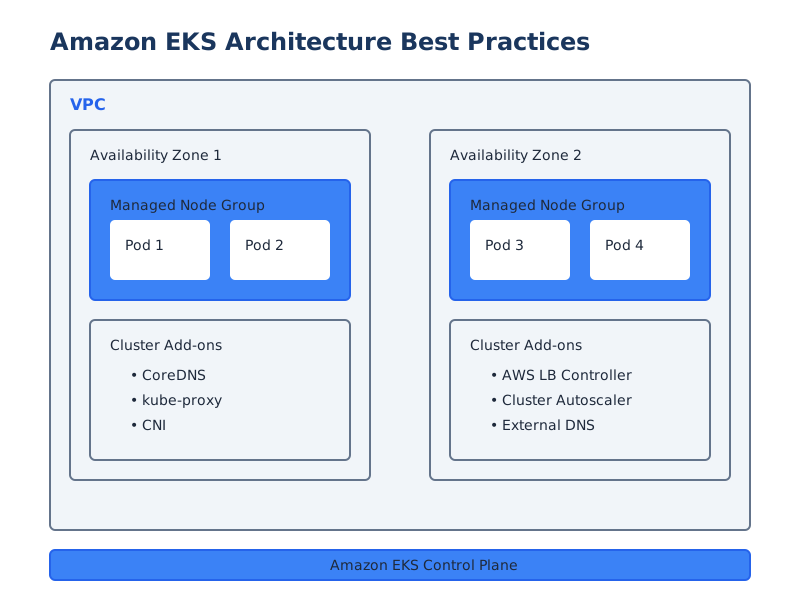
EKS is a managed Kubernetes service that makes it easy to run Kubernetes on AWS without needing to install, operate, and maintain your own Kubernetes control plane or nodes. EKS manages the Kubernetes control plane, providing high availability and scalability. You are responsible for managing the worker nodes (either EC2 instances or Fargate).
Feature Comparison: A Deeper Dive
| Feature | ECS | EKS | Notes | | :------------------- | :---------------------------------------------------------------- | :----------------------------------------------------------------------- | :----------------------------------------------------------------------------------------------------------------------------------------------------------------------- | | Orchestration | AWS-native orchestration | Standard Kubernetes | ECS is simpler for basic needs. EKS adheres to the Kubernetes API, enabling ecosystem tool compatibility. | | Learning Curve | Lower; integrates with AWS concepts (IAM, VPC, etc.) | Higher; requires understanding Kubernetes primitives (Pods, Deployments, Services, etc.) and cloud-native principles. | Teams familiar with AWS services will find ECS more intuitive. EKS requires investment in Kubernetes-specific knowledge. | | Control & Flexibility | AWS-managed control plane, limited customization. You define tasks and services. | Full Kubernetes API access, highly customizable. You manage cluster configuration and extensions. | EKS offers granular control over every Kubernetes component. ECS abstracts away much of this, simplifying operations but limiting deep customization. | | Pricing Model | Fargate: per vCPU/memory. EC2: only pay for EC2 instances. | EKS Control Plane: $0.10/hour/cluster. Worker Nodes: EC2/Fargate costs. | ECS can be more cost-effective for simpler workloads, especially with Fargate if instance utilization is low. EKS incurs a control plane cost regardless of usage. | | Portability | Primarily AWS-specific. Difficult to migrate to other clouds. | Cloud-agnostic (Kubernetes standard). Easier migration to other Kubernetes platforms. | EKS provides a path to multi-cloud or on-premises Kubernetes environments. ECS is largely locked into AWS. | | Community & Ecosystem | AWS-focused. Strong AWS support. | Massive, diverse Kubernetes community. Extensive third-party tools and integrations. | EKS benefits from the broader Kubernetes ecosystem. ECS relies heavily on AWS-provided features and integrations. | | AWS Integration | Deep, native integration with IAM, VPC, CloudWatch, ALB, EventBridge, etc. | Requires specific configurations (e.g., AWS Load Balancer Controller, IAM Roles for Service Accounts). | ECS provides seamless integration out-of-the-box. EKS requires explicit configuration of AWS service integrations, which can be more complex but also more customizable. | | Scaling | Simple, AWS-driven auto-scaling (Service Auto Scaling). | Advanced, Kubernetes-native scaling (HPA, VPA, Cluster Autoscaler). | ECS scaling is straightforward for common metrics. EKS offers sophisticated, policy-driven scaling across various resource types and cluster capacity. |
Architectural Patterns and Configuration
ECS Architecture & Configuration Example
ECS utilizes Task Definitions to describe your application's containers, including image, CPU, memory, ports, and environment variables. A Service manages the desired number of tasks and can integrate with load balancers and auto-scaling.
Example: NGINX Task Definition (JSON)
{
  "family": "web-app",
  "networkMode": "awsvpc",
  "requiresCompatibilities": ["FARGATE"],
  "cpu": "256",
  "memory": "512",
  "containerDefinitions": [
    {
      "name": "web",
      "image": "nginx:latest",
      "portMappings": [
        {
          "containerPort": 80,
          "protocol": "tcp"
        }
      ],
      "logConfiguration": {
        "logDriver": "awslogs",
        "options": {
          "awslogs-group": "/ecs/web-app",
          "awslogs-region": "us-east-1",
          "awslogs-stream-prefix": "web"
        }
      }
    }
  ]
}
When using EC2 launch type, you specify
launchType: EC2EKS Architecture & Configuration Example
EKS leverages standard Kubernetes objects. A Deployment manages ReplicaSets, which in turn manage Pods. Pods are the smallest deployable units, containing one or more containers.
Example: NGINX Deployment (YAML)
apiVersion: apps/v1
kind: Deployment
metadata:
  name: web-app
  labels:
    app: web
spec:
  replicas: 3
  selector:
    matchLabels:
      app: web
  template:
    metadata:
      labels:
        app: web
    spec:
      containers:
      - name: web
        image: nginx:latest
        resources:
          requests:
            memory: "128Mi"
            cpu: "125m" # 0.125 vCPU
          limits:
            memory: "256Mi"
            cpu: "250m" # 0.25 vCPU
        ports:
        - containerPort: 80
      # For Fargate on EKS, you'd typically use a dedicated namespace and FargateProfile
      # For EC2, ensure your NodeGroup or ASG is configured to accept these pods.
Deployment and Operational Comparison
Deploying Applications
ECS:
- CLI/SDK: Use the AWS CLI or SDKs to register task definitions and create/update services.
- Infrastructure as Code (IaC): AWS CloudFormation or Terraform are common choices. CDK provides a programmatic way to define ECS resources.
Example: AWS CDK for ECS Service (TypeScript)
import * as ecs from 'aws-cdk-lib/aws-ecs';
import * as ec2 from 'aws-cdk-lib/aws-ec2';
import * as cdk from 'aws-cdk-lib';

const app = new cdk.App();
const stack = new cdk.Stack(app, 'EcsStack');

const vpc = new ec2.Vpc(stack, 'MyVpc', { maxAzs: 2 });

const cluster = new ecs.Cluster(stack, 'MyCluster', { vpc });

const taskDefinition = new ecs.FargateTaskDefinition(stack, 'MyTaskDef', {
  cpu: 256,
  memoryLimitMiB: 512,
});

taskDefinition.addContainer('web', {
  image: ecs.ContainerImage.fromRegistry('nginx:latest'),
  portMappings: [{ containerPort: 80 }],
  logging: ecs.LogDriver.awsLogs({ streamPrefix: 'web-app' }),
});

new ecs.FargateService(stack, 'MyService', {
  cluster,
  taskDefinition,
  desiredCount: 2,
  assignPublicIp: true, // For Fargate, simplifies networking if no ALB yet
});
EKS:
- : The standard command-line tool for deploying applications to Kubernetes.
kubectl - Helm: A popular package manager for Kubernetes, simplifying deployment of complex applications.
- IaC: Terraform, Pulumi, or AWS CloudFormation can provision EKS clusters and their resources. Kubernetes manifests are often managed in GitOps workflows (e.g., Argo CD, Flux).
Example: AWS CDK for EKS Cluster and Deployment (TypeScript)
import * as eks from 'aws-cdk-lib/aws-eks';
import * as ec2 from 'aws-cdk-lib/aws-ec2';
import * as cdk from 'aws-cdk-lib';

const app = new cdk.App();
const stack = new cdk.Stack(app, 'EksStack');

const vpc = new ec2.Vpc(stack, 'MyVpc', { maxAzs: 2 });

const cluster = new eks.Cluster(stack, 'MyEksCluster', {
  vpc,
  version: eks.KubernetesVersion.V1_29, // Specify desired Kubernetes version
  defaultCapacity: 2, // Number of initial EC2 worker nodes
  // For Fargate on EKS, you'd configure FargateProfiles separately
  // defaultCapacityInstance: ec2.InstanceType.of(ec2.InstanceClass.T3, ec2.InstanceSize.MEDIUM)
});

// Add a simple NGINX deployment manifest
const nginxDeployment = {
  apiVersion: 'apps/v1',
  kind: 'Deployment',
  metadata: { name: 'nginx-deployment' },
  spec: {
    replicas: 3,
    selector: { matchLabels: { app: 'nginx' } },
    template: {
      metadata: { labels: { app: 'nginx' } },
      spec: {
        containers: [{
          name: 'nginx',
          image: 'nginx:latest',
          ports: [{ containerPort: 80 }]
        }]
      }
    }
  }
};

cluster.addManifest('nginx-deployment', nginxDeployment);
Service Integration and Networking
ECS Integration
ECS's strength lies in its seamless integration with other AWS services.
- Load Balancing: Easily integrates with Application Load Balancers (ALB) and Network Load Balancers (NLB) for distributing traffic to tasks.
- Service Discovery: AWS Cloud Map can be used for service discovery within ECS services.
- IAM: Fine-grained permissions for tasks using Task IAM Roles.
- Logging & Monitoring: Native integration with CloudWatch Logs and Metrics.
Example: ECS Service Definition Snippet (CloudFormation)
Resources:
  MyECSService:
    Type: AWS::ECS::Service
    Properties:
      Cluster: !Ref MyECSCluster
      TaskDefinition: !Ref MyTaskDefinition
      DesiredCount: 3
      LaunchType: FARGATE # or EC2
      LoadBalancers:
        - ContainerName: web
          ContainerPort: 80
          TargetGroupArn: !Ref MyTargetGroup # Assumes ALB Target Group is defined
      NetworkConfiguration:
        AwsvpcConfiguration:
          Subnets:
            - subnet-xxxxxxxxxxxxxxxxx
            - subnet-yyyyyyyyyyyyyyyyy
          SecurityGroups:
            - sg-zzzzzzzzzzzzzzzzz
          AssignPublicIp: ENABLED # For Fargate without ALB public access
EKS Integration
EKS requires explicit configuration for AWS service integration, offering greater flexibility but demanding more setup.
- Load Balancing: Achieved via the AWS Load Balancer Controller, which provisions ALBs/NLBs based on Kubernetes or
Ingressresources.Service - Service Discovery: Kubernetes' built-in DNS (or CoreDNS) for intra-cluster discovery. External discovery can use Cloud Map or other DNS solutions.
kube-dns - IAM: IAM Roles for Service Accounts (IRSA) provide fine-grained permissions for pods.
- Logging & Monitoring: Typically integrated with third-party solutions (Prometheus, Grafana, Fluentd/Fluent Bit) or AWS services via agents.
Example: EKS Ingress for ALB (YAML)
apiVersion: networking.k8s.io/v1
kind: Ingress
metadata:
  name: web-ingress
  annotations:
    kubernetes.io/ingress.class: alb
    alb.ingress.kubernetes.io/scheme: internet-facing
    alb.ingress.kubernetes.io/target-type: ip # or instance
    alb.ingress.kubernetes.io/listen-ports: '[{"HTTP": 80}]'
    alb.ingress.kubernetes.io/healthcheck-path: /healthz # Example health check path
spec:
  rules:
    - http:
        paths:
          - path: /
            pathType: Prefix
            backend:
              service:
                name: web-service # Assumes a Kubernetes Service named 'web-service' exists
                port:
                  number: 80
Scaling Strategies
ECS Auto Scaling
- Service Auto Scaling: Scales the number of tasks within an ECS service based on CloudWatch metrics (CPU/Memory utilization, custom metrics).
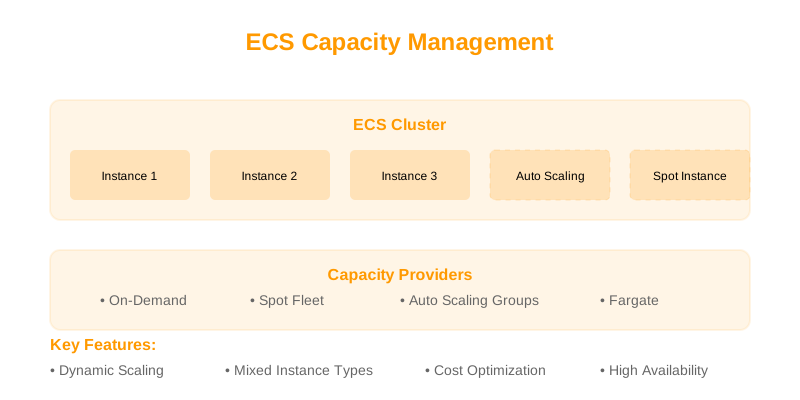
- Capacity Providers: Manages the underlying EC2 instance capacity for EC2 launch type, scaling the EC2 Auto Scaling group based on ECS demand.
Example: ECS Target Tracking Scaling Policy (CloudFormation)
{
  "Type": "AWS::ApplicationAutoScaling::ScalableTarget",
  "Properties": {
    "MaxCapacity": 10,
    "MinCapacity": 1,
    "ResourceId": "service/production/web-app", // Format: service/<cluster>/<service>
    "ScalableDimension": "ecs:service:DesiredCount",
    "ServiceNamespace": "ecs"
  }
},
{
  "Type": "AWS::ApplicationAutoScaling::ScalingPolicy",
  "Properties": {
    "PolicyName": "CPU-TargetTracking-Policy",
    "ScalingTargetId": { "Ref": "MyScalableTarget" }, // Reference to the ScalableTarget above
    "PolicyType": "TargetTrackingScaling",
    "TargetTrackingScalingPolicyConfiguration": {
      "TargetValue": 75.0,
      "PredefinedMetricSpecification": {
        "PredefinedMetricType": "ECSServiceAverageCPUUtilization"
      },
      "ScaleOutCooldown": 300,
      "ScaleInCooldown": 600
    }
  }
}
EKS Auto Scaling
- Horizontal Pod Autoscaler (HPA): Scales the number of pods in a Deployment, StatefulSet, etc., based on CPU or memory utilization, or custom metrics.
- Vertical Pod Autoscaler (VPA): Adjusts resource requests and limits for pods (not automatic scaling of replicas).
- Cluster Autoscaler: Automatically adjusts the number of worker nodes in your EKS cluster based on pending pods that cannot be scheduled.
Example: Horizontal Pod Autoscaler for EKS (YAML)
apiVersion: autoscaling/v2
kind: HorizontalPodAutoscaler
metadata:
  name: web-hpa
spec:
  scaleTargetRef:
    apiVersion: apps/v1
    kind: Deployment
    name: web-app # Target Deployment
  minReplicas: 2
  maxReplicas: 10
  metrics:
  - type: Resource
    resource:
      name: cpu
      target:
        type: Utilization
        averageUtilization: 70 # Target 70% CPU utilization across all pods
  # Example for custom metrics with Prometheus adapter
  # - type: Pods
  #   pods:
  #     metric:
  #       name: http_requests_per_second
  #     target:
  #       type: AverageValue
  #       averageValue: 100
Cost Analysis (2024 Snapshot)
The cost comparison is nuanced and highly dependent on workload characteristics.
ECS Cost Factors
- Fargate: Charged per vCPU-hour and GB-hour for the duration your tasks run. Predictable for steady-state workloads, potentially expensive for highly variable or underutilized tasks. No cluster management fee.
- EC2 Launch Type: You pay for the EC2 instances provisioned, EBS volumes, and data transfer. This offers potential cost savings if you can optimize EC2 instance utilization and management. No direct orchestration fee from AWS.
EKS Cost Factors
- EKS Control Plane: A fixed charge of $0.10 per hour per cluster. This is a direct cost for using EKS.
- Worker Nodes: Costs are incurred for EC2 instances or Fargate capacity. Management of EC2 worker nodes incurs operational overhead (patching, upgrades, configuration).
- Associated Services: Load Balancers, EBS volumes, data transfer, etc., incur their standard AWS charges.
General Cost Tendencies:
- For simple, stable workloads, ECS (especially Fargate) can be more cost-effective due to no control plane fee and potentially simpler resource provisioning.
- For complex, dynamic, or very large-scale deployments where efficient resource utilization is paramount and operational overhead is managed effectively, EKS can be competitive, especially if you're already invested in Kubernetes tooling or have existing EC2 capacity.
Security Comparison
ECS Security
- IAM: Controls access to AWS resources and ECS API actions. Task IAM Roles provide credentials to containers.
- VPC Integration: Tasks run within your VPC, allowing use of Security Groups and Network ACLs. network mode is recommended for fine-grained network control.
awsvpc - AWS Secrets Manager / Parameter Store: Securely inject secrets into tasks.
- ECR: Private container image registry integrated with IAM.
Example: ECS Task IAM Role Policy Snippet
{
  "Version": "2012-10-17",
  "Statement": [
    {
      "Effect": "Allow",
      "Action": [
        "s3:GetObject",
        "secretsmanager:GetSecretValue"
      ],
      "Resource": [
        "arn:aws:s3:::my-bucket/*",
        "arn:aws:secretsmanager:us-east-1:123456789012:secret:my-app-secret-*"
      ]
    }
  ]
}
EKS Security
- Kubernetes RBAC: Controls access to Kubernetes API resources (Pods, Services, Deployments, etc.) within the cluster.
- IAM Integration (IRSA): IAM Roles for Service Accounts allow pods to assume IAM roles for AWS resource access. This is the recommended method over instance roles for pods.
- Network Policies: Kubernetes Network Policies control traffic flow between pods within the cluster.
- Security Groups/NACLs: Applied at the VPC level for worker nodes and pods (depending on CNI and configuration).
- Secrets Management: Kubernetes Secrets object for sensitive data, or integration with external secret managers.
- Pod Security Admission (PSA) / Pod Security Policies (PSP - deprecated): Enforces security standards on pods.
Example: Kubernetes Role and RoleBinding for Pod Access
apiVersion: rbac.authorization.k8s.io/v1
kind: Role
metadata:
  namespace: dev
  name: pod-viewer
rules:
- apiGroups: [""] # Core API group
  resources: ["pods"]
  verbs: ["get", "list", "watch"]
---
apiVersion: rbac.authorization.k8s.io/v1
kind: RoleBinding
metadata:
  name: view-dev-pods
  namespace: dev
subjects:
- kind: User
  name: developer@example.com # Corresponds to an IAM user/role mapped to K8s auth
  apiGroup: rbac.authorization.k8s.io
roleRef:
  kind: Role
  name: pod-viewer
  apiGroup: rbac.authorization.k8s.io
Monitoring and Observability
ECS Monitoring
- CloudWatch: Native integration for metrics (CPU/Memory utilization, network, request count) and logs (via log driver).
awslogs - ECS Service Connect: Enables automatic service discovery and L7 load balancing for microservices within ECS.
- AWS X-Ray: Integration for distributed tracing.
Example: Python script to fetch ECS CPU Utilization (using Boto3)
import boto3
from datetime import datetime, timedelta, timezone

cloudwatch = boto3.client('cloudwatch')
cluster_name = 'your-ecs-cluster-name'
service_name = 'your-ecs-service-name' # Or TaskDefinitionFamily if monitoring tasks

# Define time range: last 1 hour
end_time = datetime.now(timezone.utc)
start_time = end_time - timedelta(hours=1)

try:
    response = cloudwatch.get_metric_statistics(
        Namespace='AWS/ECS',
        MetricName='CPUUtilization',
        Dimensions=[
            {'Name': 'ClusterName', 'Value': cluster_name},
            {'Name': 'ServiceName', 'Value': service_name}
        ],
        StartTime=start_time,
        EndTime=end_time,
        Period=300,  # 5-minute intervals
        Statistics=['Average']
    )
    print(f"CPU Utilization for {service_name} in {cluster_name}:")
    for point in response['Datapoints']:
        print(f"  {point['Timestamp']}: {point['Average']:.2f}%")

except Exception as e:
    print(f"Error fetching metrics: {e}")
EKS Monitoring
- Kubernetes Metrics Server: Provides basic CPU and memory metrics for Pods and Nodes, used by HPA.
- Prometheus & Grafana: The de facto standard for Kubernetes monitoring. Requires deployment and configuration within the cluster.
- Fluentd/Fluent Bit: Common choices for log aggregation from pods.
- AWS CloudWatch Container Insights: Collects, aggregates, and summarizes logs and metrics.
- OpenTelemetry: Emerging standard for tracing and metrics.
Example: Kubernetes ServiceMonitor for Prometheus Operator
apiVersion: monitoring.coreos.com/v1
kind: ServiceMonitor
metadata:
  name: web-app-monitor
  labels:
    release: prometheus # Standard label for Prometheus Operator
spec:
  selector:
    matchLabels:
      app: web # Selects pods with this label
  namespaceSelector:
    matchNames:
    - default # Namespace where the web-app service/pods are running
  endpoints:
  - port: http # Name of the port in the Service or Pod definition
    interval: 30s # Scrape interval
    path: /metrics # If your application exposes Prometheus metrics at /metrics
Trade-offs and Considerations
ECS Trade-offs
- Pros:
- Simplicity: Easier to get started and manage for basic use cases.
- Deep AWS Integration: Seamless connectivity with other AWS services.
- Lower Operational Overhead (especially Fargate): AWS manages the underlying infrastructure for Fargate.
- Cost-Effective for Predictable Workloads: Fargate pricing can be predictable.
- Cons:
- AWS Lock-in: Primarily an AWS service; difficult to migrate elsewhere.
- Limited Customization: Less control over the