TL;DR
Master Azure Kubernetes Service deployment and management at enterprise scale. Covers security, monitoring, and best practices.
Azure Kubernetes Service (AKS): Enterprise-Scale Implementation
Azure Kubernetes Service (AKS) provides a managed Kubernetes environment for running containerized applications. This guide covers enterprise-scale implementation strategies and best practices.
Architecture Design
Core Components
- System node pools
- User node pools
- Spot instance pools
- Virtual networks
- Network policies
- Service mesh integration
- Azure AD integration
- RBAC configuration
- Managed identities
Implementation Steps
1. Infrastructure Setup
# Create resource group
az group create --name production-aks --location eastus

# Create AKS cluster
az aks create \
    --resource-group production-aks \
    --name enterprise-aks \
    --node-count 3 \
    --enable-aad \
    --enable-azure-rbac \
    --network-plugin azure \
    --network-policy azure
2. Network Configuration
apiVersion: networking.k8s.io/v1
kind: NetworkPolicy
metadata:
  name: default-deny
spec:
  podSelector: {}
  policyTypes:
  - Ingress
  - Egress
Security Implementation
1. Pod Security
apiVersion: policy/v1beta1
kind: PodSecurityPolicy
metadata:
  name: restricted
spec:
  privileged: false
  seLinux:
    rule: RunAsAny
  runAsUser:
    rule: MustRunAsNonRoot
  fsGroup:
    rule: RunAsAny
2. Network Security
Monitoring and Operations
1. Azure Monitor Integration
# Enable monitoring
az aks enable-addons \
    --resource-group production-aks \
    --name enterprise-aks \
    --addons monitoring
2. Log Analytics
apiVersion: v1
kind: ConfigMap
metadata:
  name: container-azm-ms-agentconfig
  namespace: kube-system
data:
  log-analytics-config: |
    [log_collection_settings]
    [log_collection_settings.stdout]
    enabled = true
    exclude_namespaces = ["kube-system"]
Scaling Strategies
1. Horizontal Pod Autoscaling
apiVersion: autoscaling/v2
kind: HorizontalPodAutoscaler
metadata:
  name: app-hpa
spec:
  scaleTargetRef:
    apiVersion: apps/v1
    kind: Deployment
    name: app-deployment
  minReplicas: 3
  maxReplicas: 10
  metrics:
  - type: Resource
    resource:
      name: cpu
      target:
        type: Utilization
        averageUtilization: 70
2. Cluster Autoscaling
az aks update \
    --resource-group production-aks \
    --name enterprise-aks \
    --enable-cluster-autoscaler \
    --min-count 3 \
    --max-count 10
Disaster Recovery
1. Backup Configuration
# Enable backup
az aks enable-addons \
    --resource-group production-aks \
    --name enterprise-aks \
    --addons azure-policy
2. Multi-Region Strategy
Cost Management
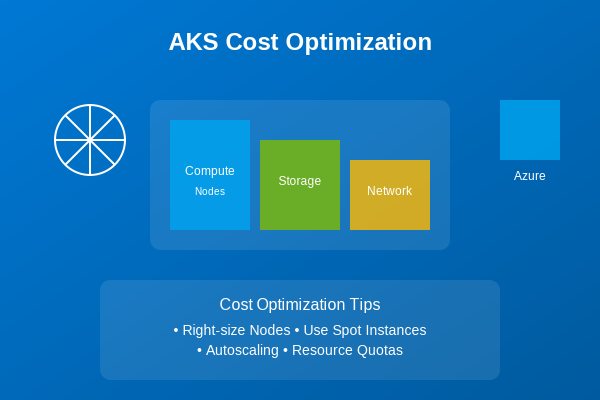
- Right-size node pools
- Use spot instances
- Implement auto-scaling
- Set up budgets
- Monitor usage
- Implement tagging strategy
Best Practices
- Use GitOps workflows
- Implement CI/CD pipelines
- Regular maintenance windows
- Regular security audits
- Image scanning
- Secret management
- Resource limits
- Performance monitoring
- Optimization strategies
Decision Framework
| Situation | Reach for |
|---|---|
| Standard enterprise workloads on Azure | AKS with Azure CNI, managed identity, and Azure Policy guardrails |
| Strict network isolation requirements | Private cluster + Azure Firewall egress control |
| Burstable, cost-sensitive dev/test | Spot node pools and cluster autoscaler with scale-to-zero pools |
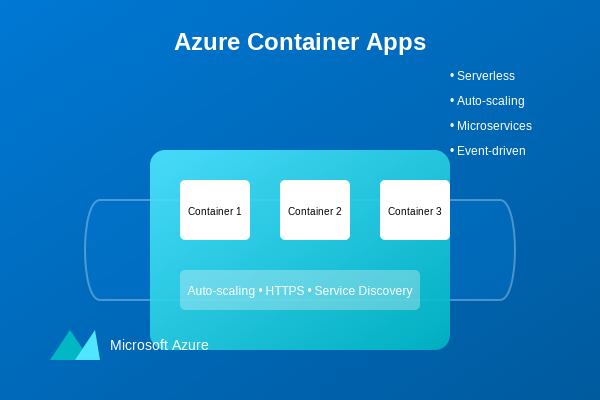
| Serverless-leaning, few platform staff | Azure Container Apps instead — AKS is power you may not need |
| Heavy Windows container estate | AKS Windows node pools, planned separately from Linux pools |
Implementation Checklist
Trade-offs
AKS removes the control-plane bill and much of the upgrade burden, but Azure's defaults are opinionated: networking choices (kubenet vs Azure CNI) are hard to reverse, and enterprise features like private clusters and Azure Policy add real complexity to day-one setup. The managed convenience is worth it for most estates — provided you make the irreversible choices (network model, identity model, tenancy) on paper first.
When Not to Use AKS
Conclusion
Implementing AKS at enterprise scale requires careful planning and attention to security, scalability, and operational efficiency. Follow these best practices to ensure a successful deployment.
Resources
Why This Matters
Understanding the business and technical context helps you make informed decisions rather than blindly following patterns.
Trade-offs to Consider
Every architectural decision involves trade-offs. Consider your specific requirements, team expertise, and scale when evaluating options.
When NOT to Use This
Knowing when a solution doesn't apply is as valuable as knowing when it does. Consider alternatives for your specific situation.
Decision Framework
Use this framework to evaluate whether this approach is right for your use case based on your specific constraints and requirements.