TL;DR
Master Azure Kubernetes Service with this comprehensive guide covering architecture, cluster management, security, networking, and real-world deployment scenarios.
Azure Kubernetes Service (AKS): A Complete Implementation Guide
Executive Summary
Azure Kubernetes Service gives you a managed Kubernetes control plane, but the decisions that determine whether a cluster is production-grade are still yours: node pool layout, network model, identity integration, and upgrade discipline. This guide walks through building an AKS cluster with those decisions made deliberately — creating the cluster, separating system and user node pools, binding Kubernetes RBAC to Microsoft Entra ID groups, enforcing pod-to-pod network policy, and choosing deployment strategies. By the end you will know which AKS defaults to accept, which to override on day one, and which are expensive to change later.
Why This Matters
AKS makes it easy to create a cluster and correspondingly easy to create one that is hard to operate: a single node pool mixing system pods with workloads, no network policy so every pod can reach every other pod, cluster-admin handed out because RBAC was never wired to Entra ID, and a Kubernetes version drifting out of support because upgrades were nobody's job. These problems surface during incidents and audits, not at install time. Retrofitting identity and network segmentation onto a cluster with production tenants is disruptive; setting them at creation is a few extra flags.
Core Concepts
Architecture: What Azure Manages and What You Manage
AKS splits responsibility at the control plane. Azure runs the API server, etcd, scheduler, and controller manager; you never see or patch those nodes. You own the worker nodes, grouped into node pools, plus everything deployed onto them.
| Component | Responsibility |
|---|---|
| Control plane (API server, etcd, scheduler) | Managed by Azure — orchestration and cluster state |
| Node pools | Your worker nodes; you choose VM sizes, counts, and upgrade behaviour |
| Virtual network | Pod and service networking, whether Azure-managed or your own VNet |
| Container registry (ACR) | Image storage; integrate with the cluster's managed identity for pulls |
Two choices made at creation are effectively permanent: the network model and the address ranges. Azure CNI assigns real VNet IPs to pods, which simplifies connectivity and is what most production clusters want, but it consumes subnet addresses quickly. Kubenet conserves IPs with an overlay, at the cost of more complex routing. Plan address space generously — re-IPing a cluster means rebuilding it.
Creating the Cluster
# Create a resource group
az group create --name myAKSGroup --location eastus

# Create AKS cluster with advanced networking
az aks create \
    --resource-group myAKSGroup \
    --name myAKSCluster \
    --node-count 3 \
    --enable-managed-identity \
    --network-plugin azure \
    --vnet-subnet-id $SUBNET_ID \
    --docker-bridge-address 172.17.0.1/16 \
    --dns-service-ip 10.0.0.10 \
    --service-cidr 10.0.0.0/16 \
    --generate-ssh-keys
Managed identity matters from the start: it is how the cluster pulls images from ACR and manages Azure resources (load balancers, disks) without stored credentials. Note the service CIDR and DNS service IP must not overlap your VNet ranges — a common creation failure.
Node Pools
Keep the system node pool for system pods only, and run workloads on user node pools sized to their profile. Taint the system pool so application pods never land there.
# Add a new node pool for CPU-intensive workloads
az aks nodepool add \
    --resource-group myAKSGroup \
    --cluster-name myAKSCluster \
    --name cpupool \
    --node-count 3 \
    --node-vm-size Standard_F8s_v2 \
--labels workload=cpu| Workload | Pool type | Sizing guidance |
|---|---|---|
| System pods (CoreDNS, kube-proxy) | System | Small general-purpose VMs, at least two nodes for resilience |
| General application workloads | User | Balanced D-series class VMs |
| CPU-intensive | User | Compute-optimised F-series class VMs |
| Memory-intensive | User | Memory-optimised E-series class VMs |
| GPU workloads | User | NC-series class VMs, only where GPU code actually runs |
Enable the cluster autoscaler on user pools so node count follows pending pods, and set pod requests honestly — the autoscaler and scheduler can only work with the numbers you declare.
Identity and RBAC
Integrate the cluster with Microsoft Entra ID so human access is governed by group membership and your existing joiner/leaver process, then map groups to Kubernetes roles. The pattern: a ClusterRole defining permissions, bound to an Entra group rather than to individuals.
apiVersion: rbac.authorization.k8s.io/v1
kind: ClusterRole
metadata:
  name: app-developer
rules:
- apiGroups: [""]
  resources: ["pods", "services"]
  verbs: ["get", "list", "watch", "create", "update", "patch", "delete"]
---
apiVersion: rbac.authorization.k8s.io/v1
kind: ClusterRoleBinding
metadata:
  name: app-developer-binding
subjects:
- kind: Group
  name: "app-developer-group-id"
  apiGroup: rbac.authorization.k8s.io
roleRef:
  kind: ClusterRole
  name: app-developer
  apiGroup: rbac.authorization.k8s.io
Reserve cluster-admin for a break-glass process. Day-to-day administration should run through scoped roles, and Azure RBAC for AKS can govern the cluster-level permissions with the same assignments you use elsewhere in Azure.
Network Policy
By default, every pod in Kubernetes can talk to every other pod. Network policies are the segmentation control; AKS supports Azure Network Policy Manager or Calico as the enforcement engine, chosen at cluster creation.
apiVersion: networking.k8s.io/v1
kind: NetworkPolicy
metadata:
  name: backend-policy
spec:
  podSelector:
    matchLabels:
      app: backend
  policyTypes:
  - Ingress
  ingress:
  - from:
    - podSelector:
        matchLabels:
          app: frontend
    ports:
    - protocol: TCP
      port: 8080
Start with a default-deny policy per namespace and add explicit allows. Writing policies after applications depend on open access is where segmentation projects go to die.
Deployment Strategies
Blue-green keeps two full versions and switches the Service selector between them; rollback is switching back, and the cost is double the footprint during the switch.
apiVersion: apps/v1
kind: Deployment
metadata:
  name: app-blue
spec:
  replicas: 3
  selector:
    matchLabels:
      app: myapp
      version: blue
  template:
    metadata:
      labels:
        app: myapp
        version: blue
    spec:
      containers:
      - name: myapp
        image: myapp:1.0
---
apiVersion: v1
kind: Service
metadata:
  name: app-service
spec:
  selector:
    app: myapp
    version: blue
  ports:
  - port: 80
    targetPort: 8080
Canary releases shift a small share of traffic to the new version first. Plain Kubernetes has no traffic weighting, so canaries need an ingress or service mesh layer — here, Istio's VirtualService splits traffic by weight:
apiVersion: networking.istio.io/v1alpha3
kind: VirtualService
metadata:
  name: myapp-vsvc
spec:
  hosts:
  - myapp.example.com
  http:
  - route:
    - destination:
        host: myapp-v1
      weight: 90
    - destination:
        host: myapp-v2
      weight: 10
Rolling updates, built into Deployments, remain the right default for stateless services that are backward-compatible; reach for blue-green or canary when the release risk justifies the machinery.
Monitoring
Enable Container Insights (Azure Monitor) at creation so node, pod, and container metrics plus logs flow to Log Analytics from the first workload:
# Enable container insights
az aks enable-addons \
    --resource-group myAKSGroup \
    --name myAKSCluster \
    --addons monitoring
For Prometheus-based stacks, a ServiceMonitor tells the operator which services to scrape:
apiVersion: monitoring.coreos.com/v1
kind: ServiceMonitor
metadata:
  name: app-monitor
spec:
  selector:
    matchLabels:
      app: myapp
  endpoints:
  - port: metrics
Either way, alert on the failure modes that precede outages: nodes under memory pressure, pods crash-looping, and cluster version approaching end of support.
Decision Framework
| Situation | Recommendation |
|---|---|
| New production cluster | Azure CNI, Entra ID integration, managed identity, network policy engine chosen at creation |
| Mixed workload profiles | Separate user node pools per profile; system pool reserved for system pods |
| Regulated or multi-team cluster | Default-deny network policies, scoped RBAC by Entra group, Azure Policy for AKS guardrails |
| Variable or spiky load | Cluster autoscaler plus horizontal pod autoscaling; spot node pools for fault-tolerant batch work |
| Risky release to a critical service | Canary with mesh/ingress weighting and metric-based promotion; blue-green if instant full rollback matters more |
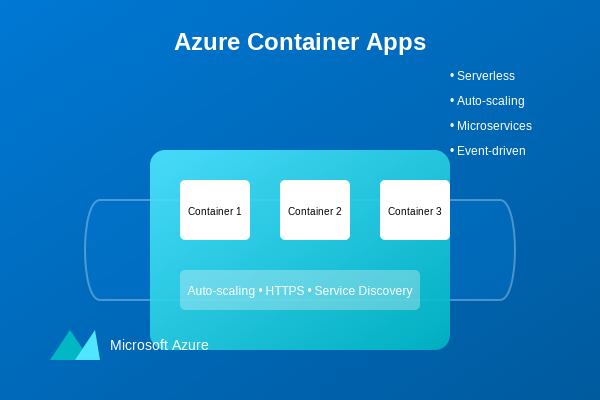
| Small internal tool, one team | AKS still works, but weigh Azure Container Apps first — it removes most cluster operations |
Implementation Checklist
Trade-offs
AKS removes control-plane operations but not Kubernetes operations: upgrades, node image patching, policy, and capacity remain yours. Azure CNI's direct pod addressing simplifies networking while consuming IP space at pod scale, which can exhaust subnets in large clusters. Managed identity and Entra integration tighten security but add moving parts to debug when a pull or a login fails. And Kubernetes itself is a substantial platform — the ecosystem tax is real, paid in YAML, controllers, and specialist knowledge on call.
When Not to Use
Conclusion
A production AKS cluster is decided at creation time: network model, identity integration, policy engine, and node pool layout. Get those right, keep versions current, and AKS is a dependable platform. Skip them, and the cluster will still run — right up until the first audit, incident, or forced rebuild makes the deferred decisions for you.
Why This Matters
Understanding the business and technical context helps you make informed decisions rather than blindly following patterns.
Trade-offs to Consider
Every architectural decision involves trade-offs. Consider your specific requirements, team expertise, and scale when evaluating options.
When NOT to Use This
Knowing when a solution doesn't apply is as valuable as knowing when it does. Consider alternatives for your specific situation.
Decision Framework
Use this framework to evaluate whether this approach is right for your use case based on your specific constraints and requirements.