TL;DR
Learn how to effectively use GitLab Container Registry for storing, managing, and distributing Docker images, including security scanning and optimization techniques.
GitLab Container Registry: A Complete Guide to Docker Image Management
Executive Summary
The GitLab Container Registry gives every project a private Docker image registry that shares authentication, permissions, and lifecycle with the project itself. Used well, it closes the loop between source, pipeline, and deployment: the pipeline builds an image, pushes it under an immutable tag, scans it, and deploys exactly that artifact. This guide covers authentication from CI and from a workstation, tagging strategies that make rollback and audit possible, multi-stage builds and caching for smaller and faster images, cleanup policies that stop storage growing without bound, and container scanning as a merge gate. You will finish able to run the registry as a controlled artifact store rather than an unlabelled pile of tags.
Why This Matters
An image registry is part of your supply chain. If tags are mutable, if anyone can push, or if nobody knows which image is running in production, then a deployment is not reproducible and an incident cannot be answered with evidence. Registries also fail quietly in the other direction: every pipeline run pushes several tags, nothing is ever deleted, and storage grows until cleanup becomes a risky manual project. The controls in this guide exist because both failure modes are common. Immutable, commit-based tags give you traceability from a running container back to a commit and a pipeline. Cleanup policies give you retention you can explain. Scanning gives you a chance to stop a known critical vulnerability before it ships, instead of reading about it afterwards.
Core Concepts
How the Registry Is Organised
Each project gets a registry namespace derived from its path, exposed to pipelines as predefined variables. Images for a project live under that namespace, and additional image names can be created beneath it for multi-image projects, for example a web image and a worker image from the same repository.
# .gitlab-ci.yml
variables:
  DOCKER_REGISTRY: $CI_REGISTRY
  DOCKER_IMAGE: $CI_REGISTRY_IMAGE
On GitLab.com the registry is available at the instance level. On a self-managed instance an administrator enables it and publishes it at its own address.
# For self-hosted GitLab in gitlab.rb
registry_external_url 'https://registry.example.com'
Access follows project visibility and membership. A private project's images are private, deploy tokens and personal access tokens with the appropriate scopes can pull for deployment, and CI jobs authenticate automatically with the job token provided the project's settings allow it.
Authentication
From a workstation you authenticate with your GitLab credentials, a personal access token, or a deploy token, depending on whether the pull is interactive, scripted, or for a deployment target.
docker login registry.example.com
From CI, prefer the predefined registry credentials injected into the job rather than storing a long-lived password. For builds that run Docker inside Docker or with Kaniko or BuildKit, confirm the executor can reach the registry and that credentials are passed to the builder, not baked into the image.
Building and Pushing from CI
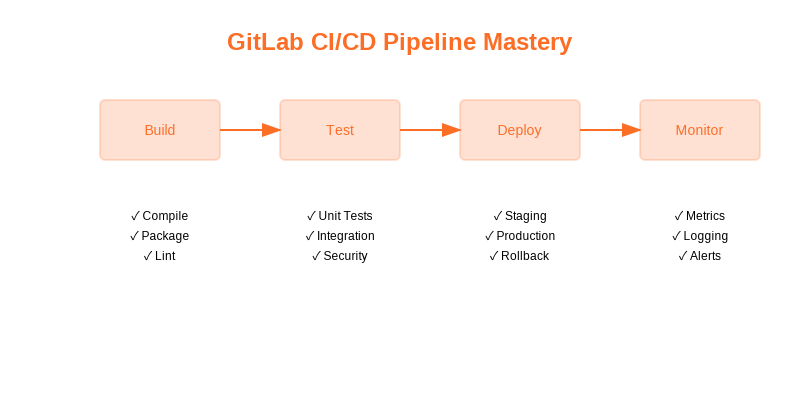
The canonical pipeline pattern builds once, tags with the commit SHA, and pushes that tag. Later stages pull the same tag to test, scan, and deploy, so the artifact that ships is the artifact that was tested.
# .gitlab-ci.yml
build:
  image: docker:latest
  services:
    - docker:dind
  script:
    - docker build -t $CI_REGISTRY_IMAGE:$CI_COMMIT_SHA .
    - docker push $CI_REGISTRY_IMAGE:$CI_COMMIT_SHA
Tagging Strategy
Tags are your release vocabulary; choose them so a human can answer what is this, where did it come from, and can I roll back to it.
# Tag with version and latest
docker tag myapp:$CI_COMMIT_SHA $CI_REGISTRY_IMAGE:latest
docker tag myapp:$CI_COMMIT_SHA $CI_REGISTRY_IMAGE:v1.0.0
A workable scheme uses the commit SHA as the immutable identity of every build, a semantic version tag for releases created from Git tags, the branch name for pre-release channels, and latest only as a convenience pointer to the default branch, never as the tag production deploys by. If production deploys latest, you cannot prove what ran yesterday and you cannot roll back reliably. Protect important tags where your plan supports it, and treat release tags as records, not as scratch space.
Multi-Stage Builds and Image Size
Small images pull faster, scan faster, and present less surface. Multi-stage builds keep compilers, package managers, and source out of the runtime image.
# Dockerfile
FROM node:16 AS builder
WORKDIR /app
COPY package*.json ./
RUN npm install
COPY . .
RUN npm run build

FROM nginx:alpine
COPY --from=builder /app/dist /usr/share/nginx/html
Order Dockerfile instructions from least to most frequently changed so layer caching works for you: manifests and lockfiles first, dependency installation next, source last. Pin base images to a specific version rather than a floating tag, and rebuild on a schedule so base image security fixes actually reach your images instead of waiting for the next code change.
Caching
Registry-backed caching shortens build times by reusing layers from a previous image. Pull the last known image, build with it as a cache source, then push the result.
build_with_cache:
  script:
    - docker pull $CI_REGISTRY_IMAGE:latest || true
    - docker build
        --cache-from $CI_REGISTRY_IMAGE:latest
        -t $CI_REGISTRY_IMAGE:$CI_COMMIT_SHA .
For larger projects, a dedicated cache tag or BuildKit registry cache gives finer control than cache-from on a release image. Either way, measure: caching that saves seconds while complicating the pipeline is not a win.
Container Scanning
GitLab's container scanning template analyses images in the pipeline and reports known vulnerabilities in their OS packages and language dependencies.
# .gitlab-ci.yml
include:
  - template: Security/Container-Scanning.gitlab-ci.yml

container_scanning:
  variables:
    CS_DEFAULT_BRANCH_IMAGE: $CI_REGISTRY_IMAGE:latest
Scanning is only a control if the result changes behaviour. Decide the severity that blocks a merge or a deployment, record accepted risks as approvals with a reason and an expiry, and rebuild base images promptly when a fix exists. A scanner that reports into a dashboard nobody gates on is reporting, not security. Note also that scanning coverage and pipeline integration vary by GitLab tier, so confirm what your plan provides before designing a gate around it.
Cleanup Policies and Storage
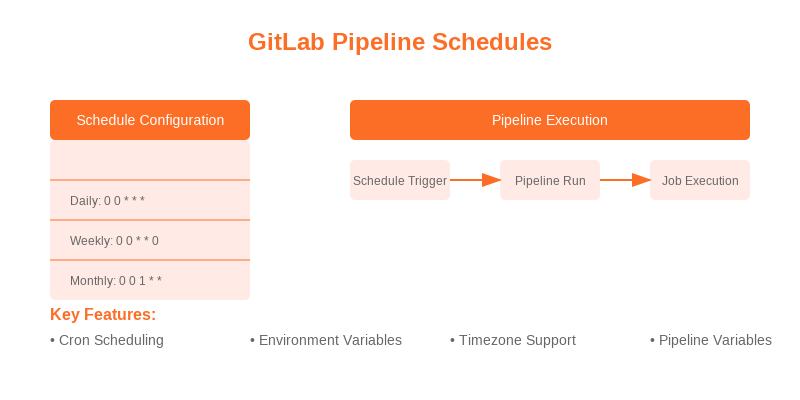
Registries grow monotonically unless retention is configured. GitLab cleanup policies delete tags by pattern, age, and count: keep a defined number of recent tags per image name, expire tags matching development patterns quickly, and exempt release patterns from deletion. Apply the policy to one project, watch what it would remove, and then widen it. Pair it with a naming discipline, because a policy can only protect tags it can recognise as releases. On self-managed instances, registry garbage collection is the separate step that reclaims the underlying storage after tags are deleted.
Using Images as CI Services and Deployment Pulls
Images from the registry can serve as the job image or as services alongside a job, which is how integration tests run against the exact build under test.
integration_test:
  services:
    - name: $CI_REGISTRY_IMAGE:$CI_COMMIT_SHA
      alias: app
    - name: postgres:13-alpine
      alias: db
  script:
    - npm run integration-tests
Deployment targets should pull with a deploy token scoped to the projects they need, not with a person's credentials, so access survives staff changes and can be revoked independently.
Decision Framework
| Situation | Recommendation |
|---|---|
| Any image that may reach production | Tag with the commit SHA and deploy by that immutable tag |
| Release build from a Git tag | Add a semantic version tag and exempt it from cleanup |
| Team keeps deploying latest | Change the deployment to pin a SHA or version; treat latest as informational only |
| Registry storage growing quickly | Configure a cleanup policy: keep recent tags, expire branch and review tags fast |
| Slow image builds | Multi-stage Dockerfile plus registry or BuildKit cache, measured before and after |
| Critical vulnerability found in a base image | Rebuild from the fixed base, redeploy, and let the old tag expire under policy |
| External consumers need the image | Publish to a public registry or mirror deliberately instead of widening private project access |
Implementation Checklist
Trade-offs
Keeping the registry inside GitLab simplifies identity and permissions, but couples image availability to your GitLab instance and plan. Aggressive cleanup saves storage and risks deleting an image you still need for a rollback or an audit; conservative cleanup does the opposite. Scanning gates reduce shipped vulnerabilities and add pipeline time and a steady stream of findings someone must triage, including findings in base images you do not control. Commit-SHA tags are precise and unreadable, so you also need release tags and deployment records to keep the system legible to humans.
When Not to Use
If you distribute images to customers or to clusters outside your GitLab trust boundary, a dedicated public or cloud registry with its own access model is usually the better fit than exposing project registries. If your platform team already operates a central artifact platform with signing, replication, and retention managed globally, publish there rather than fragmenting artifacts across project registries. The GitLab registry is also the wrong place for artifacts that are not container images; packages and generic files belong in the GitLab Package Registry or an object store, not pushed as images. Finally, if a project has no deployment and no consumers for its images, do not push on every commit at all.
Conclusion
Treat the registry as the contract between your pipeline and your infrastructure. Build once, tag immutably, scan before promotion, retain deliberately, and deploy the exact artifact you tested. With those five habits the registry stops being a storage problem and becomes your evidence trail from commit to production.
References
Why This Matters
Understanding the business and technical context helps you make informed decisions rather than blindly following patterns.
Trade-offs to Consider
Every architectural decision involves trade-offs. Consider your specific requirements, team expertise, and scale when evaluating options.
When NOT to Use This
Knowing when a solution doesn't apply is as valuable as knowing when it does. Consider alternatives for your specific situation.
Decision Framework
Use this framework to evaluate whether this approach is right for your use case based on your specific constraints and requirements.