devops
Container Orchestration: A Deep Dive into Kubernetes and Beyond
Master container orchestration with Kubernetes, including deployment strategies, service management, and best practices for scalable applications
February 3, 2024
DeveloperHat Team
5 min read
Learn how to implement container orchestration using Kubernetes. This comprehensive guide covers architecture, deployment strategies, and best practices for managing containerized applications at scale.
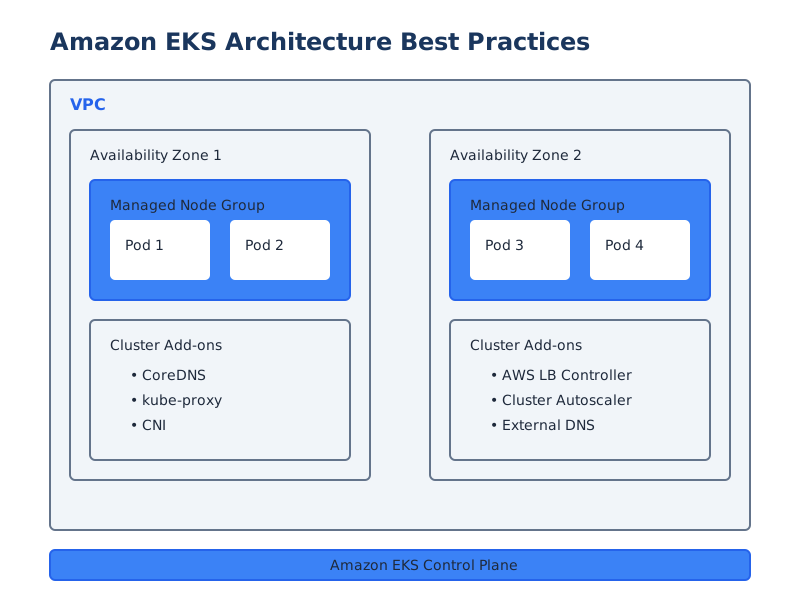
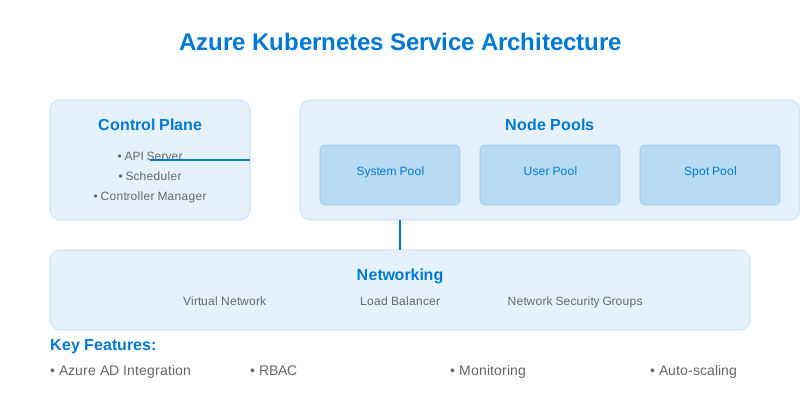
Kubernetes Architecture Overview
Understanding Container Orchestration
Container orchestration with Kubernetes provides:
- Automated Deployment: Declarative application deployment
- Scaling: Horizontal and vertical scaling capabilities
- Service Discovery: Automatic service registration and discovery
- Load Balancing: Traffic distribution across replicas
- Self-healing: Automatic recovery from failures
Implementation Guide
1. Deployment Configuration
Define deployment manifests for your applications:
# deployment.yaml
apiVersion: apps/v1
kind: Deployment
metadata:
  name: myapp
  labels:
    app: myapp
    environment: production
spec:
  replicas: 3
  strategy:
    type: RollingUpdate
    rollingUpdate:
      maxSurge: 1
      maxUnavailable: 0
  selector:
    matchLabels:
      app: myapp
  template:
    metadata:
      labels:
        app: myapp
      annotations:
        prometheus.io/scrape: "true"
        prometheus.io/port: "8080"
    spec:
      securityContext:
        runAsUser: 1000
        runAsGroup: 3000
        fsGroup: 2000
      containers:
        - name: myapp
          image: myapp:latest
          imagePullPolicy: Always
          ports:
            - containerPort: 8080
              name: http
          resources:
            requests:
              cpu: "100m"
              memory: "128Mi"
            limits:
              cpu: "500m"
              memory: "512Mi"
          livenessProbe:
            httpGet:
              path: /health
              port: http
            initialDelaySeconds: 30
            periodSeconds: 10
            timeoutSeconds: 5
            failureThreshold: 3
          readinessProbe:
            httpGet:
              path: /ready
              port: http
            initialDelaySeconds: 5
            periodSeconds: 5
          startupProbe:
            httpGet:
              path: /startup
              port: http
            failureThreshold: 30
            periodSeconds: 10
          env:
            - name: POD_NAME
              valueFrom:
                fieldRef:
                  fieldPath: metadata.name
            - name: POD_NAMESPACE
              valueFrom:
                fieldRef:
                  fieldPath: metadata.namespace
            - name: NODE_NAME
              valueFrom:
                fieldRef:
                  fieldPath: spec.nodeName
          envFrom:
            - configMapRef:
                name: myapp-config
            - secretRef:
                name: myapp-secrets
          volumeMounts:
            - name: config-volume
              mountPath: /app/config
              readOnly: true
            - name: data-volume
              mountPath: /app/data
      volumes:
        - name: config-volume
          configMap:
            name: myapp-config
        - name: data-volume
          persistentVolumeClaim:
            claimName: myapp-data
      affinity:
        podAntiAffinity:
          preferredDuringSchedulingIgnoredDuringExecution:
            - weight: 100
              podAffinityTerm:
                labelSelector:
                  matchExpressions:
                    - key: app
                      operator: In
                      values:
                        - myapp
                topologyKey: kubernetes.io/hostname
      tolerations:
        - key: "node-role.kubernetes.io/master"
          operator: "Exists"
          effect: "NoSchedule"
2. Service Configuration
Configure service and ingress resources:
# service.yaml
apiVersion: v1
kind: Service
metadata:
  name: myapp
  labels:
    app: myapp
  annotations:
    service.beta.kubernetes.io/aws-load-balancer-type: nlb
    service.beta.kubernetes.io/aws-load-balancer-cross-zone-load-balancing-enabled: "true"
spec:
  type: LoadBalancer
  ports:
    - port: 80
      targetPort: http
      protocol: TCP
      name: http
  selector:
    app: myapp
  sessionAffinity: ClientIP
  sessionAffinityConfig:
    clientIP:
      timeoutSeconds: 10800

# ingress.yaml
apiVersion: networking.k8s.io/v1
kind: Ingress
metadata:
  name: myapp
  annotations:
    kubernetes.io/ingress.class: nginx
    nginx.ingress.kubernetes.io/ssl-redirect: "true"
    nginx.ingress.kubernetes.io/force-ssl-redirect: "true"
    nginx.ingress.kubernetes.io/proxy-body-size: "50m"
    nginx.ingress.kubernetes.io/proxy-read-timeout: "3600"
    nginx.ingress.kubernetes.io/proxy-send-timeout: "3600"
    cert-manager.io/cluster-issuer: letsencrypt-prod
spec:
  tls:
    - hosts:
        - myapp.example.com
      secretName: myapp-tls
  rules:
    - host: myapp.example.com
      http:
        paths:
          - path: /
            pathType: Prefix
            backend:
              service:
                name: myapp
                port:
                  name: http
3. Configuration Management
Manage application configuration:
# configmap.yaml
apiVersion: v1
kind: ConfigMap
metadata:
  name: myapp-config
data:
  application.properties: |
    server.port=8080
    spring.application.name=myapp
    management.endpoints.web.exposure.include=health,metrics,prometheus
    logging.level.root=INFO
    logging.pattern.console=%d{yyyy-MM-dd HH:mm:ss} [%thread] %-5level %logger{36} - %msg%n
  feature-flags.properties: |
    feature.new-ui=true
    feature.beta-api=false
  nginx.conf: |
    worker_processes auto;
    events {
      worker_connections 1024;
    }
    http {
      upstream backend {
        server localhost:8080;
      }
      server {
        listen 80;
        location / {
          proxy_pass http://backend;
        }
      }
    }

# secret.yaml
apiVersion: v1
kind: Secret
metadata:
  name: myapp-secrets
type: Opaque
stringData:
  DB_URL: jdbc:postgresql://db.example.com:5432/myapp
  DB_USER: myapp
  DB_PASSWORD: ${DB_PASSWORD}
  API_KEY: ${API_KEY}
  JWT_SECRET: ${JWT_SECRET}
4. Storage Configuration
Configure persistent storage:
# storage.yaml
apiVersion: v1
kind: PersistentVolumeClaim
metadata:
  name: myapp-data
spec:
  accessModes:
    - ReadWriteOnce
  resources:
    requests:
      storage: 10Gi
  storageClassName: gp2

# storage-class.yaml
apiVersion: storage.k8s.io/v1
kind: StorageClass
metadata:
  name: gp2
provisioner: kubernetes.io/aws-ebs
parameters:
  type: gp2
  encrypted: "true"
  kmsKeyId: ${KMS_KEY_ID}
reclaimPolicy: Retain
allowVolumeExpansion: true
volumeBindingMode: WaitForFirstConsumer
5. Scaling Configuration
Configure horizontal pod autoscaling:
# hpa.yaml
apiVersion: autoscaling/v2
kind: HorizontalPodAutoscaler
metadata:
  name: myapp
spec:
  scaleTargetRef:
    apiVersion: apps/v1
    kind: Deployment
    name: myapp
  minReplicas: 3
  maxReplicas: 10
  metrics:
    - type: Resource
      resource:
        name: cpu
        target:
          type: Utilization
          averageUtilization: 80
    - type: Resource
      resource:
        name: memory
        target:
          type: Utilization
          averageUtilization: 80
  behavior:
    scaleUp:
      stabilizationWindowSeconds: 0
      policies:
        - type: Percent
          value: 100
          periodSeconds: 15
    scaleDown:
      stabilizationWindowSeconds: 300
      policies:
        - type: Percent
          value: 100
          periodSeconds: 15
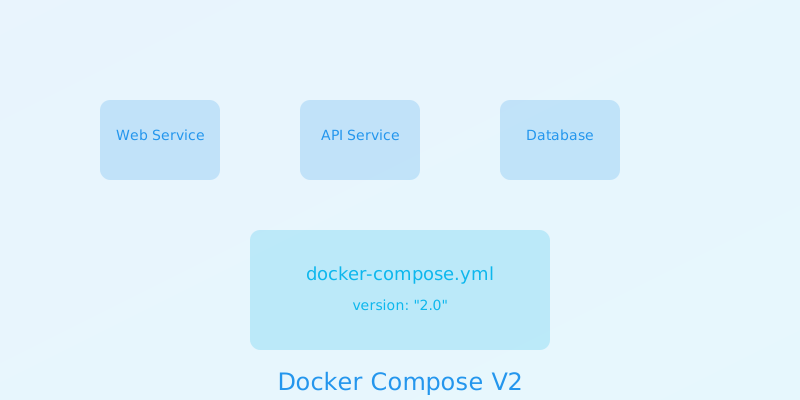
Container Deployment Flow
Best Practices
1. Resource Management
- Set resource requests and limits
- Implement horizontal pod autoscaling
- Use node affinity and anti-affinity
- Configure pod disruption budgets
- Monitor resource utilization
2. High Availability
- Deploy across multiple zones
- Implement pod anti-affinity
- Use PodDisruptionBudgets
- Configure proper health checks
- Implement proper backup strategies
3. Security
- Use network policies
- Implement RBAC
- Secure sensitive data
- Regular security scanning
- Monitor security events
4. Monitoring
- Implement proper logging
- Set up metrics collection
- Configure alerts
- Use distributed tracing
- Regular auditing
Conclusion
Effective container orchestration requires:
- Proper configuration
- Resource management
- Security controls
- Monitoring
- Automation
Remember to:
- Follow best practices
- Monitor continuously
- Update regularly
- Document everything
- Test thoroughly
Additional Resources
Kubernetes
Container Orchestration
DevOps
Microservices