Modern CI/CD Pipeline Practices: A Guide to Efficient Software Delivery
Learn how to build and maintain modern CI/CD pipelines using GitHub Actions, Jenkins, and other tools to automate your software delivery process effectively.
Modern CI/CD Pipeline Practices: A Guide to Efficient Software Delivery
Continuous Integration and Continuous Delivery (CI/CD) are fundamental practices in modern software development. This guide explores best practices for building efficient, secure, and maintainable CI/CD pipelines that accelerate software delivery while maintaining quality.
CI/CD Pipeline Architecture
A well-designed CI/CD pipeline consists of several stages that code changes must pass through before reaching production.
GitHub Actions Workflow
Example of a modern CI/CD pipeline using GitHub Actions:
name: CI/CD Pipeline

on:
  push:
    branches: [ main ]
  pull_request:
    branches: [ main ]

jobs:
  build-and-test:
    runs-on: ubuntu-latest
    steps:
      - uses: actions/checkout@v3

      - name: Set up Node.js
        uses: actions/setup-node@v3
        with:
          node-version: '18'
          cache: 'npm'

      - name: Install dependencies
        run: npm ci

      - name: Run tests
        run: npm test

      - name: Build application
        run: npm run build

      - name: Run security scan
        uses: snyk/actions/node@master
        env:
          SNYK_TOKEN: ${{ secrets.SNYK_TOKEN }}
Pipeline Stages and Best Practices
Each stage in the pipeline serves a specific purpose and should follow established best practices.
| Stage | Purpose | Key Practices | |-------|---------|---------------| | Build | Create artifacts | Reproducible builds | | Test | Verify functionality | Comprehensive coverage | | Security | Identify vulnerabilities | Automated scanning | | Deploy | Release to environment | Zero-downtime deployment |
Testing Strategy
Implement a comprehensive testing strategy across different levels:
Deployment Strategies
Different deployment strategies for different requirements:
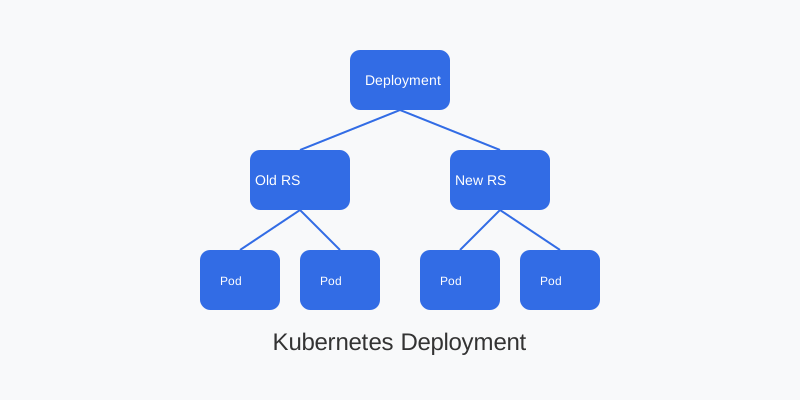
Kubernetes Deployment Example
apiVersion: apps/v1
kind: Deployment
metadata:
  name: my-app
spec:
  replicas: 3
  strategy:
    type: RollingUpdate
    rollingUpdate:
      maxSurge: 1
      maxUnavailable: 0
  template:
    spec:
      containers:
      - name: app
        image: my-app:${VERSION}
        readinessProbe:
          httpGet:
            path: /health
            port: 8080
Pipeline Security
Implement security best practices throughout your pipeline:
Secure Configuration Example
name: Secure Pipeline

on:
  push:
    branches: [ main ]

jobs:
  security-checks:
    runs-on: ubuntu-latest
    steps:
      - name: Checkout code
        uses: actions/checkout@v3

      - name: Run SAST
        uses: github/codeql-action/analyze@v2

      - name: Container scan
        uses: aquasecurity/trivy-action@master
        with:
          image-ref: 'my-app:latest'
          format: 'table'
          exit-code: '1'
          ignore-unfixed: true
          severity: 'CRITICAL,HIGH'
Monitoring and Observability
Implement comprehensive monitoring for your pipeline:
Prometheus Metrics Example
apiVersion: monitoring.coreos.com/v1
kind: ServiceMonitor
metadata:
  name: pipeline-metrics
spec:
  selector:
    matchLabels:
      app: ci-cd-metrics
  endpoints:
  - port: metrics
    interval: 15s
Pipeline as Code
Maintain pipeline configurations as code for version control and review:
# Jenkins Pipeline Example
pipeline {
    agent any
    stages {
        stage('Build') {
            steps {
                sh 'npm ci'
                sh 'npm run build'
            }
        }
        stage('Test') {
            parallel {
                stage('Unit Tests') {
                    steps {
                        sh 'npm run test:unit'
                    }
                }
                stage('Integration Tests') {
                    steps {
                        sh 'npm run test:integration'
                    }
                }
            }
        }
        stage('Deploy') {
            when {
                branch 'main'
            }
            steps {
                sh './deploy.sh'
            }
        }
    }
    post {
        always {
            junit '**/test-results.xml'
        }
    }
}
Best Practices Summary
-
Pipeline Design
- Keep it fast and reliable
- Implement proper caching
- Use parallel execution
-
Security
- Scan dependencies
- Protect secrets
- Implement least privilege
-
Maintenance
- Version control everything
- Document pipeline steps
- Regular updates