Serverless Computing with Google Cloud Functions
Explore serverless computing with Google Cloud Functions. Learn how to build, deploy, and manage event-driven applications with automatic scaling and zero infrastructure management.
Serverless Computing with Google Cloud Functions
Google Cloud Functions is a serverless execution environment for building and connecting cloud services. This guide covers everything you need to know about using Cloud Functions effectively.
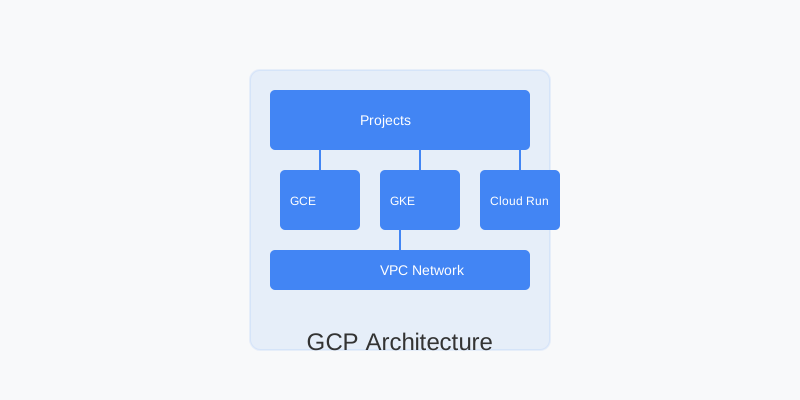
Architecture Overview
Key Features
| Feature | Description | |---------|-------------| | Auto Scaling | Scales automatically with load | | Event-Driven | Responds to cloud events | | Pay-per-Use | Only pay for execution time | | Multiple Runtimes | Supports various languages | | Zero Management | No infrastructure to manage |
Getting Started
1. HTTP Function Example
# main.py
from flask import escape

def hello_http(request):
    """HTTP Cloud Function.
    Args:
        request (flask.Request): The request object.
    Returns:
        The response text, or any set of values that can be turned into a
        Response object using `make_response`
    """
    request_json = request.get_json(silent=True)
    request_args = request.args

    if request_json and 'name' in request_json:
        name = request_json['name']
    elif request_args and 'name' in request_args:
        name = request_args['name']
    else:
        name = 'World'
    return f'Hello {escape(name)}!'
2. Event-Triggered Function
# main.py
def hello_pubsub(event, context):
    """Background Cloud Function to be triggered by Pub/Sub.
    Args:
         event (dict):  The dictionary with data specific to this type of
                       event.
         context (google.cloud.functions.Context): Metadata of triggering event.
    Returns:
        None
    """
    import base64

    print("""This Function was triggered by messageId {} published at {}
    """.format(context.event_id, context.timestamp))

    if 'data' in event:
        name = base64.b64decode(event['data']).decode('utf-8')
    else:
        name = 'World'
    print('Hello {}!'.format(name))
Deployment and Configuration
1. Deploying Functions
# Deploy HTTP function
gcloud functions deploy hello_http \
  --runtime python39 \
  --trigger-http \
  --allow-unauthenticated

# Deploy Pub/Sub function
gcloud functions deploy hello_pubsub \
  --runtime python39 \
  --trigger-topic my-topic
2. Environment Variables
# Set environment variables
gcloud functions deploy my-function \
  --set-env-vars FOO=bar,BAZ=qux

# Use secrets
gcloud functions deploy my-function \
  --set-secrets MY_SECRET=projects/123/secrets/my-secret:latest
Function Types and Triggers
1. HTTP Functions
# http_function.py
from flask import jsonify

def http_function(request):
    """HTTP function with JSON response.
    """
    request_json = request.get_json(silent=True)

    if request_json and 'message' in request_json:
        message = request_json['message']
        return jsonify({'status': 'success', 'message': message})
    else:
        return jsonify({'status': 'error', 'message': 'No message provided'}), 400
2. Background Functions
# storage_function.py
def process_image(event, context):
    """Background function triggered by Cloud Storage.
    """
    file = event
    print(f"Processing file: {file['name']}")

    # Add your image processing logic here

    print(f"File {file['name']} processed successfully")
Security Best Practices
1. Authentication
# authenticated_function.py
from flask import abort
from google.oauth2 import id_token
from google.auth.transport import requests

def authenticated_function(request):
    """Function that requires authentication.
    """
    if request.method != 'GET':
        return abort(405)

    auth_header = request.headers.get('Authorization')
    if not auth_header:
        return abort(401)

    try:
        token = auth_header.split(' ')[1]
        claim = id_token.verify_oauth2_token(
            token, requests.Request())
        return f'Hello {claim["email"]}!'
    except Exception as e:
        return abort(401)
2. Network Security
# vpc-connector.yaml
vpc_connector: projects/PROJECT_ID/locations/REGION/connectors/CONNECTOR_NAME
vpc_connector_egress_settings: ALL_TRAFFIC
ingress_settings: ALLOW_INTERNAL_ONLY
Monitoring and Logging
1. Structured Logging
# structured_logging.py
import json
import logging

def structured_log(request):
    """Function with structured logging.
    """
    logging.info(json.dumps({
        'severity': 'INFO',
        'message': 'Function invoked',
        'timestamp': context.timestamp,
        'trace': context.trace
    }))

    # Function logic here

    logging.error(json.dumps({
        'severity': 'ERROR',
        'message': 'Error occurred',
        'error_details': str(e)
    }))
2. Monitoring Setup
# Set up monitoring
gcloud monitoring channels create \
  --display-name="Function Alerts" \
  --type=email \
  --email-address=alerts@example.com

# Create alert policy
gcloud alpha monitoring policies create \
  --display-name="Function Error Rate" \
  --condition-filter="metric.type=\"cloudfunctions.googleapis.com/function/execution_count\" resource.type=\"cloud_function\""
Performance Optimization
1. Cold Start Optimization
# Initialize global variables outside function
from google.cloud import storage
client = storage.Client()

def optimized_function(event, context):
    """Function with optimized cold start.
    """
    bucket = client.get_bucket('my-bucket')
    # Function logic here
2. Memory Management
# Configure memory
gcloud functions deploy my-function \
  --memory=512MB \
  --timeout=60s
Error Handling
1. Retry Configuration
# retry_function.py
def retryable_function(event, context):
    """Function with retry logic.
    """
    try:
        # Function logic here
        process_data(event)
    except TemporaryError as e:
        # Retry on temporary errors
        raise e
    except PermanentError as e:
        # Don't retry on permanent errors
        logging.error(f"Permanent error: {e}")
        return
2. Dead Letter Queues
# Configure dead letter queue
gcloud functions deploy my-function \
  --dead-letter-topic=projects/PROJECT_ID/topics/dead-letter
Cost Optimization
-
Function Configuration
- Set appropriate memory limits
- Optimize execution time
- Use cold start optimization
- Implement caching where appropriate
-
Resource Usage
- Monitor invocation patterns
- Use appropriate trigger types
- Implement proper error handling
- Clean up unused functions
Best Practices
-
Development
- Use dependency management
- Implement proper testing
- Follow coding standards
- Use version control
-
Security
- Implement authentication
- Use secure configurations
- Follow least privilege
- Regular security updates
-
Operations
- Monitor performance
- Set up alerting
- Implement logging
- Use proper error handling
Conclusion
Cloud Functions provides a powerful serverless platform for building event-driven applications. Key takeaways:
- Choose appropriate triggers
- Implement security measures
- Optimize performance
- Monitor and log effectively
- Follow best practices
For more information, refer to the official Cloud Functions documentation.