gcp
How to Deploy a Web Application on Google Cloud Run
A step-by-step guide to deploying and managing web applications using Google Cloud Run, including best practices and optimization tips.
March 20, 2024
Admin
4 min read
How to Deploy a Web Application on Google Cloud Run
Cloud Run Architecture
Flowchart Diagram
Rendering diagram...
What You'll Learn
- Understanding Cloud Run concepts
- Setting up your environment
- Containerizing your application
- Deploying to Cloud Run
- Monitoring and optimization
Understanding Cloud Run
Key Features and Benefits
| Feature | Benefit | Use Case |
|---|---|---|
| Serverless | No infrastructure management | Microservices |
| Auto-scaling | Handles traffic spikes | Variable workloads |
| Pay-per-use | Cost optimization | Development/testing |
Prerequisites
Required Tools and Setup
- Google Cloud account
- gcloud CLI installed
- Docker installed locally
- Source code repository
Environment Configuration
| Tool | Version | Purpose |
|---|---|---|
| gcloud CLI | Latest | GCP management |
| Docker | 20.x+ | Container builds |
| Git | 2.x+ | Version control |
Containerization Process
Dockerfile Best Practices
| Practice | Description | Impact |
|---|---|---|
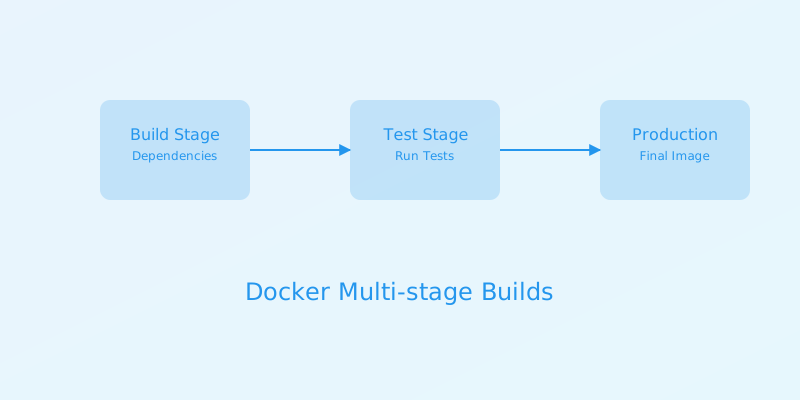
| Multi-stage builds | Separate build and runtime | Smaller images |
| Layer optimization | Efficient caching | Faster builds |
| Security scanning | Vulnerability checks | Enhanced security |
Deployment Process
Deployment Steps
- Build container image
- Push to Container Registry
- Deploy to Cloud Run
- Configure service settings
Service Configuration
| Setting | Description | Recommendation |
|---|---|---|
| Memory | Container memory limit | Start with 256MB |
| CPU | CPU allocation | 1 CPU for most apps |
| Concurrency | Simultaneous requests | 80 for web apps |
Security Configuration
Security Best Practices
| Practice | Implementation | Benefit |
|---|---|---|
| IAM roles | Least privilege access | Access control |
| Secret management | Secret Manager integration | Secure credentials |
| Network security | VPC connector | Private networking |
Monitoring and Logging
Key Metrics to Monitor
| Metric | Description | Target |
|---|---|---|
| Request latency | Response time | Less than 1s |
| Container instance count | Running instances | Based on traffic |
| Error rate | Failed requests | Less than 0.1% |
Cost Optimization
Cost Management Strategies
| Strategy | Implementation | Impact |
|---|---|---|
| Container optimization | Minimize image size | Lower storage costs |
| Concurrency tuning | Increase max requests | Fewer instances |
| Memory sizing | Right-size containers | Optimal resource use |
Performance Optimization
Performance Tips
- Optimize container startup time
- Implement efficient caching
- Use appropriate instance sizes
- Configure auto-scaling properly
Response Time Optimization
| Technique | Implementation | Impact |
|---|---|---|
| Cold start optimization | Minimize dependencies | Faster startup |
| Memory allocation | Sufficient memory | Better performance |
| Connection pooling | Reuse connections | Lower latency |
Troubleshooting Guide
Common Issues and Solutions
| Issue | Possible Cause | Solution |
|---|---|---|
| Container crashes | Memory issues | Increase memory |
| Slow response | Cold starts | Optimize startup |
| Connection errors | Network config | Check VPC setup |
Best Practices
Development Best Practices
- Use development containers
- Implement CI/CD pipelines
- Follow 12-factor app principles
- Maintain proper documentation
Production Best Practices
- Enable monitoring and logging
- Implement health checks
- Set up alerting
- Regular security updates
Conclusion
Cloud Run provides a powerful platform for deploying containerized web applications with automatic scaling and pay-per-use pricing. By following this guide and implementing the best practices, you can create efficient, secure, and cost-effective deployments.
Additional Resources
GCP
Cloud Run
Serverless
Containers
DevOps