devops
GitOps: Infrastructure as Code with Git-Centric Workflows
Learn how to implement GitOps practices for infrastructure management, continuous deployment, and automated operations using tools like ArgoCD and Flux
February 17, 2024
DeveloperHat Team
5 min read
Learn how to implement GitOps practices for infrastructure management, continuous deployment, and automated operations. This comprehensive guide covers principles, tools, and best practices.
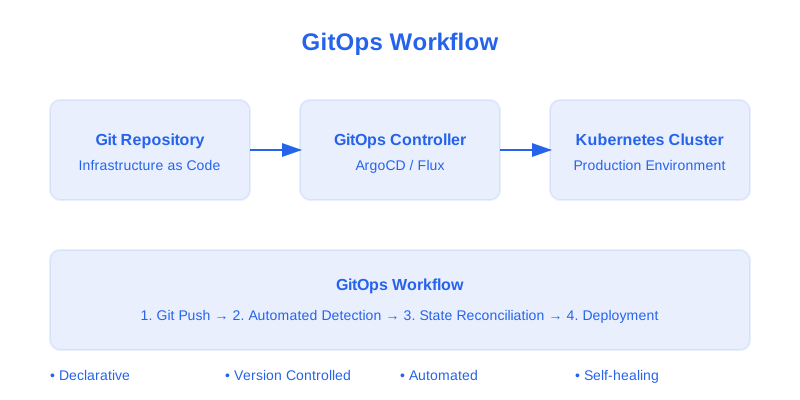
GitOps Workflow Overview
Understanding GitOps
GitOps principles include:
- Declarative Configuration: Infrastructure as code
- Version Control: Single source of truth
- Automated Sync: Continuous reconciliation
- Drift Detection: Automatic correction
- Audit Trail: Complete history
Implementation Guide
1. ArgoCD Setup
Install and configure ArgoCD:
# argocd-install.yaml
apiVersion: v1
kind: Namespace
metadata:
  name: argocd
---
apiVersion: helm.cattle.io/v1
kind: HelmChart
metadata:
  name: argocd
  namespace: argocd
spec:
  repo: https://argoproj.github.io/argo-helm
  chart: argo-cd
  version: 5.51.6
  targetNamespace: argocd
  valuesContent: |-
    server:
      extraArgs:
        - --insecure
      config:
        repositories: |
          - type: git
            url: https://github.com/your-org/your-repo.git
            username: git
            password: <access-token>
        configManagementPlugins: |
          - name: kustomize
            init:
              command: ["/bin/sh", "-c"]
              args: ["kustomize version"]
            generate:
              command: ["/bin/sh", "-c"]
              args: ["kustomize build"]
    redis:
      enabled: true
    dex:
      enabled: true
    repoServer:
      serviceAccount:
        create: true
        name: argocd-repo-server
    controller:
      serviceAccount:
        create: true
        name: argocd-application-controller
    applicationSet:
      enabled: true
2. Application Configuration
Define application using Kustomize:
# kustomization.yaml
apiVersion: kustomize.config.k8s.io/v1beta1
kind: Kustomization

resources:
  - deployment.yaml
  - service.yaml
  - ingress.yaml
  - configmap.yaml
  - secret.yaml

namePrefix: myapp-
nameSuffix: -prod

commonLabels:
  app: myapp
  environment: production

commonAnnotations:
  maintainer: devops-team
  contact: devops@example.com

configMapGenerator:
  - name: app-config
    files:
      - config/app.properties
    literals:
      - API_URL=https://api.example.com
      - ENVIRONMENT=production

secretGenerator:
  - name: app-secrets
    files:
      - secrets/api-key.txt
    literals:
      - DB_PASSWORD=ENC[AES256_GCM,data:xxx,tag:yyy]

images:
  - name: myapp
    newName: registry.example.com/myapp
    newTag: v1.2.3

patches:
  - path: patches/increase-replica-count.yaml
    target:
      kind: Deployment
      name: myapp

replacements:
  - source:
      kind: ConfigMap
      name: app-config
      fieldPath: data.API_URL
    targets:
      - select:
          kind: Deployment
          name: myapp
        fieldPaths:
          - spec.template.spec.containers.[name=myapp].env.[name=API_URL].value

configurations:
  - kustomizeconfig.yaml
3. ArgoCD Application Definition
Define ArgoCD application:
# application.yaml
apiVersion: argoproj.io/v1alpha1
kind: Application
metadata:
  name: myapp
  namespace: argocd
spec:
  project: default
  source:
    repoURL: https://github.com/your-org/your-repo.git
    targetRevision: HEAD
    path: k8s/overlays/production
    kustomize:
      images:
        - registry.example.com/myapp:v1.2.3
  destination:
    server: https://kubernetes.default.svc
    namespace: production
  syncPolicy:
    automated:
      prune: true
      selfHeal: true
    syncOptions:
      - CreateNamespace=true
      - PruneLast=true
      - ApplyOutOfSyncOnly=true
    retry:
      limit: 5
      backoff:
        duration: 5s
        factor: 2
        maxDuration: 3m
  ignoreDifferences:
    - group: apps
      kind: Deployment
      jsonPointers:
        - /spec/replicas
  revisionHistoryLimit: 10
4. CI Pipeline Configuration
Configure GitHub Actions workflow:
# .github/workflows/ci.yaml
name: CI Pipeline

on:
  push:
    branches: [ main ]
  pull_request:
    branches: [ main ]

env:
  REGISTRY: registry.example.com
  IMAGE_NAME: myapp
  KUSTOMIZE_VERSION: 5.1.1

jobs:
  build-and-test:
    runs-on: ubuntu-latest
    steps:
      - uses: actions/checkout@v4

      - name: Set up Node.js
        uses: actions/setup-node@v4
        with:
          node-version: '20'
          cache: 'npm'

      - name: Install dependencies
        run: npm ci

      - name: Run tests
        run: npm test

      - name: Run linting
        run: npm run lint

      - name: Build application
        run: npm run build

  security-scan:
    needs: build-and-test
    runs-on: ubuntu-latest
    steps:
      - uses: actions/checkout@v4

      - name: Run SAST scan
        uses: github/codeql-action/analyze@v2

      - name: Run dependency scan
        run: |
          npm audit
          trivy fs .

  build-image:
    needs: security-scan
    runs-on: ubuntu-latest
    steps:
      - uses: actions/checkout@v4

      - name: Set up Docker Buildx
        uses: docker/setup-buildx-action@v3

      - name: Login to registry
        uses: docker/login-action@v3
        with:
          registry: ${{ env.REGISTRY }}
          username: ${{ secrets.REGISTRY_USERNAME }}
          password: ${{ secrets.REGISTRY_PASSWORD }}

      - name: Build and push
        uses: docker/build-push-action@v5
        with:
          context: .
          push: true
          tags: |
            ${{ env.REGISTRY }}/${{ env.IMAGE_NAME }}:${{ github.sha }}
            ${{ env.REGISTRY }}/${{ env.IMAGE_NAME }}:latest
          cache-from: type=registry,ref=${{ env.REGISTRY }}/${{ env.IMAGE_NAME }}:buildcache
          cache-to: type=registry,ref=${{ env.REGISTRY }}/${{ env.IMAGE_NAME }}:buildcache,mode=max

  update-manifests:
    needs: build-image
    runs-on: ubuntu-latest
    steps:
      - uses: actions/checkout@v4

      - name: Install Kustomize
        run: |
          curl -s "https://raw.githubusercontent.com/kubernetes-sigs/kustomize/master/hack/install_kustomize.sh" | bash
          sudo mv kustomize /usr/local/bin/

      - name: Update image tag
        run: |
          cd k8s/overlays/production
          kustomize edit set image ${{ env.REGISTRY }}/${{ env.IMAGE_NAME }}=${{ env.REGISTRY }}/${{ env.IMAGE_NAME }}:${{ github.sha }}

      - name: Commit and push changes
        run: |
          git config --global user.name 'GitHub Actions'
          git config --global user.email 'actions@github.com'
          git add k8s/overlays/production/kustomization.yaml
          git commit -m "Update image tag to ${{ github.sha }}"
          git push
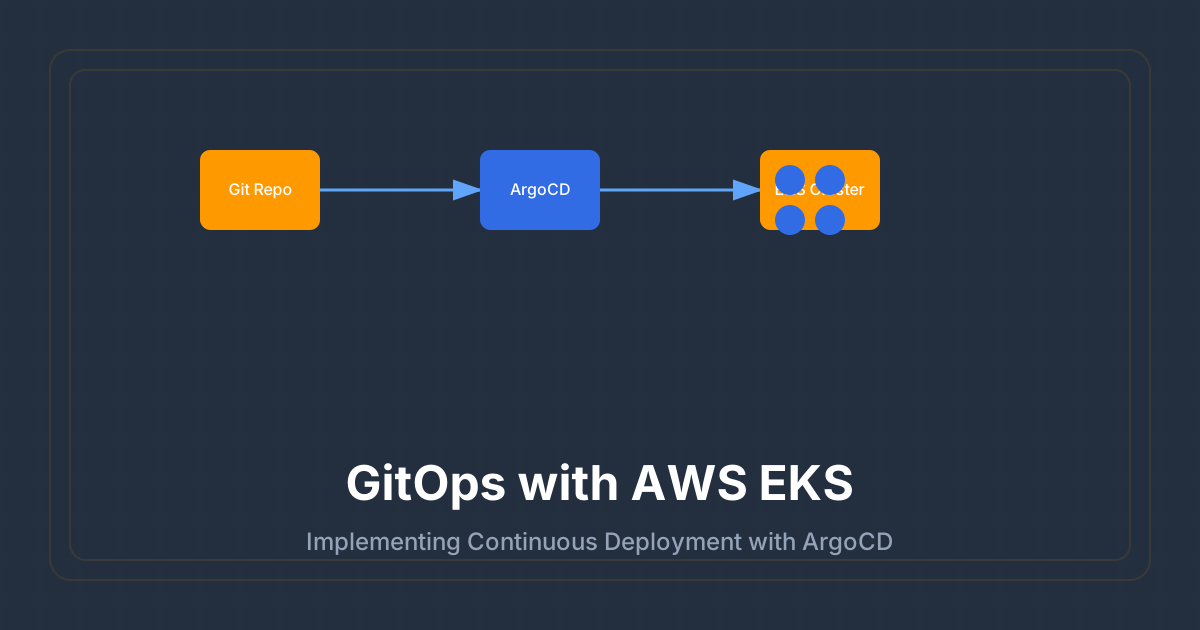
GitOps Deployment Flow
Best Practices
1. Repository Structure
- Clear organization
- Environment separation
- Documentation
- Security scanning
- Version control
2. CI/CD Pipeline
- Automated testing
- Security checks
- Image scanning
- Version tagging
- Notifications
3. Monitoring
- Health checks
- Drift detection
- Audit logging
- Metrics collection
- Alerting
4. Security
- RBAC configuration
- Secrets management
- Network policies
- Image scanning
- Access control
Conclusion
Effective GitOps implementation requires:
- Clear processes
- Automation
- Security controls
- Monitoring
- Documentation
Remember to:
- Follow best practices
- Automate everything
- Monitor closely
- Document changes
- Review regularly
Additional Resources
GitOps
Infrastructure as Code
CI/CD
Kubernetes