Getting Started with AWS
Learn the basics of AWS and how to set up your first cloud infrastructure
Navigating the AWS Ecosystem: A Pragmatic Introduction for Experienced Engineers
TL;DR
This guide provides experienced engineers with a focused introduction to essential AWS services and foundational concepts. It emphasizes practical setup, security best practices, and core service utilization (EC2, S3, VPC) via the AWS CLI, while acknowledging trade-offs and guiding further learning.
Introduction
Amazon Web Services (AWS) offers a vast and evolving suite of cloud computing services. For engineers accustomed to on-premises infrastructure or other cloud providers, the sheer breadth of AWS can be daunting. This document cuts through the noise, focusing on the immediate steps and core services required to establish a secure and functional cloud presence. We will cover account setup, fundamental security controls, and the practical deployment of compute, storage, and networking resources.
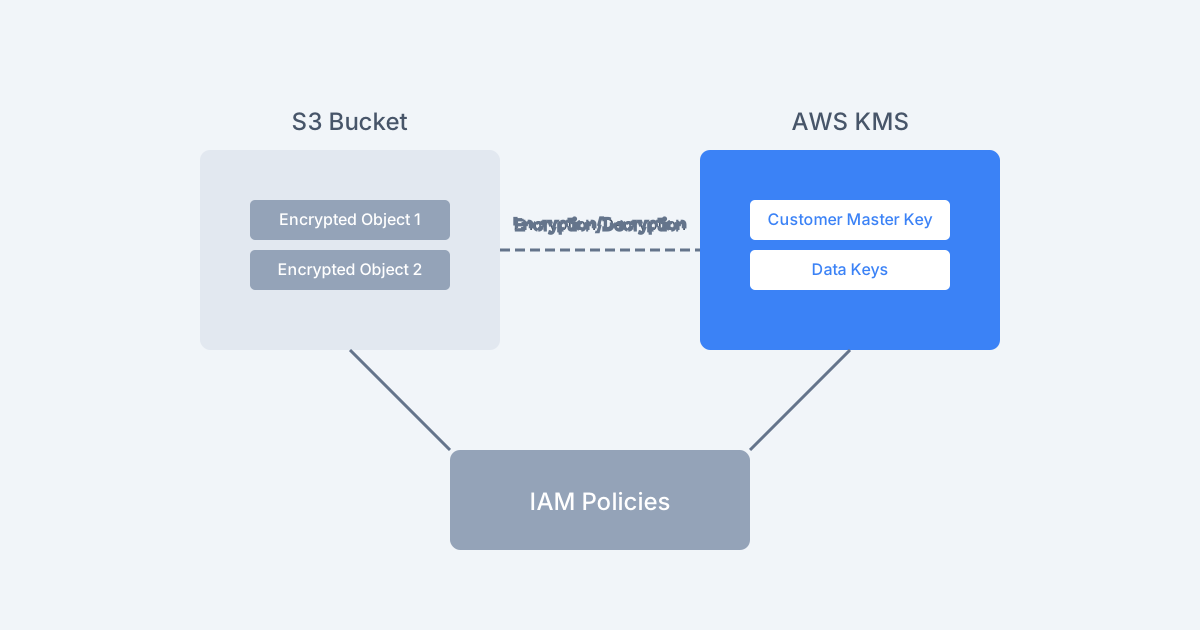
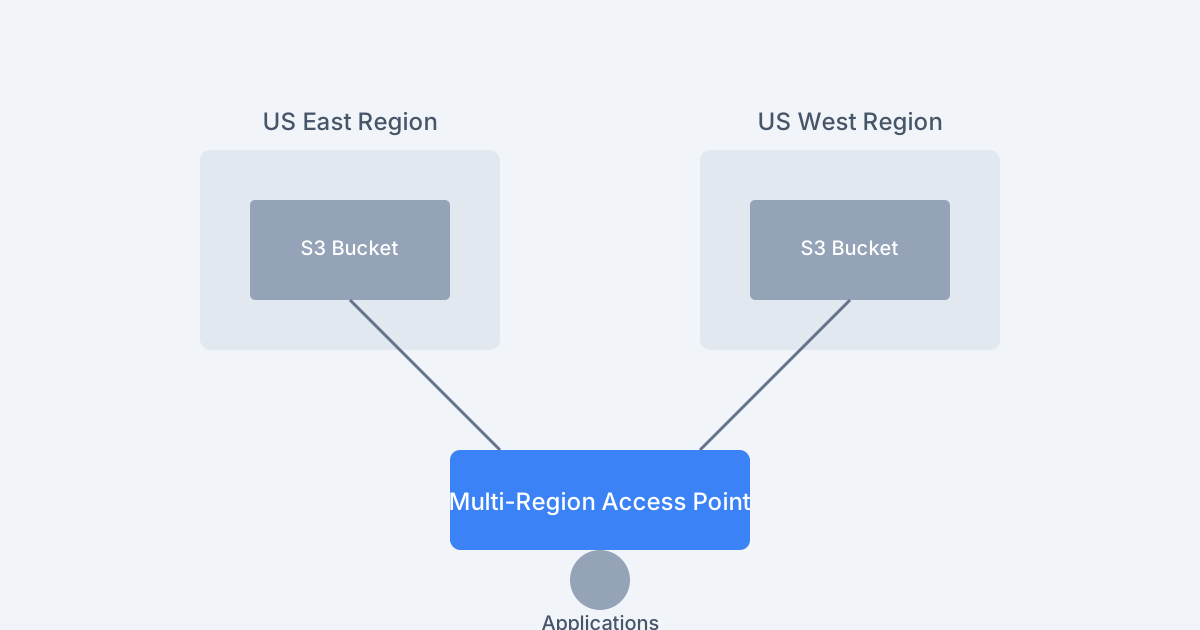
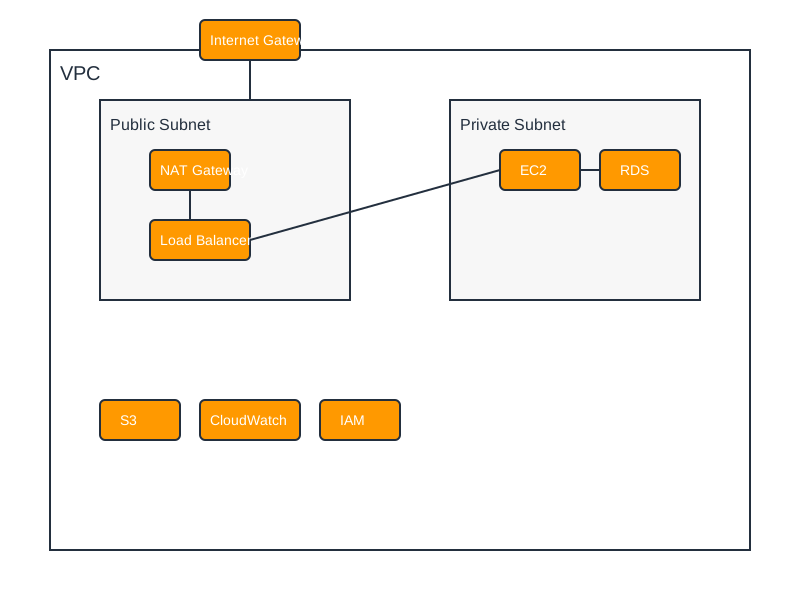
 Figure 1: A conceptual overview of AWS service integration.
Prerequisites
Before embarking on your AWS journey, ensure you have:
- An AWS Account: This is the entry point to all AWS services.
- Familiarity with Cloud Concepts: Understanding elasticity, scalability, and the shared responsibility model is beneficial.
- AWS Command Line Interface (AWS CLI) Installed and Configured: While the AWS Management Console is available, proficiency with the CLI is crucial for automation and reproducible infrastructure. Ensure your and
~/.aws/credentialsfiles are populated with appropriate access keys and default region.~/.aws/config
Foundational Setup and Security
Establishing a secure foundation is paramount in the cloud. These steps are critical for any AWS deployment.
1. AWS Account Initialization
The initial AWS account is provisioned with a root user. For security, this account should be secured and rarely used for day-to-day operations.
- Action: Navigate to aws.amazon.com and click "Create an AWS Account."
- Key Configuration:
- Billing Alerts: Configure billing alarms to prevent unexpected cost overruns. This can be done via the AWS Budgets service or by setting up CloudWatch alarms on billing metrics.
- Root User Security: Immediately after account creation, secure the root user credentials. Enable Multi-Factor Authentication (MFA) using a hardware token or authenticator app.
2. Identity and Access Management (IAM)
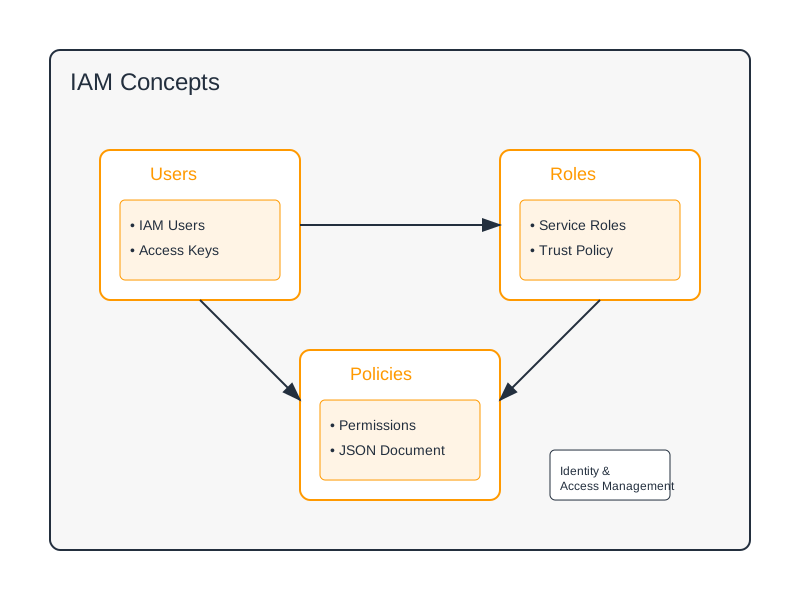
IAM is the cornerstone of AWS security. It controls who can do what on your AWS resources. Avoid using the root user for regular tasks; instead, create IAM users with specific permissions.
-
Best Practice: Implement the principle of least privilege from the outset.
-
Example: Creating an IAM User and Group
# Create a new IAM user. Replace 'my-admin-user' with a descriptive name. aws iam create-user --user-name my-admin-user # Create an IAM group for administrative tasks. aws iam create-group --group-name administrators # Attach a managed policy for administrative access. # WARNING: This grants broad permissions. Consider creating custom policies for production. aws iam attach-group-policy \ --group-name administrators \ --policy-arn arn:aws:iam::aws:policy/AdministratorAccess # Add the user to the 'administrators' group. aws iam add-user-to-group \ --user-name my-admin-user \ --group-name administrators # Generate and display an access key ID and secret access key for programmatic access. # Store these securely and do NOT commit them to version control. aws iam create-access-key --user-name my-admin-user # Prompt the user to set a password for console access and enable MFA. aws iam create-login-profile \ --user-name my-admin-user \ --password-reset-required -
Trade-off: Overly restrictive policies can hinder productivity. Conversely, overly permissive policies create significant security risks. Iterative refinement of policies is necessary.
3. Essential Security Configurations
Beyond IAM users and groups, several other security measures are critical:
- MFA for All Users: Enforce MFA for all IAM users, especially those with elevated privileges.
- Password Policies: Configure strong password requirements (length, complexity, expiration) for IAM users.
- AWS Organizations and Service Control Policies (SCPs): For multi-account strategies, AWS Organizations allows centralized management and enforcement of security guardrails using SCPs.
- Security Hub, GuardDuty, Inspector: Leverage these services for continuous security posture assessment and threat detection.
Core Services for Initial Deployment
Once your foundational security is in place, you can begin deploying resources. This section covers three fundamental AWS services.
1. Elastic Compute Cloud (EC2)
EC2 provides scalable, virtual computing instances in the cloud.
-
Use Case: Hosting applications, databases, and running batch jobs.
-
Example: Launching a Basic EC2 Instance
# Ensure you have a key pair created beforehand (aws ec2 create-key-pair) # and its corresponding .pem file is available for SSH access. # Find a suitable Amazon Machine Image (AMI) ID for your region. # Example: Ubuntu Server 22.04 LTS in us-east-1 # You can find AMIs using the AWS Console or `aws ec2 describe-images` AMI_ID="ami-0abcdef1234567890" # Replace with a valid AMI ID for your region KEY_NAME="my-ec2-keypair" # Replace with your key pair name INSTANCE_TYPE="t3.micro" # Choose an appropriate instance type aws ec2 run-instances \ --image-id $AMI_ID \ --instance-type $INSTANCE_TYPE \ --key-name $KEY_NAME \ --count 1 \ --security-group-ids sg-0123456789abcdef0 \ # Replace with your security group ID --subnet-id subnet-0123456789abcdef0 # Replace with your subnet ID --tag-specifications 'ResourceType=instance,Tags=[{Key=Name,Value=MyFirstEC2Instance}]' # Note: A security group must be created beforehand to allow inbound SSH (port 22). # A subnet within a VPC is also required. -
Trade-offs:
- Cost: Instance types vary significantly in cost. Under-provisioning can lead to performance issues, while over-provisioning wastes money.
- Management: EC2 instances require OS-level patching and management, similar to on-premises servers, unless using higher-level services like Elastic Beanstalk or containers.
- Availability: Single instances are susceptible to single points of failure. For resilience, consider Auto Scaling Groups.
2. Simple Storage Service (S3)
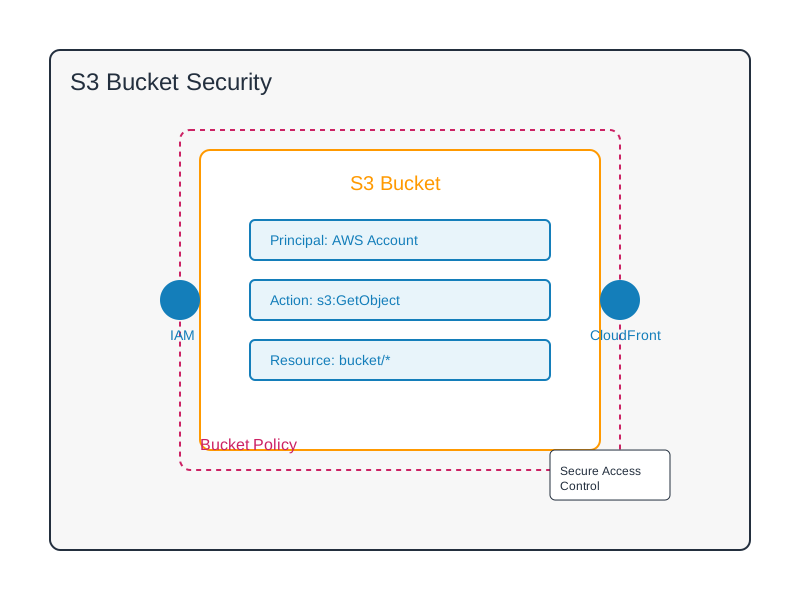
S3 is a highly durable, scalable, and secure object storage service.
-
Use Case: Storing static website assets, backups, logs, data lakes, and application data.
-
Example: Creating a Bucket and Uploading a File
# Bucket names must be globally unique across all AWS accounts. BUCKET_NAME="my-unique-application-data-$(date +%s)" # Example of a unique name # Create an S3 bucket in a specific region (e.g., us-east-1). aws s3 mb s3://$BUCKET_NAME --region us-east-1 # Create a local dummy file for upload. echo "This is a test file for S3." > example.txt # Upload the file to the bucket. aws s3 cp example.txt s3://$BUCKET_NAME/ # List objects in the bucket. aws s3 ls s3://$BUCKET_NAME/ -
Trade-offs:
- Cost Tiers: S3 offers various storage classes (Standard, Intelligent-Tiering, Glacier) with different cost and access latency characteristics. Selecting the appropriate class is crucial for cost optimization.
- Access Latency: While fast for many use cases, S3 is not a replacement for low-latency, in-memory data stores or transactional databases.
- Consistency Model: S3 offers strong read-after-write consistency for new object PUTs and eventual consistency for overwrites and DELETES.
3. Virtual Private Cloud (VPC)
VPC allows you to provision a logically isolated section of the AWS Cloud where you can launch AWS resources in a virtual network that you define.
-
Use Case: Defining network perimeters, subnets, routing, and access control for your AWS resources.
-
Example: Creating a Basic VPC, Subnet, and Internet Gateway
# Create a new VPC with a specific CIDR block. VPC_ID=$(aws ec2 create-vpc --cidr-block 10.0.0.0/16 --query 'Vpc.VpcId' --output text) echo "Created VPC with ID: $VPC_ID" # Create an Internet Gateway. IGW_ID=$(aws ec2 create-internet-gateway --query 'InternetGateway.InternetGatewayId' --output text) echo "Created Internet Gateway with ID: $IGW_ID" # Attach the Internet Gateway to the VPC. aws ec2 attach-internet-gateway --vpc-id $VPC_ID --internet-gateway-id $IGW_ID echo "Attached Internet Gateway $IGW_ID to VPC $VPC_ID" # Create a subnet within the VPC. SUBNET_ID=$(aws ec2 create-subnet --vpc-id $VPC_ID --cidr-block 10.0.1.0/24 --query 'Subnet.SubnetId' --output text) echo "Created Subnet with ID: $SUBNET_ID" # Create a route table. ROUTE_TABLE_ID=$(aws ec2 create-route-table --vpc-id $VPC_ID --query 'RouteTable.RouteTableId' --output text) echo "Created Route Table with ID: $ROUTE_TABLE_ID" # Add a default route to the Internet Gateway for the route table. aws ec2 create-route --route-table-id $ROUTE_TABLE_ID --destination-cidr-block 0.0.0.0/0 --gateway-id $IGW_ID echo "Added default route to Internet Gateway for Route Table $ROUTE_TABLE_ID" # Associate the subnet with the route table. aws ec2 associate-route-table --route-table-id $ROUTE_TABLE_ID --subnet-id $SUBNET_ID echo "Associated Subnet $SUBNET_ID with Route Table $ROUTE_TABLE_ID" -
Trade-offs:
- Complexity: VPCs introduce networking concepts that can be complex to manage, especially with advanced configurations like peering, transit gateways, and VPNs.
- Cost: While VPC itself is free, the resources launched within it (EC2 instances, NAT Gateways, Load Balancers) incur costs. NAT Gateways, for example, are billed hourly and for data processed.
- Security Groups vs. Network ACLs: Understanding the stateful nature of Security Groups and the stateless nature of Network ACLs is critical for effective network segmentation and security.
Ongoing Best Practices
Adhering to best practices will ensure your AWS environment remains secure, cost-effective, and manageable.
- IAM Roles over Access Keys: For services and EC2 instances that need to interact with other AWS services, use IAM Roles. This avoids the need to embed long-lived AWS credentials, significantly reducing the risk of credential compromise.
- AWS CloudTrail: Enable CloudTrail in all regions to log API calls made to your AWS account. This provides an audit trail for security analysis, compliance, and troubleshooting.
- Resource Tagging: Implement a consistent tagging strategy for all AWS resources. Tags are essential for cost allocation, automation, and resource organization.
- Backup and Recovery Strategies: Define and implement robust backup strategies for critical data and resources (e.g., EBS snapshots, RDS backups, S3 versioning). Test your recovery procedures regularly.
- Cost Management: Actively monitor your AWS spending using AWS Budgets, Cost Explorer, and Cost Allocation Tags. Set up alerts for budget thresholds.
- Infrastructure as Code (IaC): Use tools like AWS CloudFormation or Terraform to define and manage your infrastructure. This promotes consistency, repeatability, and version control of your cloud resources.
Next Steps for Deeper Exploration
This guide has provided a foundational entry point. To build robust cloud solutions, delve deeper into:
- EC2 Scaling and Load Balancing: Explore Auto Scaling Groups and Elastic Load Balancing (ELB) for high availability and dynamic scaling.
- S3 Storage Classes and Lifecycle Policies: Understand the nuances of S3 storage classes (e.g., Standard-IA, Glacier Deep Archive) and automate data tiering with lifecycle policies.
- VPC Networking: Learn about Network Address Translation (NAT) Gateways, VPC Endpoints, and private networking options.
- Databases: Investigate managed database services like Amazon RDS (Relational Database Service) and Amazon DynamoDB (NoSQL).
- Serverless Computing: Explore AWS Lambda for event-driven, serverless applications.
- Containerization: Familiarize yourself with Amazon Elastic Container Service (ECS) and Amazon Elastic Kubernetes Service (EKS).
- Security Services: Deepen your understanding of AWS WAF, Shield, IAM Access Analyzer, and KMS.
When Not to Use AWS (or this guide)
- Highly Sensitive, Air-Gapped Environments: If your organization has strict regulatory requirements mandating fully isolated, on-premises infrastructure that cannot connect to external networks, public cloud solutions like AWS might not be suitable.
- Legacy Applications with Deep On-Premises Dependencies: Migrating highly monolithic or tightly coupled legacy applications that rely heavily on specific on-premises hardware or network configurations can be prohibitively complex and expensive without significant re-architecture.
- Teams Unwilling to Adapt to Cloud Operations: AWS requires a shift in operational mindset towards automation, IaC, and a security-first approach. Teams resistant to these changes may struggle to realize the full benefits of the cloud.
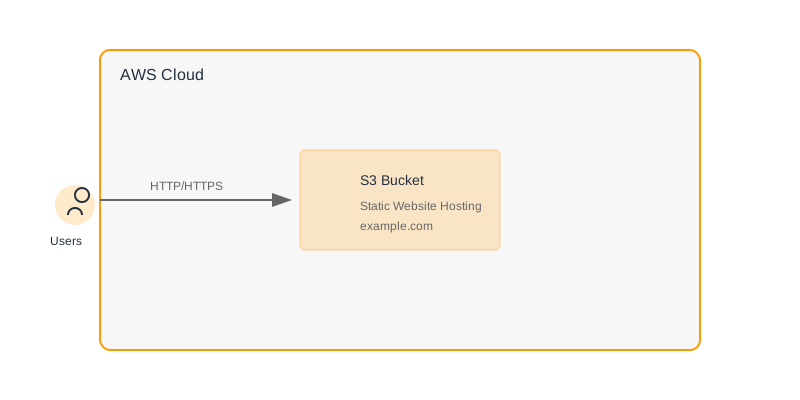
- Simple, Static Websites Needing Minimal Management: For a single, low-traffic static website, the overhead of setting up an AWS account and managing services might be overkill compared to simpler hosting solutions. However, even for static sites, S3 with CloudFront offers scalability and cost advantages.
Decision Checklist
Before proceeding with your AWS implementation, consider the following:
- [ ] Security Foundation: Have you enabled MFA for the root user and created an administrative IAM user with MFA?
- [ ] Least Privilege: Are you planning to create specific IAM policies rather than granting broad administrative access to daily users?
- [ ] Resource Naming and Tagging: Do you have a strategy for naming and tagging resources for organization and cost tracking?
- [ ] Cost Management: Have you set up initial billing alerts and do you understand the cost implications of the services you plan to use?
- [ ] Networking Requirements: Do you have a basic understanding of VPC, subnets, and security groups needed for your initial deployment?
- [ ] Service Selection: Are EC2, S3, and VPC appropriate for your immediate use case, or do you need to explore other services first (e.g., Lambda for event-driven tasks)?
- [ ] Automation Strategy: Will you be using the AWS CLI, SDKs, or an IaC tool from the start?
By following these guidelines and focusing on a structured approach to security and core service utilization, you can effectively begin your journey with AWS.