AWS S3 Multi-Region Access Points: Simplifying Global Data Access
Learn how to use AWS S3 Multi-Region Access Points to optimize global data access and improve application performance
Mastering AWS Multi-Region Access Points for Global Data Management
TL;DR: AWS Multi-Region Access Points (MRAPs) abstract the complexity of managing data across geographically distributed S3 buckets. They provide a single, global endpoint that intelligently routes requests to the nearest healthy bucket, thereby simplifying application development, improving performance, and enhancing availability. This guide provides an in-depth look at implementing, optimizing, and securing MRAPs for robust global data strategies.
1. Introduction to Multi-Region Access Points
Multi-Region Access Points (MRAPs) offer a unified interface to access S3 buckets located in different AWS Regions. Instead of managing multiple bucket endpoints and implementing complex routing logic within applications, MRAPs present a single, global DNS name. AWS resolves this name to the optimal S3 bucket based on the client's geographical location and the health of the regional S3 endpoints.
Key Benefits
- Simplified Global Access: A single endpoint eliminates the need for applications to manage regional endpoints or complex DNS configurations. This reduces development overhead and simplifies integration.
- Improved Performance: By routing requests to the nearest available S3 bucket, MRAPs significantly reduce latency for end-users worldwide.
- Enhanced Availability and Durability: MRAPs leverage underlying S3 cross-region replication (CRR) and S3 features like Versioning and Replication Time Control (RTC) to ensure data is available even in the event of a regional outage. Automatic failover to a healthy region is inherent.
- Data Residency Compliance: While MRAPs route to the nearest region, the underlying S3 buckets can be configured to adhere to specific data residency requirements.
Architecture Overview
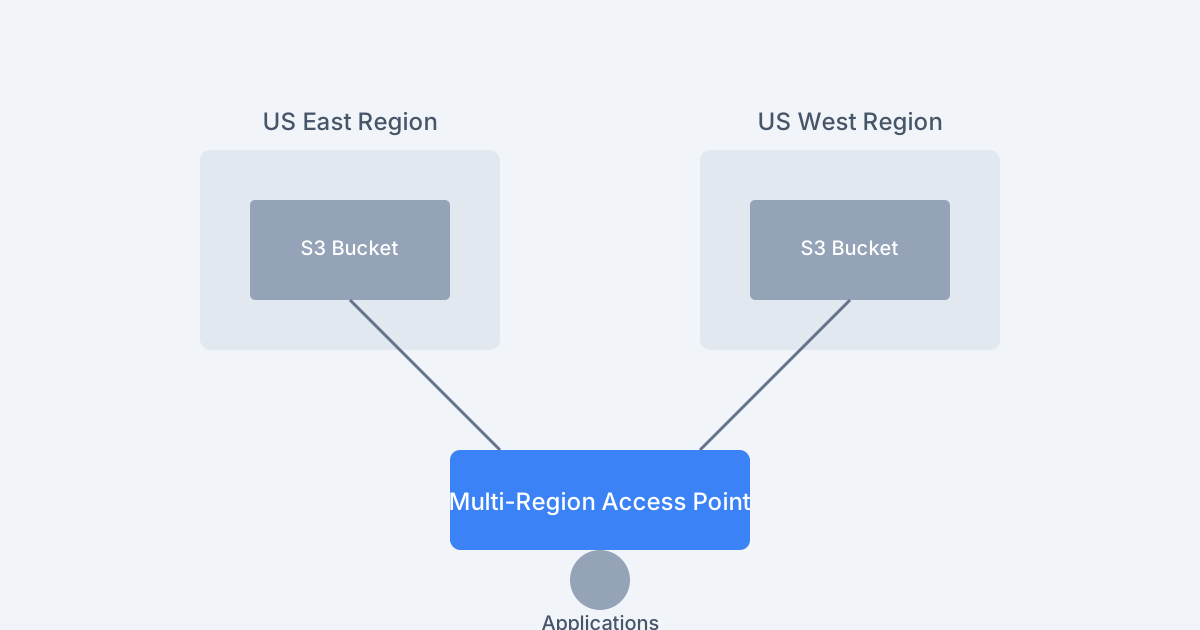
Multi-Region Access Point Architecture
The diagram illustrates how clients interact with the single MRAP endpoint. AWS then leverages Route 53 (behind the scenes) to resolve the MRAP endpoint to the most appropriate regional S3 bucket endpoint. The underlying S3 buckets are configured with Cross-Region Replication (CRR) to maintain data consistency across regions.
Request Routing and DNS Resolution Flow
This sequence diagram details the path a request takes: from the client to the MRAP endpoint, then to DNS for resolution, and finally to the most suitable regional S3 bucket.
2. Implementing Multi-Region Access Points
Implementation involves creating the MRAP itself and ensuring the underlying S3 buckets are properly configured.
2.1. Creating an MRAP
You can create an MRAP using the AWS CLI or the AWS SDKs. An MRAP definition includes a name and a list of associated S3 buckets across different regions.
aws s3control create-multi-region-access-point \
  --account-id 111122223333 \
  --details '{
    "Name": "global-data-access-mrap",
    "PublicAccessBlock": {
      "BlockPublicAcls": true,
      "BlockPublicPolicy": true,
      "IgnorePublicAcls": true,
      "RestrictPublicBuckets": true
    },
    "Regions": [
      {
        "Bucket": "us-east-data-bucket",
        "BucketAccountId": "111122223333"
      },
      {
        "Bucket": "eu-west-data-bucket",
        "BucketAccountId": "111122223333"
      }
    ]
  }'
Explanation:
- : Your AWS account ID.
--account-id - : A JSON structure defining the MRAP.
--details- : A unique name for your MRAP. The full endpoint will be
Name.[name].mrap.accesspoint.s3.amazonaws.com - : Configures security settings for the MRAP. It's recommended to enable all settings to prevent accidental public exposure.
PublicAccessBlock - : An array listing the S3 buckets that will be associated with this MRAP. Each entry specifies the bucket name and its account ID.
Regions
2.2. Configuring Underlying S3 Buckets
For MRAPs to function effectively, the associated S3 buckets must meet certain prerequisites:
- Versioning: Must be enabled on all participating buckets to support replication and consistency.
- Cross-Region Replication (CRR): Configured to replicate objects between the buckets. This ensures data is present in all regions for fast access.
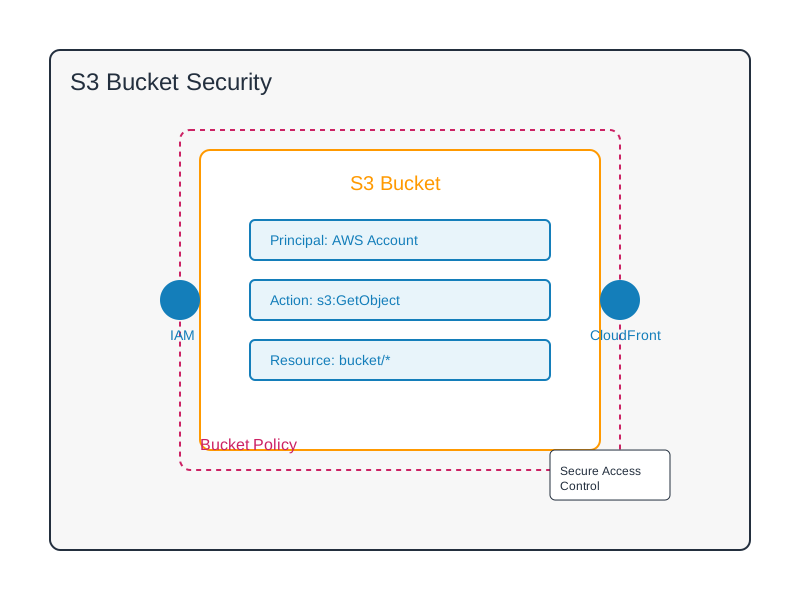
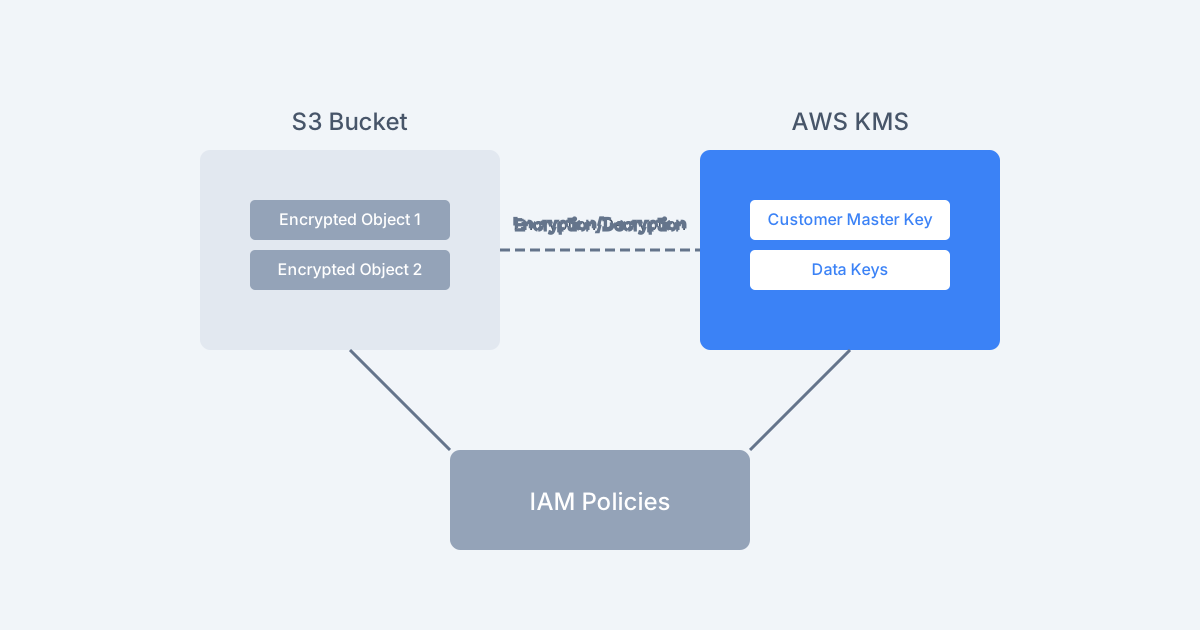
- Bucket Policies and IAM Roles: Appropriate permissions must be granted for replication to occur and for the MRAP itself to access the buckets.
Example Replication Configuration (AWS CLI):
This configuration enables CRR from a source bucket (
us-east-data-bucketeu-west-data-bucketaws s3api put-bucket-replication \ --bucket us-east-data-bucket \ --replication-configuration '{ "Role": "arn:aws:iam::111122223333:role/S3ReplicationRole", "Rules": [ { "ID": "ReplicateToEU", "Status": "Enabled", "Priority": 1, "SourceSelectionCriteria": { "SseKmsEncryptedObjects": { "Status": "Disabled" } }, "Destination": { "Bucket": "arn:aws:s3:::eu-west-data-bucket", "Account": "111122223333", "StorageClass": "STANDARD", "EncryptionConfiguration": { "ReplicaKmsKeyID": "arn:aws:kms:eu-west-1:111122223333:key/your-kms-key-id" } }, "DeleteMarkerReplication": { "Status": "Enabled" } } ] }'
Explanation:
- : The IAM role that grants S3 permission to replicate objects. This role needs
Role,s3:ReplicateObject, ands3:ReplicateDeletepermissions for the source and destination buckets.s3:GetObjectVersionTagging - : Defines replication rules.
Rules- : Specifies the target bucket, account, storage class, and KMS key for encrypted objects.
Destination - : Ensures that delete markers are also replicated, maintaining object versioning consistency.
DeleteMarkerReplication
2.3. Granting Access to the MRAP
Access to data through an MRAP is managed via access point policies, similar to how you manage access to regular S3 buckets.
Example MRAP Access Point Policy (JSON):
This policy grants read and write access to an IAM role.
{
    "Version": "2012-10-17",
    "Statement": [
        {
            "Effect": "Allow",
            "Principal": {
                "AWS": "arn:aws:iam::111122223333:role/ApplicationRole"
            },
            "Action": [
                "s3:GetObject",
                "s3:PutObject",
                "s3:ListBucket"
            ],
            "Resource": [
                "arn:aws:s3:us-east-1:111122223333:accesspoint/global-data-access-mrap",
                "arn:aws:s3:us-east-1:111122223333:accesspoint/global-data-access-mrap/*"
            ]
        }
    ]
}
Note: The
Resourceus-east-12.4. Using the MRAP Endpoint in Applications
Applications interact with the MRAP using its global endpoint. The AWS SDKs and CLI automatically handle the routing.
Example using Python Boto3:
import boto3

# Use the MRAP endpoint. The region_name is for the client configuration,
# but the actual endpoint URL is derived from the MRAP name.
# For operations like PutObject or GetObject, you'd typically specify the bucket
# as the MRAP ARN when using the standard S3 client.
# More commonly, you'd use the S3 Access Point client, which implicitly uses the endpoint.

# Option 1: Using standard S3 client with MRAP ARN as bucket
s3_client_standard = boto3.client('s3')
mrap_arn = 'arn:aws:s3::111122223333:accesspoint/global-data-access-mrap'

# Upload object
s3_client_standard.put_object(
    Bucket=mrap_arn,
    Key='my-global-file.txt',
    Body='This data is accessible globally.'
)

# Download object
response = s3_client_standard.get_object(
    Bucket=mrap_arn,
    Key='my-global-file.txt'
)
print(response['Body'].read().decode('utf-8'))

# Option 2: Using S3 Control client to manage MRAPs (e.g., create, delete)
# s3control_client = boto3.client('s3control')
# response = s3control_client.get_multi_region_access_point(
#     AccountId='111122223333',
#     Name='global-data-access-mrap'
# )
# print(f"MRAP Endpoint: {response['Details']['PublicAccessPoint']}\n")
# Note: The S3.Client.get_object/put_object operations implicitly use the S3 global endpoint
# when the bucket parameter is an MRAP ARN.
Important Note on endpoint_url
boto3.client('s3', endpoint_url=...)endpoint_url[name].mrap.accesspoint.s3-global.amazonaws.comboto3Bucketendpoint_urlendpoint_url3. Best Practices for MRAPs
3.1. Region Selection Strategy
- Proximity to Users: Deploy buckets in regions closest to your primary user base to minimize latency.
- Data Sovereignty: Comply with legal and regulatory requirements that mandate data residency within specific geographic boundaries by placing buckets in compliant regions.
- Cost Optimization: Consider regional data transfer costs and S3 storage pricing when selecting regions.
- Availability Zones & Regional Redundancy: Ensure your chosen regions have robust availability zones and consider placing buckets in multiple regions for disaster recovery.
3.2. Replication Configuration Best Practices
- Replication Time Control (RTC): For applications requiring near-real-time data replication, enable RTC to monitor and meet replication SLAs.
- Delete Marker Replication: Crucial for maintaining data consistency, especially when objects are deleted.
- Intelligent-Tiering: Consider using S3 Intelligent-Tiering on your buckets if access patterns vary, which can optimize storage costs across different access tiers.
- SSE-KMS Encryption: If using server-side encryption with AWS KMS (SSE-KMS), ensure the KMS key policies allow replication and that the replication role has and
kms:Decryptpermissions for the KMS keys in both source and destination regions.kms:Encrypt
3.3. Monitoring and Metrics
Utilize AWS CloudWatch to monitor MRAP performance and health. Key metrics include:
- (Sum): Total requests made to the MRAP.
Requests - /
BytesUploaded(Sum): Data transfer volume.BytesDownloaded - /
4xxErrors(Sum): Track client-side and server-side errors.5xxErrors - Replication Lag Metrics: Monitor CRR lag using metrics like and
ReplicationLatencyin the S3 console for the underlying buckets.ReplicationTotalObjects
import boto3
from datetime import datetime, timedelta

cloudwatch = boto3.client('cloudwatch')

# Example: Get total requests for the MRAP over the last 24 hours
end_time = datetime.utcnow()
start_time = end_time - timedelta(days=1)

response = cloudwatch.get_metric_data(
    MetricDataQueries=[
        {
            'Id': 'mrap_requests_sum',
            'MetricStat': {
                'Metric': {
                    'Namespace': 'AWS/S3',
                    'MetricName': 'Requests',
                    'Dimensions': [
                        {
                            'Name': 'AccessPoint',
                            'Value': 'global-data-access-mrap'
                        }
                    ]
                },
                'Period': 3600,  # Aggregate per hour
                'Stat': 'Sum'
            },
            'ReturnData': True
        }
    ],
    StartTime=start_time,
    EndTime=end_time,
    ScanBy='TimestampDescending'
)

for item in response.get('MetricDataResults', []):
    print(f"Metric ID: {item['Id']}")
    for timestamp, value in zip(item['Timestamps'], item['Values']):
        print(f"  Timestamp: {timestamp}, Value: {value}")
4. Performance Optimization
4.1. Request Routing and Latency
While MRAPs automatically route to the nearest region, several factors influence actual performance:
- Client Network Path: The quality of the network connection between the client and the AWS region significantly impacts latency. AWS Direct Connect or Transit Gateway can provide more predictable network performance than the public internet.
- DNS Resolution: Ensure clients use performant DNS resolvers.
- MRAP Endpoint Resolution: AWS DNS services are optimized for low latency.
4.2. Caching Strategies
For frequently accessed, less frequently changing data, consider implementing caching layers:
-
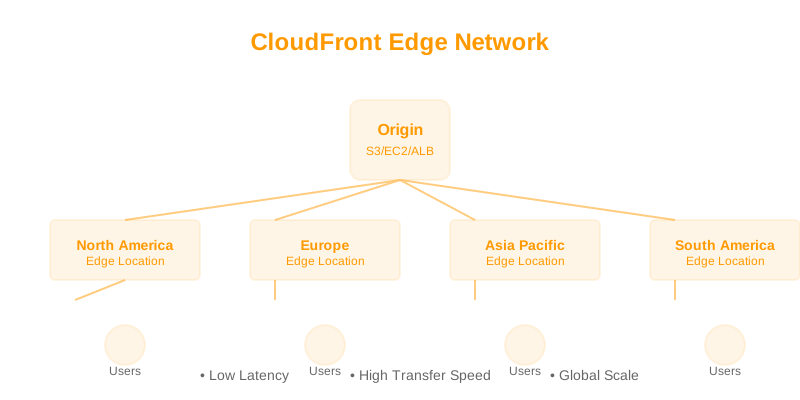
Amazon CloudFront: Integrate CloudFront with your MRAP endpoint as an origin. CloudFront caches content at edge locations worldwide, significantly reducing latency for repeat requests and offloading traffic from S3.
Example CloudFront Origin Configuration (Conceptual):
# CloudFront Distribution Origin Configuration Snippet
Origins:
  - DomainName: global-data-access-mrap.accesspoint.s3-global.amazonaws.com
    Id: MultiRegionAccessPointOrigin
    S3OriginConfig: # If using S3 Origin Access Identity (OAI) or Origin Access Control (OAC)
      OriginAccessIdentity: origin-access-identity/cloudfront/E1A2B3C4D5E6F7 # Example OAI
When using an MRAP as a CloudFront origin, ensure the MRAP's access policies allow CloudFront's OAI or OAC to access the data.
-
Application-Level Caching: Implement caching within your application logic or at the API gateway layer.
5. Cost Considerations
5.1. Data Transfer Costs
- Inter-Region Transfer: Data replicated between S3 buckets in different regions incurs data transfer costs. CRR is charged per GB transferred.
- Data Transfer Out: Data transferred from S3 buckets to the internet or to other AWS regions incurs data transfer out charges. MRAPs route requests to the nearest region, which helps minimize this cost for globally distributed users.
- Requests: Standard S3 request costs (GET, PUT, LIST, etc.) apply for operations performed via the MRAP.
5.2. Optimization Strategies
- Data Placement: Strategically place the primary copy of frequently accessed data in regions with lower transfer-out costs if possible, or closer to the majority of users.
- Minimize Cross-Region Replication: If data doesn't need to be in all regions, replicate only to necessary ones. Disable CRR for buckets that don't require global access or redundancy.
- Caching: As mentioned, CloudFront or application-level caching can drastically reduce S3 GET requests and data transfer out costs.
- Lifecycle Policies: Implement lifecycle policies on your S3 buckets to transition older data to cheaper storage classes (e.g., S3 Glacier) or expire it.
6. Security Best Practices
6.1. Access Control Management
- Least Privilege: Grant only the necessary permissions (e.g., ,
s3:GetObject) to IAM roles and users accessing the MRAP.s3:PutObject - IAM Policies vs. Bucket Policies: Access to MRAPs is primarily controlled by S3 Access Point policies, which are associated with the MRAP itself. These policies are central to managing access across all regions. You can also implement VPC endpoint policies if accessing MRAPs from within a VPC.
- Public Access Block: Ensure settings are enabled on the MRAP and underlying buckets to prevent accidental public exposure.
PublicAccessBlock
Example MRAP Policy with IP Restrictions:
{
    "Version": "2012-10-17",
    "Statement": [
        {
            "Effect": "Allow",
            "Principal": {
                "AWS": "arn:aws:iam::111122223333:role/RestrictedRole"
            },
            "Action": "s3:GetObject",
            "Resource": "arn:aws:s3::111122223333:accesspoint/global-data-access-mrap/*",
            "Condition": {
                "IpAddress": {
                    "aws:SourceIp": ["203.0.113.0/24"]
                }
            }
        }
    ]
}
This policy allows
GetObject6.2. Encryption
- Server-Side Encryption (SSE): Configure SSE for all underlying S3 buckets (SSE-S3, SSE-KMS). MRAP supports objects encrypted with SSE-S3 and SSE-KMS.
- Client-Side Encryption: For highly sensitive data, consider encrypting data client-side before uploading to S3.
Example: Enforcing SSE-KMS on Uploads (Application Logic):
import boto3

s3_client = boto3.client('s3')
kms_key_arn = 'arn:aws:kms:us-east-1:111122223333:key/your-kms-key-id' # Replace with your KMS Key ARN

response = s3_client.put_object(
    Bucket='arn:aws:s3::111122223333:accesspoint/global-data-access-mrap',
    Key='encrypted-file.txt',
    Body='This data is encrypted.',
    ServerSideEncryption='aws:kms',
    SSEKMSEncryptionContext={'partition': 'your-app-partition'}, # Optional context
    SSEKMSKeyId=kms_key_arn
)
print(f"Object uploaded with SSE-KMS. Version ID: {response.get('VersionId')}")
Note that if you configure default encryption on the underlying buckets, uploads via MRAP will inherit that.
7. Troubleshooting Common Issues
-
Access Denied Errors:
- Cause: Incorrect IAM policies, MRAP access point policies, or bucket policies.
- Solution: Verify that the IAM principal has the necessary permissions. For MRAPs, ensure the Access Point policy attached to the MRAP allows the required actions. Check if bucket policies on the underlying buckets are overly restrictive.
-
Replication Lag or Failures:
- Cause: Insufficient IAM permissions for the replication role, versioning not enabled on source/destination buckets, network issues, or KMS key policy restrictions.
- Solution: Monitor S3 replication metrics in CloudWatch. Verify the replication IAM role has the correct permissions. Ensure versioning is enabled. Confirm KMS keys are accessible by the replication role.
-
Performance Degradation:
- Cause: Network latency, inefficient client requests, heavy load on a specific region, or lack of caching.
- Solution: Analyze CloudWatch metrics for the MRAP and underlying buckets. Investigate client network paths. Implement caching solutions like CloudFront. Ensure your application is not making excessive small requests.
-
MRAP Endpoint Not Resolving:
- Cause: DNS issues, network configuration problems.
- Solution: Test DNS resolution for the MRAP endpoint from affected clients. Ensure firewalls or network security groups are not blocking S3 access.
8. When Not to Use MRAPs
- Single-Region Applications: If your application and data are confined to a single AWS region, MRAPs introduce unnecessary complexity and cost.
- Strict Data Isolation Requirements: If data must never be replicated or accessible from specific regions due to extreme compliance needs, MRAPs, which rely on CRR, might not be suitable. Carefully review the replication model.
- Very Low Latency Requirements within a Single Region: If extreme low-latency access within a single, well-established region is paramount, direct S3 access might be marginally faster than going through the MRAP abstraction.
- Cost Sensitivity for Replication: If the cost of cross-region replication data transfer is prohibitive for your use case, but global access is still desired, explore alternative patterns like AWS Global Accelerator with regional S3 buckets.
- Early-Stage Development/Prototyping: For simple prototypes or projects with minimal global footprint, the overhead of setting up MRAPs might not be immediately justified.
9. Decision Checklist
Before implementing MRAPs, consider the following:
- [ ] Global Data Access Need: Is there a clear requirement for applications to access data from multiple AWS regions simultaneously or with global reach?
- [ ] Performance Improvement: Will routing requests to the nearest region provide a significant benefit in terms of latency for your end-users?
- [ ] Availability & Redundancy: Is high availability and disaster recovery a critical requirement for your data?
- [ ] Application Complexity: Can MRAPs simplify application code by abstracting multi-region logic?
- [ ] Data Consistency Requirements: Are eventual consistency (via CRR) and near-real-time replication acceptable?
- [ ] Cost of Replication: Can your budget accommodate the data transfer costs associated with Cross