AWS Lambda Patterns: Building Scalable Serverless Applications
Learn essential patterns and best practices for designing and implementing serverless applications using AWS Lambda, including event sources, integration patterns, and best practices
Mastering Amazon Lambda: Patterns and Best Practices for Serverless Architectures
TL;DR: This guide provides experienced engineers with a deep dive into common Amazon Lambda patterns, configuration best practices, service integrations, and operational considerations for building robust and scalable serverless applications. It covers synchronous and asynchronous processing, stream handling, optimal configuration, secure data access, efficient messaging, and essential monitoring and security strategies.
Introduction
Amazon Lambda empowers developers to execute code without the operational burden of provisioning or managing underlying infrastructure. This managed execution environment is ideal for event-driven architectures, enabling automatic scaling and a pay-per-execution cost model. This document elucidates prevalent architectural patterns, configuration nuances, integration strategies, and operational excellence tenets crucial for constructing effective serverless applications.
Core Lambda Processing Patterns
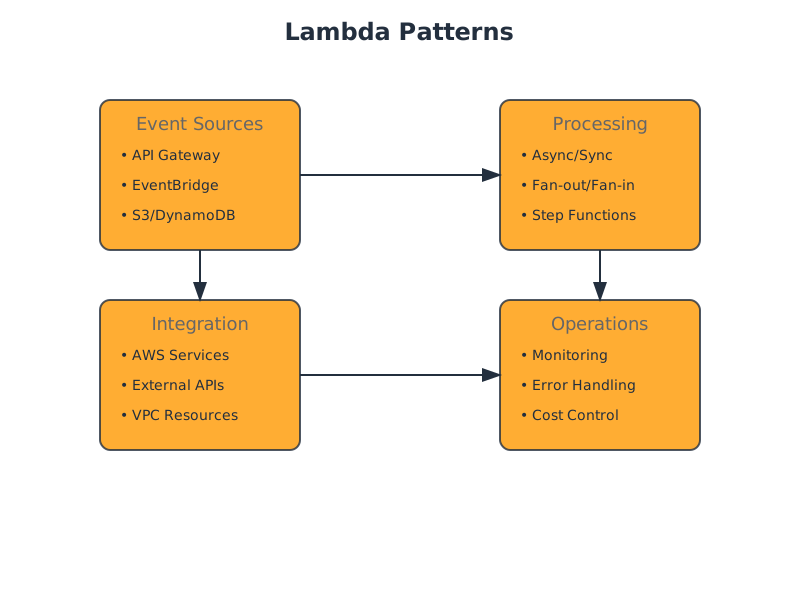
Lambda functions are invoked by events originating from various AWS services or custom applications. Understanding how to handle these events is fundamental.
1. Synchronous Request-Response
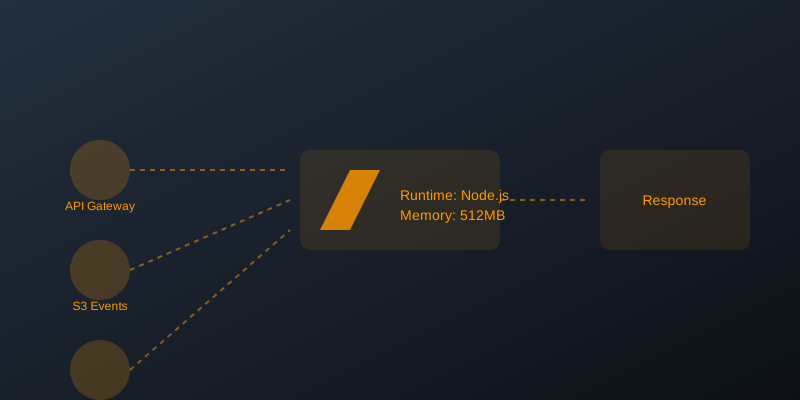
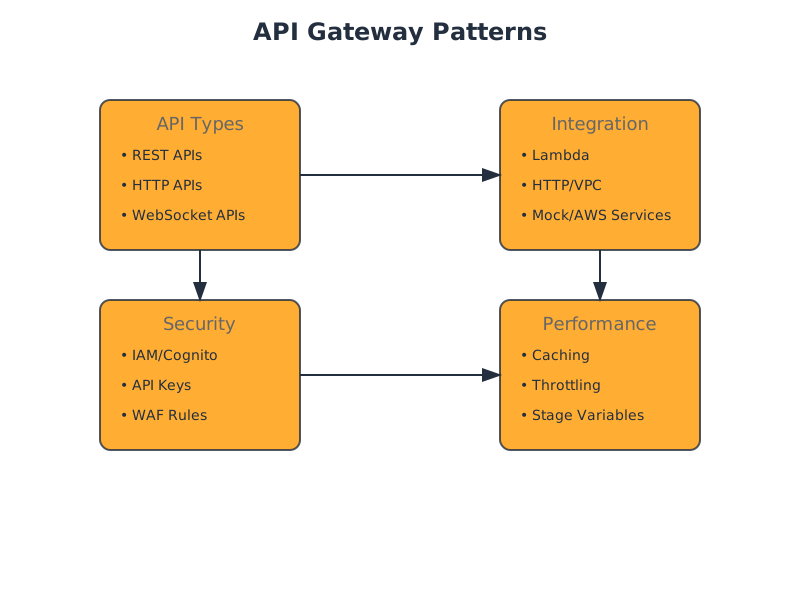
This pattern is typical for API integrations where an immediate response is required. A common use case is integrating Lambda with API Gateway.
Use Cases:
- RESTful APIs
- Real-time data retrieval
- User authentication endpoints
Example: API Gateway Integration
// Lambda function for synchronous API requests
exports.handler = async (event) => {
    let response;
    try {
        // Assuming event structure from API Gateway
        const requestBody = JSON.parse(event.body);
        console.log('Received request body:', requestBody);

        // Simulate processing the request
        const processedData = await processSynchronousData(requestBody);

        response = {
            statusCode: 200,
            headers: {
                "Content-Type": "application/json",
                "Access-Control-Allow-Origin": "*" // CORS header, adjust as needed
            },
            body: JSON.stringify({
                message: "Request processed successfully",
                data: processedData
            })
        };
    } catch (error) {
        console.error("Error processing synchronous request:", error);
        response = {
            statusCode: 500,
            headers: {
                "Content-Type": "application/json",
                "Access-Control-Allow-Origin": "*"
            },
            body: JSON.stringify({
                message: "Internal server error",
                error: error.message
            })
        };
    }
    return response;
};

// Placeholder for your actual data processing logic
async function processSynchronousData(data) {
    // Example: Perform some computation or data lookup
    await new Promise(resolve => setTimeout(resolve, 100)); // Simulate latency
    return { ...data, processedAt: new Date().toISOString() };
}
Trade-offs:
- Pros: Immediate feedback to the client, simpler client-side logic.
- Cons: Lambda execution time directly impacts client latency; a slow Lambda function leads to a slow API response. Error handling must be robust to prevent client timeouts. Can lead to increased costs if not optimized due to longer execution durations.
2. Asynchronous Event Processing
Lambda functions are invoked by events, and processing can occur independently of the event source's lifecycle. This is suitable for tasks that don't require an immediate response.
Use Cases:
- Image/video processing after upload to S3.
- Sending email notifications triggered by database changes.
- Batch processing of records.
- Responding to events from SQS, SNS, EventBridge.
Example: S3 Event Trigger
// Lambda function triggered by S3 object creation
exports.handler = async (event) => {
    console.log('Received S3 event:', JSON.stringify(event, null, 2));

    for (const record of event.Records) {
        const bucket = record.s3.bucket.name;
        const key = decodeURIComponent(record.s3.object.key.replace(/\+/g, ' '));
        console.log(`Processing object ${key} from bucket ${bucket}`);

        try {
            // Simulate asynchronous processing, e.g., image resizing, metadata extraction
            await performAsyncProcessing(bucket, key);
            console.log(`Successfully processed ${key}.`);
        } catch (error) {
            console.error(`Error processing object ${key}:`, error);
            // Consider dead-letter queues (DLQ) or other retry mechanisms
            // for persistent failures.
        }
    }

    // For async invocations, Lambda doesn't return a value to the caller.
    // Returning anything here doesn't affect the event source.
    return {
        message: "Event processing initiated."
    };
};

// Placeholder for your actual asynchronous processing logic
async function performAsyncProcessing(bucket, key) {
    await new Promise(resolve => setTimeout(resolve, 200)); // Simulate work
    console.log(`Simulated async processing for s3://${bucket}/${key}`);
    // e.g., fetch object, transform, upload to another location, update DB.
}
Trade-offs:
- Pros: Decouples services, improves resilience (if one part fails, others can continue), better scalability as processing happens in the background. Reduced latency for the client initiating the event.
- Cons: No immediate feedback to the originating system; requires mechanisms for tracking status or handling failures (e.g., DLQs, state machines).
3. Stream Processing
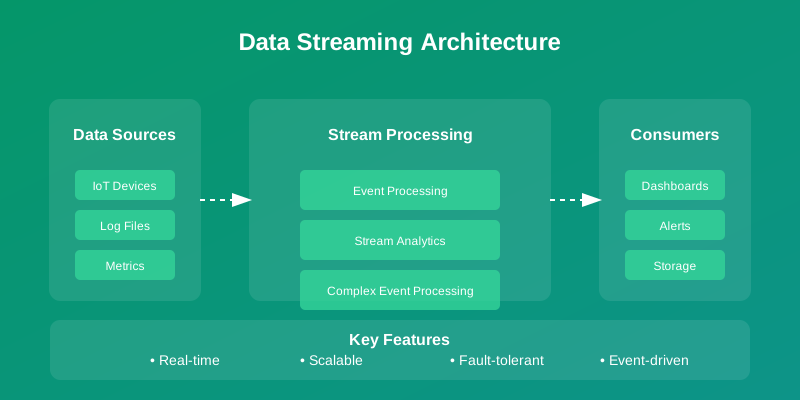
Lambda can process records from ordered, immutable streams, such as Amazon Kinesis Data Streams (KDS) or DynamoDB Streams. This pattern is crucial for real-time analytics and event sourcing.
Use Cases:
- Real-time analytics dashboards.
- Log aggregation and analysis.
- Change data capture (CDC) for databases.
- Processing financial transactions.
Example: Kinesis Data Streams Integration
// Lambda function processing records from Kinesis Data Streams
exports.handler = async (event) => {
    console.log('Received Kinesis event:', JSON.stringify(event, null, 2));

    for (const record of event.Records) {
        // Kinesis data is base64 encoded
        const payload = Buffer.from(record.kinesis.data, 'base64').toString('utf-8');
        console.log(`Decoded payload: ${payload}`);

        try {
            // Process the record
            await processStreamRecord(payload);
            console.log(`Successfully processed record ${record.sequenceNumber}.`);
        } catch (error) {
            console.error(`Error processing record ${record.sequenceNumber}:`, error);
            // Lambda will retry based on configuration.
            // If processing fails consistently, consider error handling strategies
            // like moving to a DLQ or implementing custom retry logic.
            // For Kinesis, failing to process a record might cause subsequent
            // records in the same shard to be reprocessed or held up.
            throw error; // Re-throwing error to indicate failure for retries.
        }
    }

    // For stream processing, a successful return indicates all records in the batch
    // were processed successfully. Throwing an error signals that the entire batch
    // should be retried (depending on Lambda's retry configuration for the event source).
    return {
        message: "Batch processed successfully."
    };
};

// Placeholder for your actual stream record processing logic
async function processStreamRecord(data) {
    await new Promise(resolve => setTimeout(resolve, 50)); // Simulate work
    console.log('Simulated processing of stream data:', data);
    // e.g., parse JSON, perform transformations, write to another data store.
}
Trade-offs:
- Pros: Ordered processing within shards, high throughput, fault tolerance with retries and checkpointing. Enables near real-time data pipelines.
- Cons: Requires careful management of batch sizes, error handling (failed records can block subsequent ones in a shard), and shard scaling. Can be complex to implement robustly.
Lambda Configuration and Optimization
Properly configuring Lambda functions is critical for performance, cost, and reliability.
Memory Allocation
- Impact: Memory allocation directly influences the CPU allocated to your function. More memory means more CPU.
- Recommendation: Start with a reasonable default (e.g., 128MB or 256MB) and benchmark. Use tools like AWS Lambda Power Tuning to find the optimal balance between memory, duration, and cost. Monitor during executions.
max_memory_used
Timeout Settings
- Impact: The maximum execution time for a Lambda function. If the timeout is reached, the function is terminated.
- Recommendation: Set the timeout to be slightly longer than the expected maximum execution time. For synchronous integrations (like API Gateway), this must be less than or equal to the API Gateway timeout (29 seconds). For asynchronous tasks, it can be much longer (up to 15 minutes).
Concurrency
- Impact: The number of requests your Lambda function can handle simultaneously. Unreserved concurrency is shared across all functions in a region, while reserved concurrency dedicates a portion to a specific function.
- Recommendation: Understand your application's peak load. For critical functions, consider reserved concurrency to guarantee execution capacity and prevent throttling of other functions. Monitor in CloudWatch to detect insufficient concurrency.
Throttles
Service Integration Patterns
Lambda excels at orchestrating interactions between various AWS services.
Data Services Integration
- Amazon S3: Trigger Lambda for object creation/deletion; Lambda can read/write objects.
- Amazon DynamoDB: Trigger Lambda on table item changes (DynamoDB Streams); Lambda can perform CRUD operations.
- Amazon RDS: Lambda can connect to RDS instances using VPC networking. This requires careful security group and network ACL configuration, and increases cold start times due to network initialization. Use RDS Proxy for better connection management.
Event Services Integration
- Amazon SNS: Lambda can be a subscriber to SNS topics for fan-out notifications.
- Amazon SQS: Lambda can process messages from SQS queues, offering decoupling and robust retry mechanisms. Set and
batchSizefor efficient processing.maximumBatchingWindowInSeconds - Amazon Kinesis: As detailed in Stream Processing, Lambda is the primary compute engine for Kinesis Data Streams and Kinesis Data Firehose.
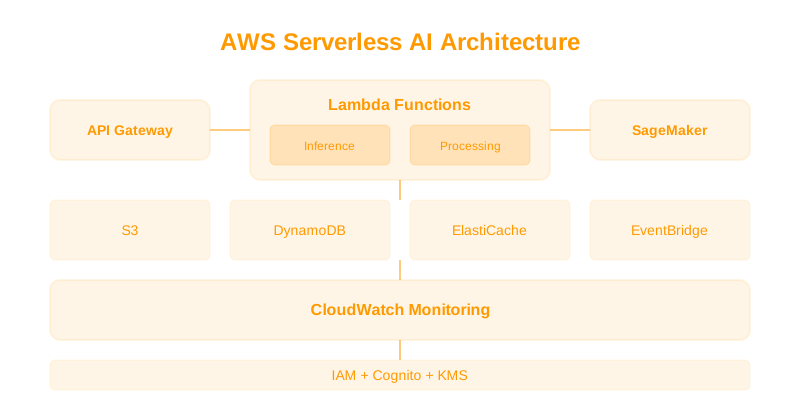
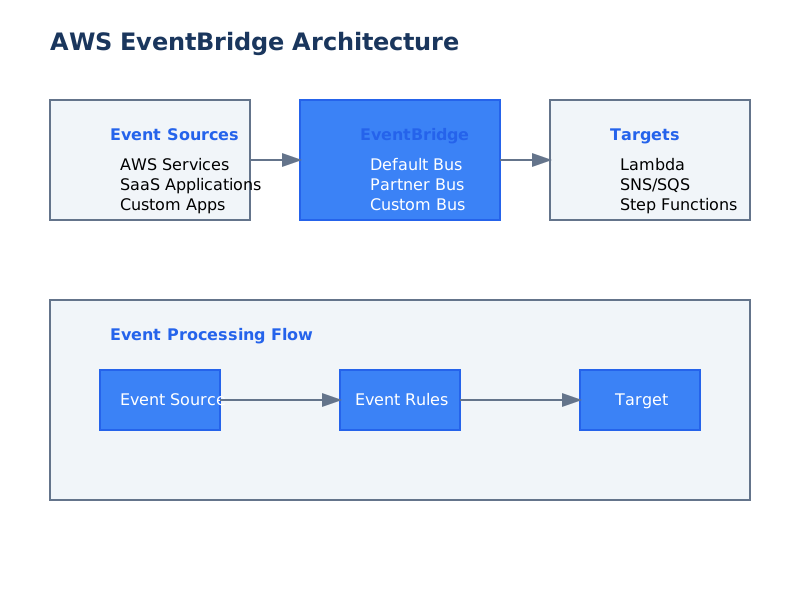
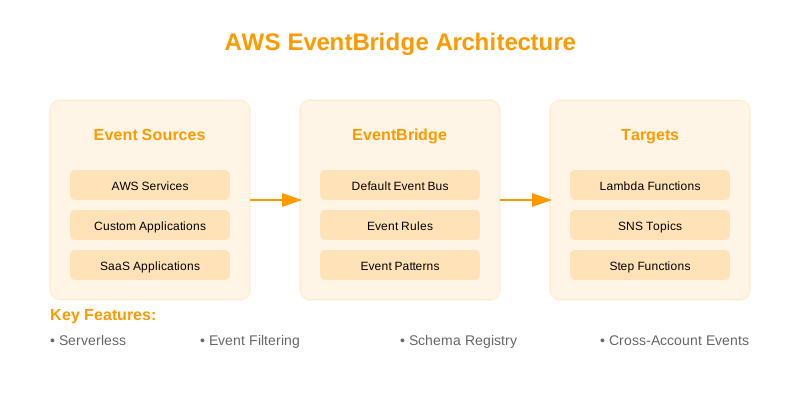
- Amazon EventBridge: A serverless event bus that allows for sophisticated event routing and pattern matching to trigger Lambda functions.
Operational Excellence
Robust serverless applications require continuous monitoring, logging, and security.
Monitoring and Logging
- Amazon CloudWatch:
- Logs: Lambda automatically sends and
stdoutto CloudWatch Logs. Structure your logs (e.g., JSON) for easier querying.stderr - Metrics: Monitor ,
Invocations,Errors,Duration, andThrottles. Set up alarms for critical metrics.ConcurrentExecutions
- Logs: Lambda automatically sends
- AWS X-Ray: Enable active tracing for distributed tracing of requests across multiple services, providing insights into latency and dependencies.
Security Best Practices
- IAM Roles: Grant Lambda functions the least privilege necessary. Define specific permissions for accessing other AWS services. Avoid overly broad permissions.
- KMS Encryption: If your function handles sensitive data, use AWS Key Management Service (KMS) for encryption and decryption.
- VPC Configuration: If Lambda needs to access resources within a VPC (e.g., RDS, ElastiCache), configure VPC networking. This adds latency to cold starts and requires careful subnet and security group management.
When Not to Use Lambda
While powerful, Lambda isn't a silver bullet. Consider alternatives when:
- Long-running, continuous processes: Functions have a 15-minute timeout. For tasks exceeding this, consider container services (ECS/EKS) or EC2.
- Predictable, constant high load: If your workload is consistently high and predictable, dedicated compute resources might be more cost-effective than Lambda's per-invocation pricing.
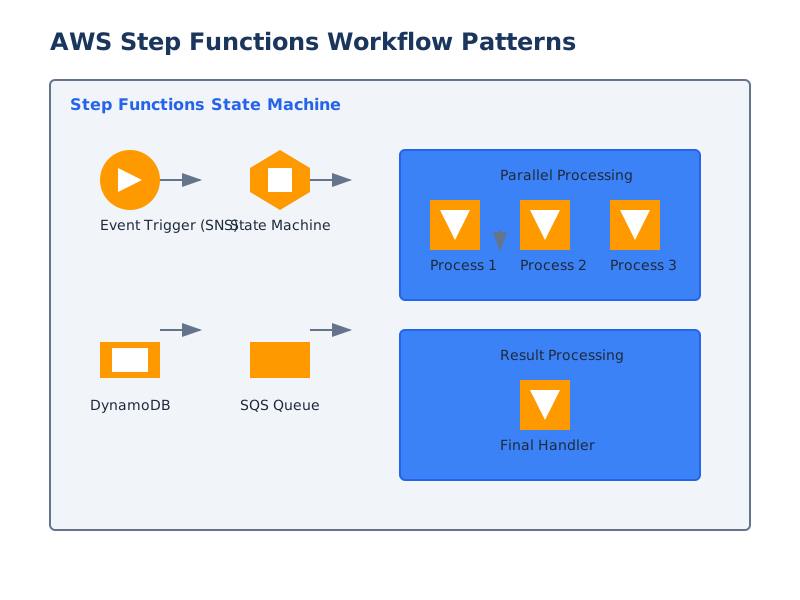
- Complex state management: For intricate workflows requiring extensive state management and coordination, AWS Step Functions or container orchestration might be more suitable.
- Heavy reliance on traditional libraries/frameworks requiring persistent servers: While many frameworks can be adapted, applications tightly coupled to traditional server paradigms might be challenging to refactor.
- Very low latency requirements (< 10ms): Even with optimizations, Lambda's inherent overhead (including cold starts) might make it unsuitable for extremely latency-sensitive operations.
Decision Checklist
Use this checklist to guide your serverless architecture decisions:
| Feature/Consideration | Applicable to Synchronous | Applicable to Asynchronous | Applicable to Stream | Notes | | :------------------------------ | :------------------------ | :------------------------- | :------------------- | :---------------------------------------------------------------------------------------------------------------------------------- | | Immediate Client Response | ✅ | ❌ | ❌ | Synchronous pattern is designed for this. | | Decoupling Services | ➖ | ✅ | ✅ | Asynchronous and stream processing inherently provide decoupling. | | High Throughput Event Ingestion | ➖ | ✅ | ✅ | Stream processing is optimized for ordered, high-volume data. Asynchronous is good for general event ingestion. | | Ordered Event Processing | ❌ | ❌ | ✅ | Kinesis and DynamoDB Streams guarantee order within shards. | | Reliable Retries & Error Handling | ➖ | ✅ | ✅ | Lambda retries, DLQs, and event source configurations offer robust handling for async and stream. Synchronous requires client handling. | | Scalability | ✅ | ✅ | ✅ | Lambda scales automatically for all patterns. | | Cost Optimization Focus | Monitor duration | Monitor execution count | Monitor batch size | Fine-tune memory and duration. Asynchronous may reduce cost if immediate response isn't needed. | | Complexity of Implementation| Low | Medium | High | Stream processing typically involves more intricate error handling and state management. | | Monitoring Needs | Standard | Standard + DLQ/State | Standard + DLQ/State | All require monitoring; async/stream add complexity for tracking processed vs. failed events. | | Cold Start Impact | High | Medium | Medium | Cold starts affect synchronous responses more directly. VPC configuration significantly increases cold starts. | | Security (IAM/VPC) | ✅ | ✅ | ✅ | Essential for all Lambda functions interacting with AWS services or private resources. |
By carefully considering these patterns, configurations, and trade-offs, you can build highly scalable, cost-effective, and resilient serverless applications on Amazon Lambda.