AWS Lambda Container Support: A Comprehensive Guide
Learn how to leverage container images with AWS Lambda, including best practices, optimization techniques, and real-world examples
AWS Lambda Container Support: A Practical Engineering Guide
TL;DR
AWS Lambda's container image support offers a flexible deployment model, enabling packaging up to 10GB of code and dependencies. This guide details practical implementation, optimization strategies, and operational considerations for experienced engineers, focusing on real-world scenarios and trade-offs.
Introduction to Lambda Container Support
AWS Lambda's container image support transcends traditional zip-archive deployments by allowing you to package your function code and dependencies as a container image. This approach provides significant advantages for managing larger applications, leveraging existing container tooling, and standardizing deployment artifacts across different AWS services.
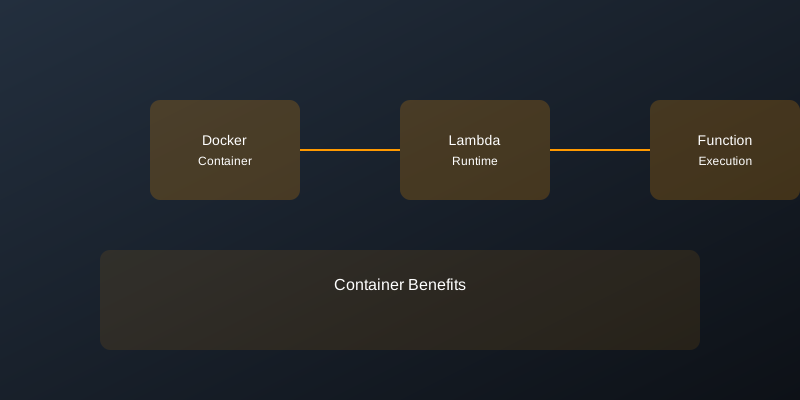
Key Benefits:
- Dependency Management: Effortlessly package large libraries, binaries, or custom runtimes that exceed the zip-archive limits.
- Familiar Tooling: Utilize established container build tools like Docker and integrate with existing CI/CD pipelines.
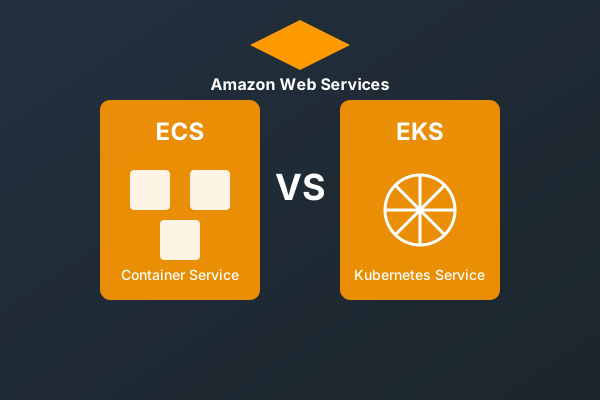
- Artifact Standardization: Maintain consistent deployment units across Lambda functions and other containerized services (e.g., ECS, EKS).
- Reproducibility: Ensure consistent execution environments through well-defined container images.
Core Concepts and Implementation
Lambda Runtime Interface Client (RIC)
At the heart of container support is the Lambda Runtime Interface Client (RIC). This component, embedded within AWS-provided base images or your custom runtime, bridges the gap between the Lambda execution environment and your application code. It handles initialization, event delivery, and response submission according to the Lambda Runtime API.
Base Image Selection
AWS provides optimized base images that include the RIC. For most use cases, these are the recommended starting point.
Example: Python 3.9 Base Image
# Use an official AWS Lambda Python base image
FROM public.ecr.aws/lambda/python:3.9

# Copy your function code into the container's working directory
COPY app.py ${LAMBDA_TASK_ROOT}

# Install your Python dependencies
COPY requirements.txt .
RUN pip install -r requirements.txt

# Specify the entry point (handler function)
CMD [ "app.handler" ]
Custom Runtimes with Container Images
Container images are particularly powerful for custom runtimes or when you need to bundle non-standard binaries.
Example: Custom Runtime with Amazon Linux 2 and Python
This example demonstrates creating a custom runtime by installing Python and the Runtime Interface Emulator (RIE) directly on an Amazon Linux 2 base.
# Use a general-purpose OS base image
FROM public.ecr.aws/amazonlinux/amazonlinux:2

# Install necessary tools (Python 3.9 and pip)
RUN yum update -y && \
    yum install -y python39 python39-pip && \
    yum clean all

# Download and make the Runtime Interface Emulator (RIE) executable
RUN curl -Lo /usr/local/bin/aws-lambda-rie https://github.com/aws/aws-lambda-runtime-interface-emulator/releases/latest/download/aws-lambda-rie \
    && chmod +x /usr/local/bin/aws-lambda-rie

# Define the task root for Lambda
ENV LAMBDA_TASK_ROOT="/var/task"

# Copy application code and dependencies
COPY app.py ${LAMBDA_TASK_ROOT}
COPY requirements.txt .
RUN pip3 install -r requirements.txt

# Set the entry point to RIE, which will then execute your Python handler
ENTRYPOINT [ "/usr/local/bin/aws-lambda-rie" ]
CMD [ "python3", "app.py" ]
Deployment Workflow
Building and Pushing Images to ECR
Your container image must reside in Amazon Elastic Container Registry (ECR) for Lambda to pull it.
-
Build the Docker image:
docker build -t my-lambda-function:latest . -
Authenticate Docker to ECR:
aws ecr get-login-password --region <your-region> | docker login --username AWS --password-stdin <your-account-id>.dkr.ecr.<your-region>.amazonaws.com -
Tag the image for ECR:
docker tag my-lambda-function:latest <your-account-id>.dkr.ecr.<your-region>.amazonaws.com/my-lambda-function:latest -
Push the image to ECR:
docker push <your-account-id>.dkr.ecr.<your-region>.amazonaws.com/my-lambda-function:latestEnsure the ECR repository
exists in your account and region.my-lambda-function
Creating/Updating the Lambda Function
You can provision your Lambda function using various AWS tools.
AWS CLI Example:
aws lambda create-function \
  --function-name my-container-function \
  --package-type Image \
  --code ImageUri=<your-account-id>.dkr.ecr.<your-region>.amazonaws.com/my-lambda-function:latest \
  --role arn:aws:iam::<your-account-id>:role/service-role/my-lambda-execution-role \
  --region <your-region>
AWS CDK Example (TypeScript):
import * as cdk from 'aws-cdk-lib';
import * as lambda from 'aws-cdk-lib/aws-lambda';
import * as ecr from 'aws-cdk-lib/aws-ecr';
import { Construct } from 'constructs';

interface LambdaContainerProps extends cdk.StackProps {
  repository: ecr.IRepository; // Pass your ECR repository
}

export class LambdaContainerStack extends cdk.Stack {
  constructor(scope: Construct, id: string, props: LambdaContainerProps) {
    super(scope, id, props);

    const containerFunction = new lambda.DockerImageFunction(this, 'MyContainerFunction', {
      code: lambda.DockerImageCode.fromEcr(props.repository, {
        tag: 'latest', // Or a specific commit hash/tag
      }),
      memorySize: 1024, // MB
      timeout: cdk.Duration.seconds(30),
      // Specify architecture if needed, e.g., lambda.Architecture.ARM_64
    });

    // Grant necessary permissions to the Lambda execution role
    // e.g., props.repository.grantPull(containerFunction.role);
  }
}
Replace placeholders like <your-region><your-account-id>my-lambda-execution-role
Optimization Strategies
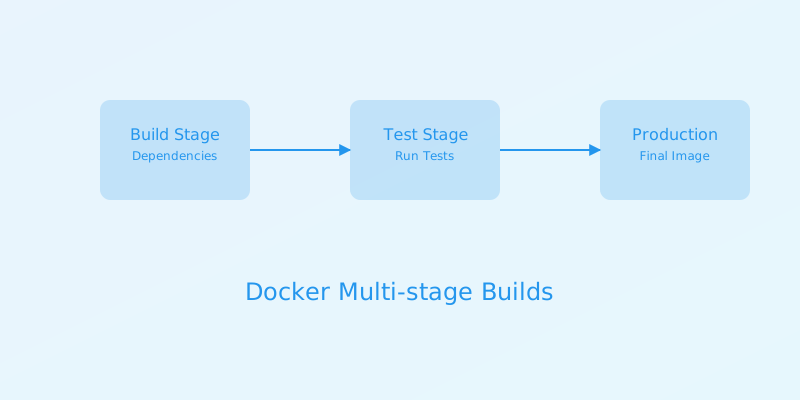
Image Optimization: Multi-Stage Builds
Reduce image size and attack surface by using multi-stage builds. Separate build-time dependencies from runtime dependencies.
# Stage 1: Build dependencies
FROM public.ecr.aws/lambda/python:3.9 AS builder

WORKDIR /asset
COPY requirements.txt .
# Install only production dependencies, no cache
RUN pip install --no-cache-dir -r requirements.txt -t /asset

# Stage 2: Final runtime image
FROM public.ecr.aws/lambda/python:3.9

# Copy installed dependencies from the builder stage
COPY --from=builder /asset ${LAMBDA_TASK_ROOT}

# Copy application code
COPY app.py ${LAMBDA_TASK_ROOT}

CMD [ "app.handler" ]
Performance: Cold Start and Initialization
Minimize cold start times by performing heavy initialization outside the handler function, in the global scope.
Example: Pre-initializing heavy clients
# app.py
import json
import os
# Assume heavy_client_library has a costly initialization
from heavy_client_library import HeavyClient

# Global scope initialization: This runs ONCE when the container starts
# or is reused.
print("Initializing HeavyClient...")
try:
    # Example: Pass configuration from environment variables
    api_key = os.environ.get("API_KEY")
    heavy_client = HeavyClient(api_key=api_key, timeout_seconds=10)
    print("HeavyClient initialized successfully.")
except Exception as e:
    print(f"Error initializing HeavyClient: {e}")
    heavy_client = None # Handle initialization failure gracefully

def handler(event, context):
    if heavy_client is None:
        return {
            'statusCode': 500,
            'body': json.dumps({"error": "Internal service error: client not initialized"})
        }

    print("Processing request...")
    try:
        # Use the pre-initialized client for processing
        result = heavy_client.process(event)
        print("Request processed successfully.")
        return {
            'statusCode': 200,
            'body': json.dumps(result)
        }
    except Exception as e:
        print(f"Error processing request: {e}")
        return {
            'statusCode': 500,
            'body': json.dumps({"error": "Failed to process request"})
        }
This pattern is crucial for reducing latency on warm starts, as the client is ready to use.
Resource Configuration: Memory and Ephemeral Storage
Lambda allocates CPU power proportionally to memory. Higher memory often means better performance but also higher cost per millisecond. Ephemeral storage (
/tmpExample Resource Allocation:
Resources:
  MyContainerFunction:
    Type: AWS::Lambda::Function
    Properties:
      FunctionName: my-container-function
      PackageType: Image
      Code:
        ImageUri: <your-ecr-image-uri>
      Role: arn:aws:iam::<account-id>:role/lambda-role
      MemorySize: 1024 # MB. CPU is allocated proportionally.
      Timeout: 60      # Seconds. Max 900.
      EphemeralStorage:
        Size: 512 # MB. Default 512MB, max 10240MB.
      Environment:
        Variables:
          SOME_ENV_VAR: "value"
          LOG_LEVEL: "INFO"
Consider benchmarking with different memory settings. For I/O-bound or CPU-intensive tasks, increasing memory can significantly improve performance.
Leveraging Layers with Container Images
While container images can include all dependencies, AWS Lambda Layers can still be used to share common code or dependencies across multiple container-based functions. This can simplify image maintenance.
Example: SAM Template Snippet
Resources:
  MyFunction:
    Type: AWS::Serverless::Function
    Properties:
      PackageType: Image
      ImageUri: my-function.ecr.repo:latest
      ImageConfig:
        # Optional: Override default CMD/ENTRYPOINT
        Command: ["app.handler"]
      Layers:
        - !Ref MySharedLayer # Reference an existing Lambda Layer ARN
  MySharedLayer:
    Type: AWS::Lambda::LayerVersion
    Properties:
      LayerName: my-shared-dependencies
      Content:
        S3Bucket: my-bucket
        S3Key: layers/shared-dependencies.zip
Note: Layers are mounted to /opt
Operational Considerations
Monitoring and Logging
Leverage standard Lambda CloudWatch Logs integration. Structured logging improves searchability. AWS Lambda Powertools for Python/Java/TypeScript can simplify logging, metrics, and tracing.
Example: Structured Logging with Powertools (Python)
# app.py
import json
from aws_lambda_powertools import Logger, Metrics
from aws_lambda_powertools.utilities.typing import LambdaContext

logger = Logger(service="my-container-service")
metrics = Metrics(namespace="MyLambdaApp", service="my-container-service")

@logger.inject_lambda_context(log_event=True)
@metrics.log_metrics(capture_cold_start_metric=True)
def handler(event: dict, context: LambdaContext):
    logger.info("Function invoked")
    try:
        # Simulate some work
        result_data = {"message": "Hello from container!"}
        logger.debug("Processing complete", extra={"result": result_data})

        metrics.add_metric("SuccessfulInvocations", 1, "Count")
        return {
            "statusCode": 200,
            "body": json.dumps(result_data)
        }
    except Exception as e:
        logger.exception("An error occurred")
        metrics.add_metric("FailedInvocations", 1, "Count")
        return {
            "statusCode": 500,
            "body": json.dumps({"error": str(e)})
        }
Tracing with AWS X-Ray
Enable active tracing in the Lambda function configuration. Instrument your code to automatically capture requests and downstream AWS SDK calls.
Example: X-Ray SDK Integration
# app.py
from aws_xray_sdk.core import patch_all
import json
import boto3

# Patch common libraries for automatic instrumentation
# This should be done once, typically at module load time
patch_all()

# Initialize AWS clients after patching
s3 = boto3.client('s3')

def handler(event, context):
    # The X-Ray SDK automatically instruments this segment
    # and any downstream calls made by boto3.
    bucket_name = event.get('bucket')
    object_key = event.get('key')

    if bucket_name and object_key:
        try:
            response = s3.get_object(Bucket=bucket_name, Key=object_key)
            content = response['Body'].read().decode('utf-8')
            return {
                "statusCode": 200,
                "body": json.dumps({"content_preview": content[:100] + "..."})
            }
        except Exception as e:
            return {
                "statusCode": 500,
                "body": json.dumps({"error": str(e)})
            }
    else:
        return {
            "statusCode": 400,
            "body": json.dumps({"error": "Missing 'bucket' or 'key' in event"})
        }
Security Best Practices
ECR Image Scanning
Enable automated vulnerability scanning for your container images stored in ECR. This helps identify known CVEs in base images and dependencies.
Enable Scanning via AWS CLI:
aws ecr put-image-scanning-configuration \
  --repository-name my-lambda-function \
  --image-scanning-configuration scanOnPush=true \
  --region <your-region>
IAM Permissions (Lambda Execution Role)
Grant the Lambda execution role only the necessary permissions. For pulling images from ECR, the
ecr:GetDownloadUrlForLayerecr:BatchGetImageExample IAM Policy Snippet:
{
    "Version": "2012-10-17",
    "Statement": [
        {
            "Effect": "Allow",
            "Action": [
                "ecr:GetDownloadUrlForLayer",
                "ecr:BatchGetImage"
            ],
            "Resource": "arn:aws:ecr:<region>:<account-id>:repository/<your-repository-name>"
        },
        {
            "Effect": "Allow",
            "Action": "logs:CreateLogGroup",
            "Resource": "arn:aws:logs:<region>:<account-id>:*"
        },
        {
            "Effect": "Allow",
            "Action": [
                "logs:CreateLogStream",
                "logs:PutLogEvents"
            ],
            "Resource": [
                "arn:aws:logs:<region>:<account-id>:log-group:/aws/lambda/<your-function-name>:*",
                "arn:aws:logs:<region>:<account-id>:log-group:/aws/lambda/<your-function-name>"
            ]
        }
    ]
}
Always scope Resource
Trade-offs and Considerations
Container Image Size
- Pro: Supports large dependencies (up to 10GB).
- Con: Larger images increase download times during cold starts, potentially impacting latency. Optimize aggressively.
Cold Start Latency
- Pro: Can be mitigated by aggressive image optimization and efficient global scope initialization.
- Con: For latency-sensitive applications where cold starts are unacceptable, provisioned concurrency or alternative architectures might be necessary. Container image pull time adds to the cold start duration compared to zip deployments.
Complexity
- Pro: Leverages familiar container tooling and concepts.
- Con: Introduces an additional layer of complexity (Dockerfiles, ECR management, image scanning) compared to simple zip deployments. Debugging can sometimes be more involved.
Cost
- Pro: Potentially better cost efficiency for specific workloads that benefit from larger memory allocations or specialized runtime environments that are easier to package as containers.
- Con: ECR storage costs apply. Larger images may consume more network transfer. Performance gains from higher memory configurations directly translate to higher per-invocation costs.
When Not to Use Lambda Container Images
- Extremely Latency-Sensitive Functions with Frequent Cold Starts: If your application absolutely cannot tolerate cold start latencies greater than a few hundred milliseconds, and provisioning concurrency is not an option, traditional zip deployments might be faster for small codebases.
- Very Small Codebases with Minimal Dependencies: For simple functions that fit within the zip-archive limits, container images add unnecessary overhead and complexity.
- Environments Lacking Containerization Expertise: If your team has no prior experience with Docker or container registries, the learning curve might be steep, making zip deployments a more pragmatic choice initially.
- When Strict Regulatory Compliance Requires All Artifacts to be Zip-Files: While container images are secure, some niche compliance frameworks might have specific requirements that are more easily met by zip archives.
Decision Checklist for Lambda Container Images
- [ ] Do your function's dependencies exceed the 250MB unzipped/250MB zipped size limits for Lambda? (Yes: Consider containers)
- [ ] Do you need to package custom binaries or non-standard runtimes not directly supported by Lambda's managed runtimes? (Yes: Consider containers)
- [ ] Is your team already proficient with Docker and container registries? (Yes: Containers are a good fit)
- [ ] Do you want to standardize deployment artifacts across Lambda and other containerized services (ECS/EKS)? (Yes: Containers offer consistency)
- [ ] Are you comfortable managing ECR repositories, image scanning, and Dockerfile optimization? (Yes: Containers are manageable)
- [ ] Is cold start latency a critical concern, and can you tolerate the additional pull time of a container image? (Evaluate: Optimize image size and initialization heavily if yes)
- [ ] Is the function's codebase very small and dependency-free? (No: Zip deployment might be simpler)
- [ ] Are there specific regulatory or organizational constraints against using container images for deployment? (Yes: Re-evaluate)
By carefully considering these points, you can determine if AWS Lambda's container image support is the optimal deployment strategy for your specific engineering needs.