Ultimate Guide to AWS ElastiCache for Redis: Features & Benefits
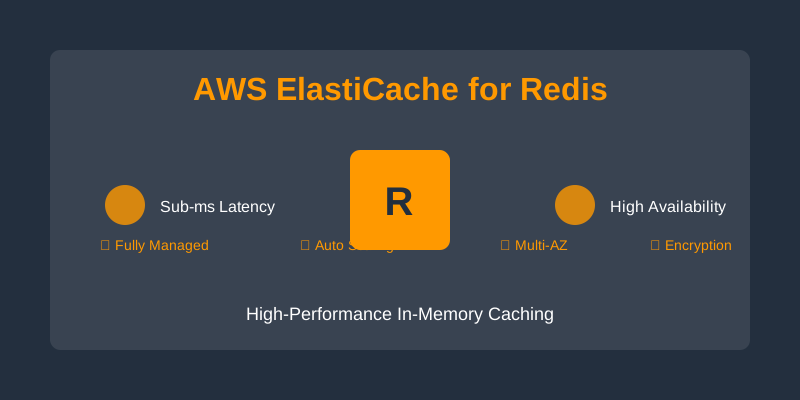
Amazon ElastiCache for Redis is a fully managed, in-memory data store that delivers sub-millisecond latency, high availability, and automatic scaling. It is designed for real-time applications such as caching, session storage, leaderboards, and event-driven architectures.
AWS ElastiCache for Redis: A Pragmatic Guide for Engineers
TL;DR: AWS ElastiCache for Redis offers a fully managed, in-memory data store providing sub-millisecond latency and high availability. This guide explores its core features, practical implementation patterns, architectural considerations, cost optimization, and best practices for engineers deploying real-time applications.
Introduction
Amazon ElastiCache for Redis is a managed service that provides a robust, in-memory data store optimized for low-latency, high-throughput workloads. It abstracts away the operational complexities of deploying, managing, and scaling Redis clusters, allowing engineering teams to focus on application logic. This guide aims to equip experienced engineers with a comprehensive understanding of ElastiCache for Redis, from its technical capabilities to its strategic application.
Core Capabilities and Use Cases
ElastiCache for Redis excels in scenarios demanding rapid data retrieval and storage. Its key strengths lie in:
Sub-Millisecond Latency and High Throughput
Redis's in-memory nature and efficient data structures, combined with ElastiCache's optimized infrastructure, enable near-instantaneous data access. Redis 7 further enhances this with multi-threaded processing for certain operations.
-
Use Case: Real-time Caching Storing frequently accessed, read-heavy data (e.g., product catalogs, user profiles) to offload primary databases.
Example: Caching Product Details
import redis import json # Assuming redis_client is initialized and configured # redis_client = redis.Redis(host='<your-redis-endpoint>', port=6379, db=0, decode_responses=True) product_id = "prod:12345" cache_key = f"product_details:{product_id}" cache_ttl_seconds = 3600 # Cache for 1 hour def get_product_from_cache_or_db(product_id): cached_data = redis_client.get(cache_key) if cached_data: print(f"Cache HIT for {cache_key}") return json.loads(cached_data) else: print(f"Cache MISS for {cache_key}. Fetching from DB...") # Simulate fetching from a primary database product_data = {"id": product_id, "name": "Advanced Widget", "price": 99.99, "stock": 150} # Store in cache with TTL redis_client.setex(cache_key, cache_ttl_seconds, json.dumps(product_data)) return product_data # First call - cache miss product = get_product_from_cache_or_db(product_id) print(f"Retrieved: {product}") # Second call - cache hit product = get_product_from_cache_or_db(product_id) print(f"Retrieved: {product}") -
Use Case: Session Management Storing user session data for web applications, enabling stateless backend servers.
Example: Storing User Session
import redis
import time
import json

# Assuming redis_client is initialized
session_id = "sess:abcdef123456"
session_ttl_seconds = 1800 # Session expires after 30 minutes

user_session_data = {
    "user_id": "usr_9876",
    "username": "jane_doe",
    "last_active": time.time(),
    "roles": ["user", "editor"]
}

redis_client.setex(session_id, session_ttl_seconds, json.dumps(user_session_data))
print(f"Session data stored for {session_id}")
High Availability and Durability
ElastiCache for Redis offers built-in high availability through Multi-AZ replication, providing automatic failover. Automated snapshots offer a degree of durability for point-in-time recovery.
-
Use Case: Real-time Leaderboards Maintaining dynamic, frequently updated leaderboards for games or applications. Redis Sorted Sets are particularly efficient for this.
Example: Leaderboard Updates
import redis # Assuming redis_client is initialized leaderboard_key = "game_leaderboard:global" # Add/Update scores redis_client.zadd(leaderboard_key, {"player_alpha": 1250, "player_beta": 1500, "player_gamma": 1000}) print("Leaderboard updated.") # Get top 5 players top_players = redis_client.zrevrange(leaderboard_key, 0, 4, withscores=True) print("Top Players:") for player, score in top_players: print(f"- {player.decode('utf-8')}: {score}") # Get rank of a specific player player_rank = redis_client.zrevrank(leaderboard_key, "player_beta") if player_rank is not None: print(f"Player 'player_beta' is ranked: {player_rank + 1}") -
Use Case: Message Queuing (Basic) While not a dedicated message broker, Redis can be used for simple queuing patterns using its list commands.
Example: Basic Task Queue
import redis

# Assuming redis_client is initialized
task_queue_key = "tasks:high_priority"

# Enqueue a task
task_payload = {"job_id": "job_abc", "details": "Process report X"}
redis_client.rpush(task_queue_key, json.dumps(task_payload))
print("Task enqueued.")

# Dequeue a task (blocking)
# task_data = redis_client.blpop(task_queue_key, timeout=5) # Blocks for up to 5 seconds
# if task_data:
#     queue_name, task_json = task_data
#     print(f"Dequeued task: {json.loads(task_json)}")
# else:
#     print("No tasks available.")
Scalability and Elasticity
ElastiCache for Redis supports scaling both vertically (changing node types) and horizontally (adding/removing shards when using Cluster Mode Enabled). Cluster Mode Enabled is crucial for datasets exceeding the memory capacity of a single node or for distributing read/write load.
-
Use Case: Dynamic Workload Scaling Applications with variable traffic patterns that require adjusting cache capacity on demand.
Example: Scaling Strategy For a web application experiencing daily traffic spikes, ElastiCache Auto Scaling can be configured to add read replicas or shards during peak hours and scale down during off-peak times, optimizing cost and performance.
Infrastructure and Deployment
Terraform Configuration Example
Deploying ElastiCache using Infrastructure as Code (IaC) is standard practice. Here's a basic example for a single-node Redis cluster. For production, consider Cluster Mode Enabled and Multi-AZ configurations.
resource "aws_elasticache_cluster" "redis_cache" {
  cluster_id           = "my-app-redis-cluster"
  engine               = "redis"
  engine_version       = "7.0" # Specify a supported Redis version
  node_type            = "cache.t4g.medium" # Choose an appropriate instance type
  num_cache_nodes      = 1

  # For production, consider Cluster Mode Enabled (requiring num_cache_nodes > 1 initially)
  # cluster_mode {
  #   num_node_groups         = 1 # Number of shards
  #   replicas_per_node_group = 1 # Number of read replicas per shard
  # }

  parameter_group_name = "default.redis7.0" # Use appropriate parameter group
  subnet_group_name    = aws_elasticache_subnet_group.redis_subnet_group.name

  # Security group to control access (e.g., allowing access from application instances)
  vpc_security_group_ids = [aws_security_group.redis_sg.id]

  tags = {
    Environment = "production"
    Project     = "MyApp"
  }

  # Enable Multi-AZ for high availability (requires num_cache_nodes > 1 for replication)
  # apply_immediately = true # Use with caution in production
}

resource "aws_elasticache_subnet_group" "redis_subnet_group" {
  name       = "my-app-redis-subnet-group"
  subnet_ids = [
    "subnet-xxxxxxxxxxxxxxxxx", # Replace with your actual subnet IDs
    "subnet-yyyyyyyyyyyyyyyyy"
  ]
}

resource "aws_security_group" "redis_sg" {
  name        = "redis-access-sg"
  description = "Allow access to Redis"
  vpc_id      = "vpc-zzzzzzzzzzzzzzzzz" # Replace with your VPC ID

  # Allow inbound traffic from application security group on Redis port (6379)
  ingress {
    from_port   = 6379
    to_port     = 6379
    protocol    = "tcp"
    security_groups = ["sg-appxxxxxxxxxxxxxxx"] # Replace with your application's SG ID
  }

  # Allow all outbound traffic (adjust as needed for security)
  egress {
    from_port   = 0
    to_port     = 0
    protocol    = "-1"
    cidr_blocks = ["0.0.0.0/0"]
  }
}
Client Integration (Python Example)
Connecting to ElastiCache for Redis from an application is typically done using a Redis client library.
import redis
import json
import os

# It's best practice to retrieve endpoint from environment variables or configuration management
REDIS_HOST = os.environ.get("REDIS_HOST", "<your-redis-endpoint>") # e.g., my-app-redis-cluster.xxxxxx.ng.redis.amazonaws.com
REDIS_PORT = int(os.environ.get("REDIS_PORT", 6379))
REDIS_DB = int(os.environ.get("REDIS_DB", 0))
# For Redis AUTH, you would also fetch the password.
# REDIS_PASSWORD = os.environ.get("REDIS_PASSWORD")

try:
    # Use decode_responses=True to get strings directly instead of bytes
    # For TLS, use ssl_cert_reqs=None and potentially ssl_ca_certs if using custom certs
    redis_client = redis.Redis(
        host=REDIS_HOST,
        port=REDIS_PORT,
        db=REDIS_DB,
        decode_responses=True,
        # password=REDIS_PASSWORD, # Uncomment if using Redis AUTH
        # ssl=True # Uncomment if using TLS
    )
    redis_client.ping() # Verify connection
    print("Successfully connected to ElastiCache for Redis.")

except redis.exceptions.ConnectionError as e:
    print(f"Failed to connect to Redis: {e}")
    # Handle connection error, e.g., retry, fallback mechanism

# Example: Setting and getting a key
def cache_data(key, value, ttl_seconds=300):
    try:
        if isinstance(value, dict) or isinstance(value, list):
            value = json.dumps(value)
        redis_client.setex(key, ttl_seconds, value)
        print(f"Data cached for key: {key}")
    except redis.exceptions.RedisError as e:
        print(f"Error caching data for key {key}: {e}")

def get_cached_data(key):
    try:
        data = redis_client.get(key)
        if data:
            print(f"Cache HIT for key: {key}")
            # Attempt to deserialize if it was originally JSON
            try:
                return json.loads(data)
            except json.JSONDecodeError:
                return data # Return as string if not JSON
        else:
            print(f"Cache MISS for key: {key}")
            return None
    except redis.exceptions.RedisError as e:
        print(f"Error retrieving data for key {key}: {e}")
        return None

# Example usage
user_profile_key = "user:profile:u123"
user_profile_data = {"name": "Alice", "email": "alice@example.com", "preferences": {"theme": "dark"}}

cache_data(user_profile_key, user_profile_data, ttl_seconds=600)
retrieved_profile = get_cached_data(user_profile_key)
print(f"Retrieved profile: {retrieved_profile}")
Architectural Considerations
Cluster Mode Enabled (Sharding)
For workloads that exceed the memory capacity of a single node or require distributing read/write load across multiple nodes, Cluster Mode Enabled is essential.
- How it works: Data is partitioned across multiple shards (primary nodes), and each shard can have one or more read replicas.
- Benefits: Horizontal scalability for both data volume and throughput.
- Considerations:
- Client Support: Clients must support Redis Cluster mode. Libraries like can handle this automatically by discovering cluster topology.
redis-py - Key Distribution: Hashing algorithms determine which shard a key resides on. Poor key distribution (e.g., "hot keys") can lead to uneven load.
- Cross-Shard Operations: Commands that operate on multiple keys (e.g., ,
MGET) can be problematic if keys reside on different shards. Transactions (MSET/MULTI) are limited to keys within the same shard.EXECcommand is generally discouraged in production.KEYS
- Client Support: Clients must support Redis Cluster mode. Libraries like
Multi-AZ Replication
For high availability, configure replicas for each shard. ElastiCache automatically manages failover if a primary node becomes unavailable.
- Configuration: In Cluster Mode, this is . For single-node clusters, it's managed by ElastiCache itself as part of the Multi-AZ offering.
replicas_per_node_group - Benefits: Automatic failover significantly reduces downtime.
- Considerations:
- Replication Lag: While typically minimal, there can be a slight delay between the primary and replica. Applications must tolerate this if reading from replicas.
- Cost: Replicas incur additional costs.
Networking and Security
- VPC Integration: ElastiCache instances reside within your VPC. Deploy them in private subnets for security.
- Security Groups: Restrict access to your ElastiCache endpoint only from your application servers' security groups.
- Encryption:
- In-Transit Encryption (TLS): Recommended for encrypting data between clients and the ElastiCache node. Requires client library configuration.
- At-Rest Encryption: Encrypts data stored on disk (e.g., for snapshots).
- Redis AUTH: Enable Redis AUTH for an additional layer of authentication beyond network security. Manage secrets securely.
Monitoring and Alarms
Leverage Amazon CloudWatch for key metrics:
- /
CacheHits: Monitor cache efficiency.CacheMisses - : Track client connections.
CurrConnections - ,
CPUUtilization: Monitor resource usage.FreeableMemory - : Essential for Multi-AZ setups.
ReplicationLag - (Redis 6+): For multi-threaded performance analysis.
EngineCPUUtilization
Set up CloudWatch Alarms for critical thresholds (e.g., high CPU, low memory, high replication lag) to proactively address issues.
Cost Management
ElastiCache pricing is primarily based on:
- Instance Hours: Cost per hour for the chosen node type and number of nodes.
- Data Transfer: Standard AWS data transfer charges apply.
- Backup Storage: Cost for storing automated snapshots beyond the free tier.
Cost Optimization Strategies
- Right-Sizing Instances: Start with smaller instance types and monitor utilization. Scale up or out based on observed metrics. Avoid over-provisioning.
- Reserved Instances (RIs): For stable, long-term workloads, RIs offer significant discounts (up to 70%) over on-demand pricing.
- Cluster Mode Scaling: Use Cluster Mode Enabled with Auto Scaling to dynamically adjust the number of shards and replicas based on load, paying only for what you need.
- TTL Management: Implement appropriate Time-To-Live (TTL) values for cache entries to automatically evict stale data, preventing unbounded memory growth.
- Multi-AZ for Production: Only enable Multi-AZ for production environments where high availability is critical. Development or staging environments might not require it.
- Snapshot Frequency and Retention: Adjust snapshot schedules and retention policies based on your Recovery Point Objective (RPO) and storage cost tolerance.
Pricing Snapshot (Illustrative - US East N. Virginia, Feb 2024):
| Instance Type | vCPU | Memory | Network | On-Demand $/hr | Reserved (1yr) $/hr (Approx) | | :-------------- | :--- | :----- | :----------- | :------------ | :--------------------------- | |
cache.t4g.microcache.t4g.smallcache.r6g.largecache.r6g.xlargeNote: Graviton (g) instances are generally more cost-effective.
Trade-offs and Considerations
- Managed Service vs. Self-Hosted:
- ElastiCache: Reduced operational overhead, faster provisioning, AWS integration. Potential for vendor lock-in, less fine-grained control over the underlying OS/Redis configuration.
- Self-Hosted Redis: Full control, potentially lower raw infrastructure cost (if managed efficiently), custom configurations. Significant operational burden (patching, scaling, HA).
- Redis Data Structures: While powerful, complex Redis data structures (e.g., HyperLogLog, Streams) might have different performance characteristics or require specific client library support.
- Persistence: ElastiCache for Redis offers snapshots for backup but is primarily an in-memory store. For strong durability guarantees beyond replication and snapshots, consider alternative persistence strategies or services if Redis is used as a primary data store (which is generally not its intended use case).
- Transaction Limitations: Redis transactions (/
MULTI) are atomic but not isolated like database transactions. All keys involved must reside on the same shard in Cluster Mode.EXEC - Command: Avoid using the
KEYScommand in production environments, especially in Cluster Mode, as it can block the server and is inefficient. UseKEYSfor iterating over keys.SCAN
When NOT to Use AWS ElastiCache for Redis
- Primary, Durable Data Store: If your application requires strong ACID compliance, complex transactional integrity across multiple entities, and guaranteed persistence without any data loss risk, a relational or document database is a more suitable primary store.
- Complex Querying Needs: ElastiCache for Redis is key-value oriented. For complex ad-hoc querying, joins, or aggregations, a database with a rich query language is necessary.
- Large, Infrequently Accessed Datasets: The cost-effectiveness of ElastiCache is tied to its in-memory nature. Storing massive datasets that are rarely accessed can be prohibitively expensive. Consider disk-based storage solutions.
- Long-Term Archival: ElastiCache is for active data. For archival purposes, use services like Amazon S3.
- Situations Requiring Deep OS-Level Control: If you need to install custom modules, modify kernel parameters, or have absolute control over the Redis server environment beyond what ElastiCache parameters allow, self-hosting might be necessary.
Decision Checklist
Use this checklist to evaluate if AWS ElastiCache for Redis is the right fit for your use case:
- [ ] Does your application require sub-millisecond latency for data access?
- [ ] Is your workload read-heavy, benefiting from caching?
- [ ] Do you need a scalable solution for session management?
- [ ] Are you building real-time features like leaderboards or rate limiting?
- [ ] Can your data fit into memory, or can it be effectively sharded across multiple nodes?
- [ ] Is high availability and automatic failover a critical requirement?
- [ ] Do you prefer a fully managed service to reduce operational burden?
- [ ] Is the cost of maintaining an in-memory dataset within your budget?
- [ ] Is your application client compatible with Redis Cluster (if sharding is needed)?
- [ ] Are you comfortable managing network security (Security Groups, VPC) for the cache instance?
- [ ] Do you have mechanisms for monitoring and alerting on cache performance and health?
If you answered "Yes" to most of these questions, AWS ElastiCache for Redis is likely a strong candidate. If you answered "No" to critical requirements like latency, or "Yes" to requirements better suited for databases (durability, complex queries), reconsider your approach.
Conclusion
AWS ElastiCache for Redis provides a powerful, performant, and scalable solution for demanding in-memory data storage needs. By understanding its core features, architectural patterns, cost implications, and inherent trade-offs, engineering teams can effectively leverage ElastiCache to build highly responsive and available applications. Remember to prioritize security, monitor performance diligently, and right-size your deployments for optimal results.